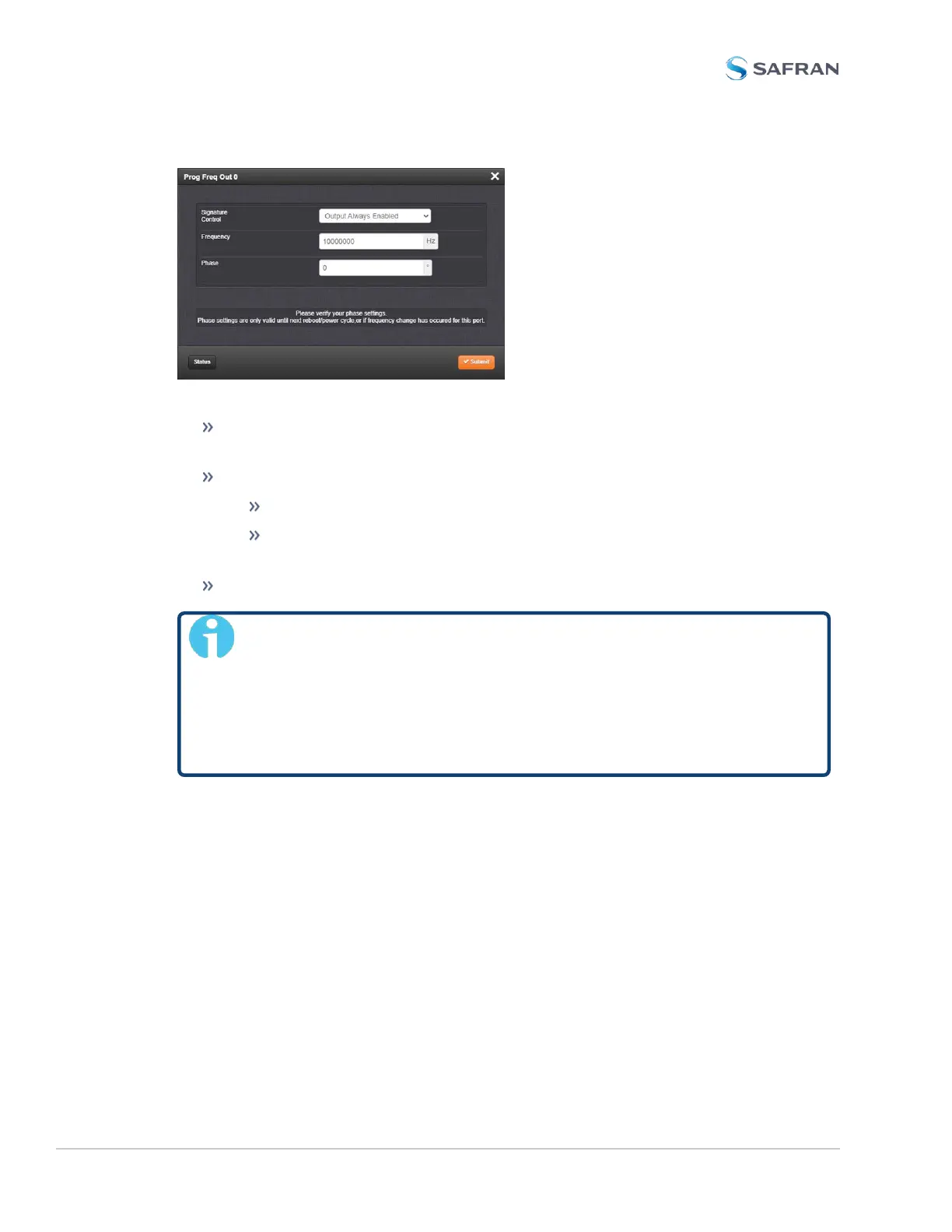
The Edit window allows the configuration of the following settings:
Signature Control: Controls when the output will be present. See also: "Sig-
nature Control" on page183.
Frequency: Enter the desired output frequency. The ranges are as follows:
Sine wave output frequency (model no. 1204-13): 1 to 25,000,000Hz
Pulse rate output in Hertz (model no.’s 1204-2F/-30): 1 to
25,000,000PPS
Phase: Adjust the phase by entering a phase offset (0.1 to 360°), if required.
Note: The phase offset will lose its reference at a SecureSync reboot,
and hence the value will be reset to 0 (ZERO).
The reference will also be lost if you enter a new output frequency
for a port – however in this case, the value will not be reset to 0, but
instead remain unchanged. In both cases you will need to re-enter
the required phase offset value.
Programmable Frequency Output: Status Window
To view the settings of a Programmable Frequency Output, go to its Status win-
dow. For instructions, see: "Viewing Input/Output Configuration Settings" on
page363.
The Web UI list entry for this card is named: Prog Freq Out, Sine [or: TTL, or: RS-
485, respectively].
The connector numbers are: J1…J4 [J1 for the RS-485 model].
410 SecureSync 2400 User Manual
APPENDIX



 To Next Page