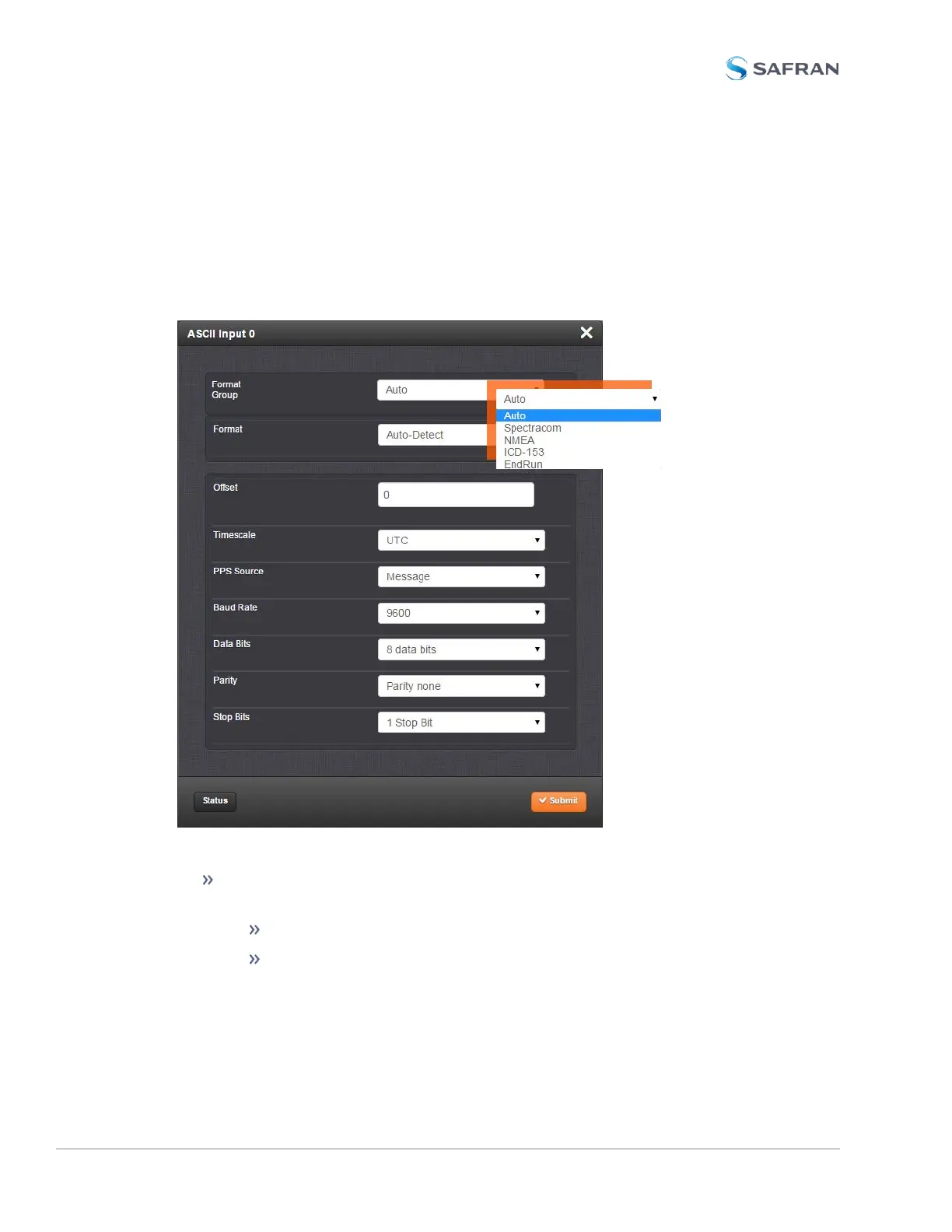
ASCII Time Code Input: Edit Window
To configure the ASCII Input (also referred to as ‘Reference’), go to its Edit win-
dow. For instructions, see: "Configuring Option Card Inputs/Outputs" on
page364.
The Web UI list entries for this card are: ASCII TIMECODE RS-232 and ASCII
TIMECODE RS-485.
The Input Edit window allows the configuration of the following settings:
Format Group: Determines the time code message format category (see
also "Time Code Data Formats" on page560.) Choices are:
Auto
Spectracom
488 SecureSync 2400 User Manual
APPENDIX



 To Next Page