1. On a computer connected to the SecureSync network, start a web browser,
and enter the IPaddress shown on the SecureSync front panel.
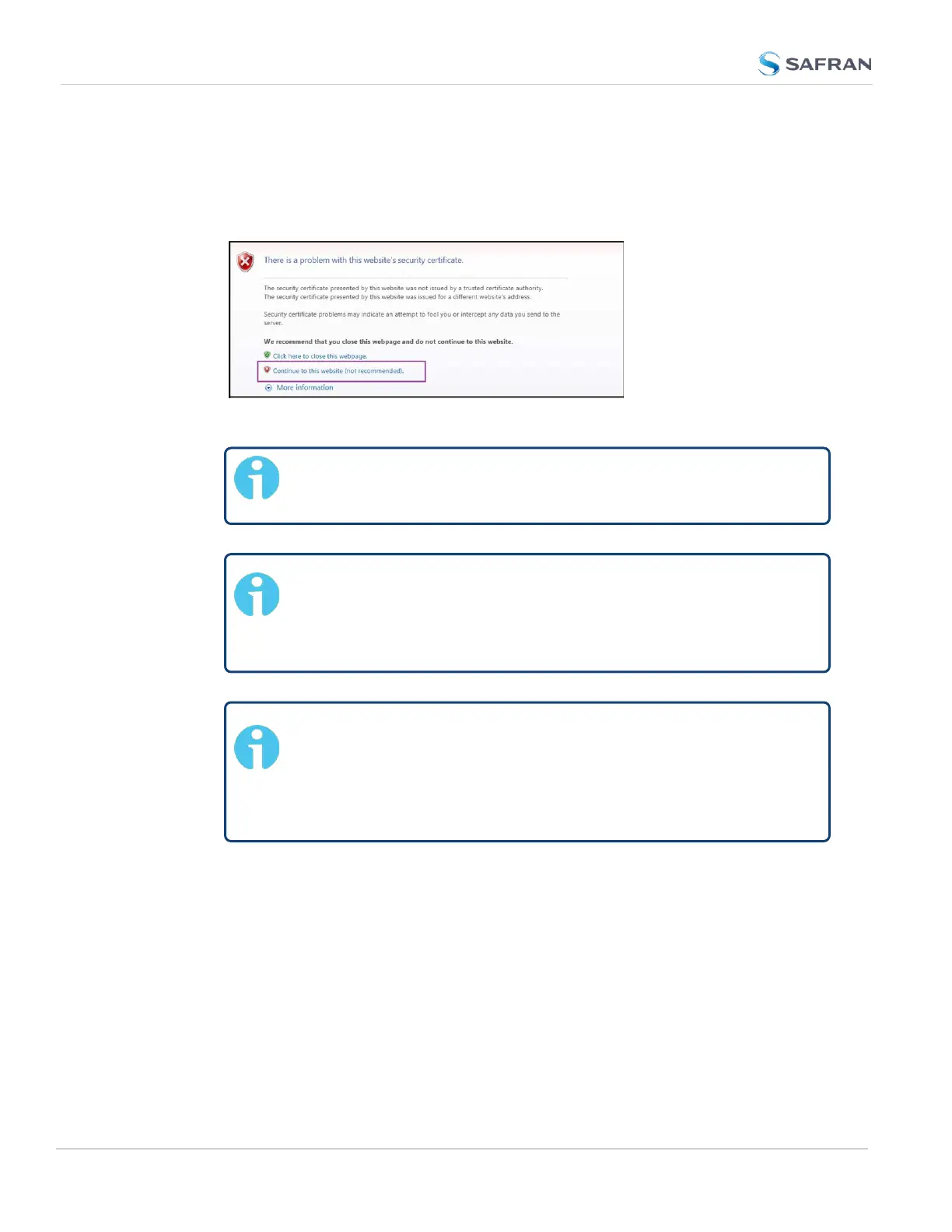
2. When first connecting to the Web UI, a warning about security certificates
may be displayed:
Select Continue....
Note: "Cookies" must be enabled. You will be notified if Cookies
are disabled in your browser.
Note: HTTPS only: Depending on your browser, the cer-
tificate/security pop-up window may continue to be displayed
each time you open the Web UI until you saved the certificate
in your browser.
Note: Static IPaddress only: To prevent the security pop-up
window from opening each time, a new SSL Certificate needs
to be created using the assigned IP address of SecureSync dur-
ing the certificate generation. See "HTTPS" on page81 for more
information on creating a new SSL certificate.
3. Log into the Web UI as an administrator. The factory-default administrator
user name and password are:
Username: spadmin
Password: admin123
72
CHAPTER 2 • SecureSync 2400 User Manual Rev. 5.2
2.13 Accessing the WebUI



 To Next Page