Functionsanddialogboxes
Displaymenu;functionsanddialogs
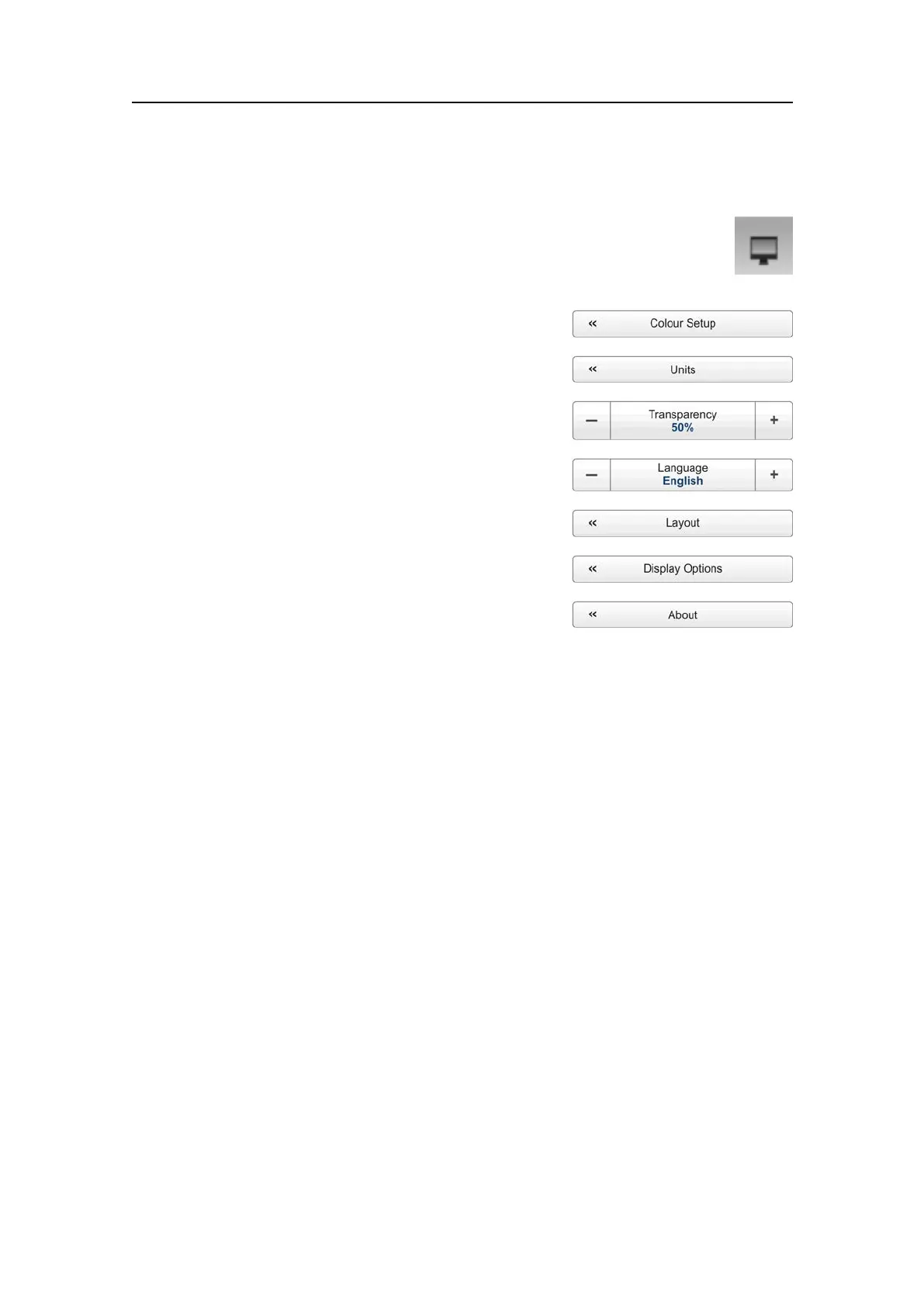
ThefollowingfunctionsandparametersareavailablefromtheDisplaymenu.
ClickonceontheiconundertheMainmenutoopentheDisplaymenu.Click
onemoretimeontheicontoclosethemenu.
1ColourSetup
ThepurposeoftheColourSetupdialogboxisto
controlthepresentationcoloursusedbytheEK15.
→ColourSetupdialogboxonpage160
2Units
ThepurposeoftheUnitsdialogboxistocontrol
theunitsofmeasurementsusedbytheEK15.
→Unitsdialogboxonpage162
3Transparency
ThepurposeoftheTransparencyfunctionisto
adjusthowmuchyouareabletoseethroughthe
informationpanes.
→Transparencyfunctiononpage163
4Language
ThepurposeoftheLanguagefunctionistoselectthelanguagetobeusedonthe
menusandelsewhereinthegraphicaluserinterface.
→Languagefunctiononpage164
5Layout
ThepurposeoftheLayoutdialogboxistodenewhichtransceiverchannelsyou
wishtopresentonthedisplaypresentation.Youcanalsopositiontheechogramsin
relationtoeachother.
→Layoutdialogboxonpage164
6DisplayOptions
ThepurposeoftheDisplayOptionsdialogboxistocontrolthelocationofthemenu,
andwhichinformationtobeprovidedontheTitleBarandtheStatusbar.Italso
controlswhichtooltipstodisplay.
→DisplayOptionsdialogboxonpage166
7About
TheAboutdialogboxallowsyoutoseethecurrentEK15softwareversion.
→Aboutdialogboxonpage169
351718/C
159







 To Next Page