4-141
For the manual energy saving operation refer to Figure 4.4.88.
03-0X =21: PID integral reset
03-0X =24: PLC Input
It is required to be with the software of Drive Link. PLC software program conducts the ladder diagram editing.
When the signal output conducts, it will be transmitted to the inverter to be active.
03-0X =25: External fault
Activating the external fault input will turn off the inverter output and the motor will coast to a stop. The keypad
displays the external fault message “EFn Ext. Fault (Sn)”, where n is the input terminal number.
03-0X =26: 3-wire sequence (forward / reverse command)
When digital input terminals S3~S6 are set to 26, terminals S1 and S2 will be individually changed to run
command and sop command. Refer to the 3-wire operation mode in Figure 4.4.2 for details.
03-0X =27: Local / Remote selection.
Switch the inverter frequency reference source between Local (keypad) or Remote (control circuit terminals or
RS485). Use parameter 00-05 (Main frequency command source selection) and 00-02 (Run command selection)
to select the remote source.
Note: In 3-wire operation terminal S1 and S2 are reserved for run/stop operation and the Local / Remote function
can only be set to digital input terminals S3 to S8 (03-02 to 03-07).
Note: To switch between local and remote the inverter has to be stopped.
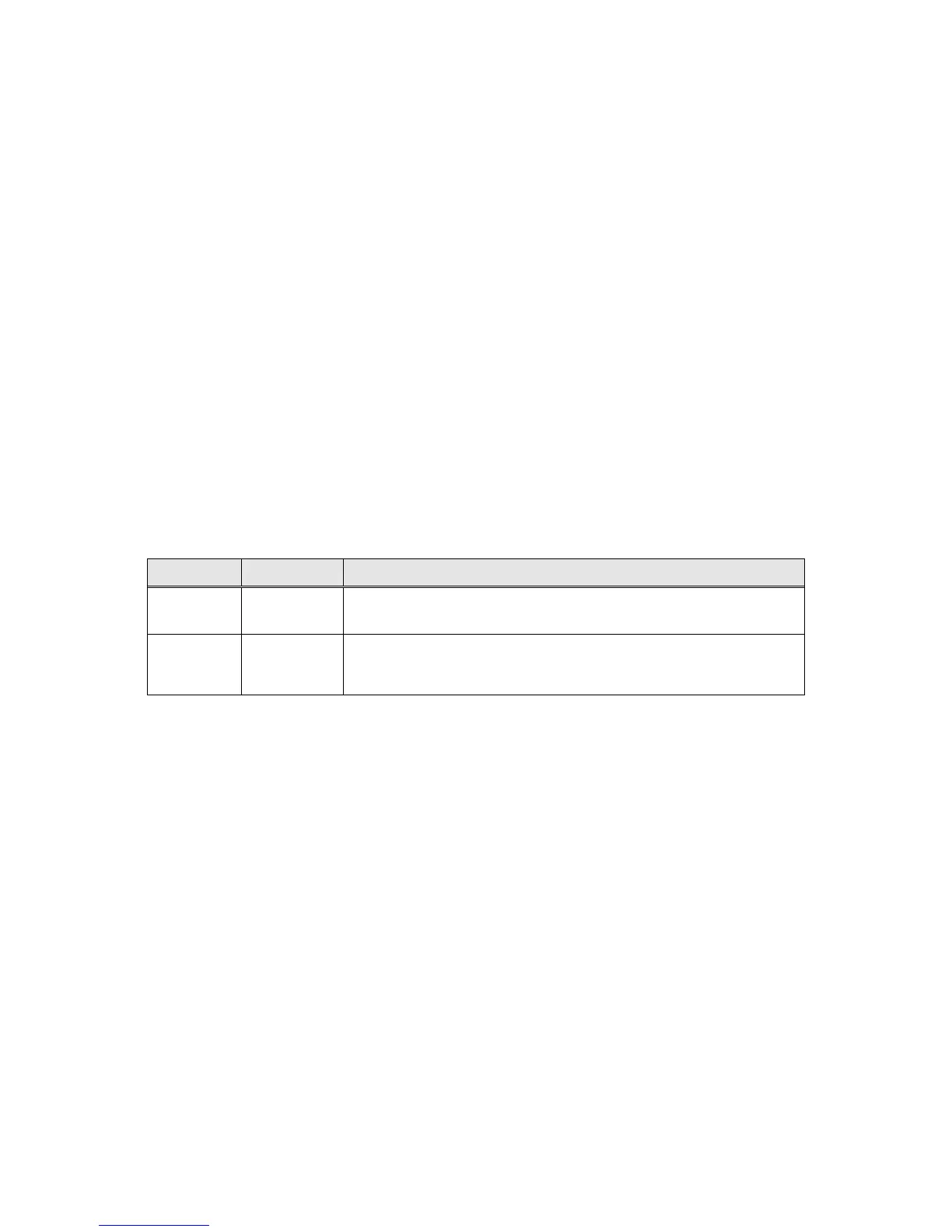
Input Mode Frequency Reference / Run/Stop Command Source
ON Local
- Frequency reference and Run-Stop from keypad.
- LEDs SEQ and REF are off.
OFF Remote
- Frequency reference source selected by parameter 00-05 and
Run-Stop source selected by parameter 00-02.
- LEDs SEQ and REF are on.








 To Next Page