3. Repair Instructions 1/2010 3 - 49
BA-TE-DE08C M.KAY
Dialog+ SW9xx_sm_Chapter 3_1-2010.doc/pdf <100329> yymmdd
B. Braun Avitum AG
Dialog
+
SW 9.xx
3.5.3 Installation Software TLC 9.xx
with USB Stick
The USB stick with the TLC/LLC/LLS software is required for the installation of
the software TLC 9.xx.
If the TLC software has to be installed only:
•
Open rear door.
•
Switch to TSM service program mode (on digital board DB, service switch
S1 position 2).
•
Proceed with point 14.
•
Bootable USB stick with the TLC/LLC/LLS software
14.
Open front door.
15.
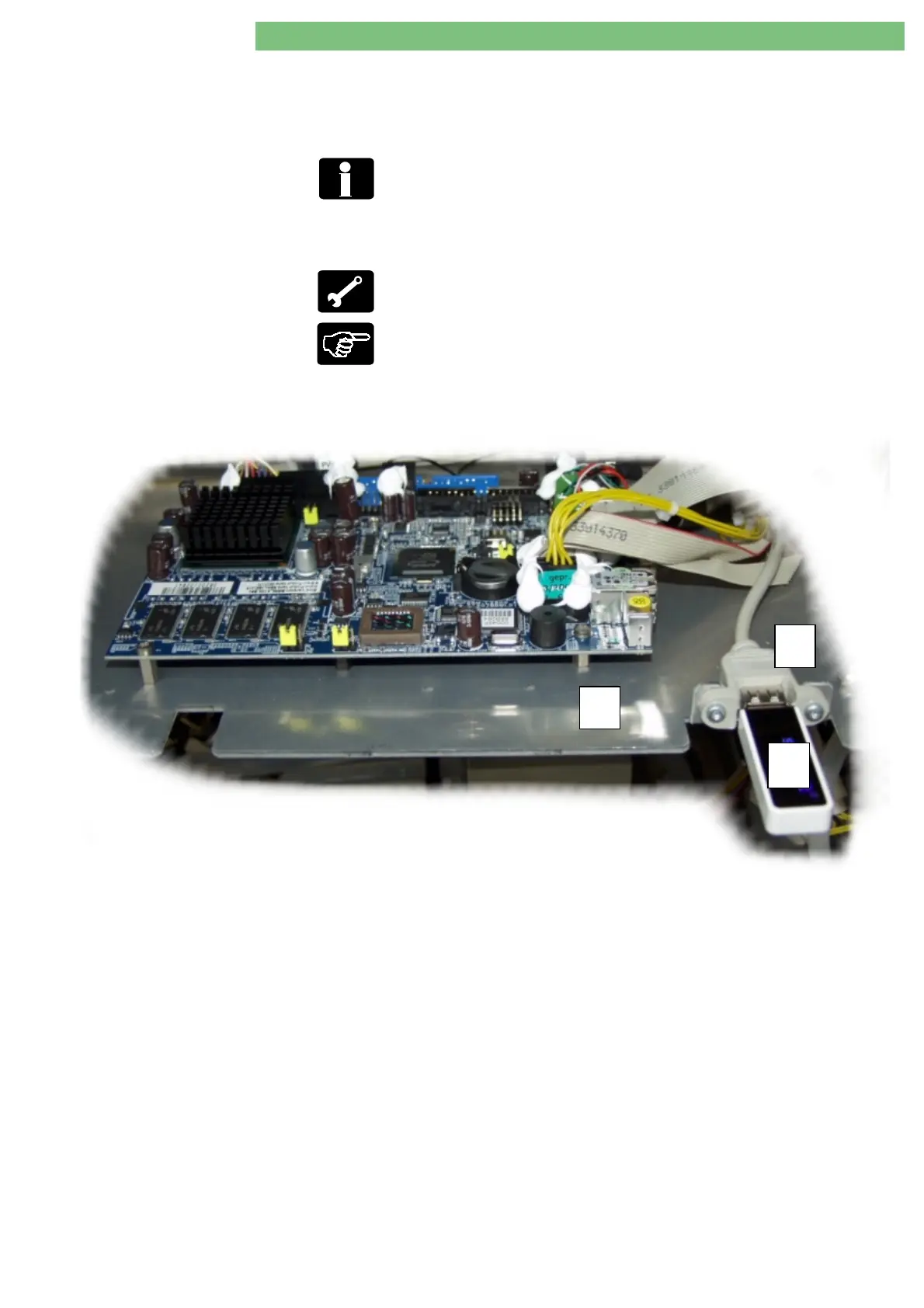
Connect USB stick
A
to USB port
B
on the TLC sub-rack
C
.
16.
Switch on machine.
Fig.: Front View TLC Sub-Rack
A
B
C















 To Next Page