2. Safety Marathon Express
Mechanical Hazards Part Number: 605914 Rev. B
Step Action
1.
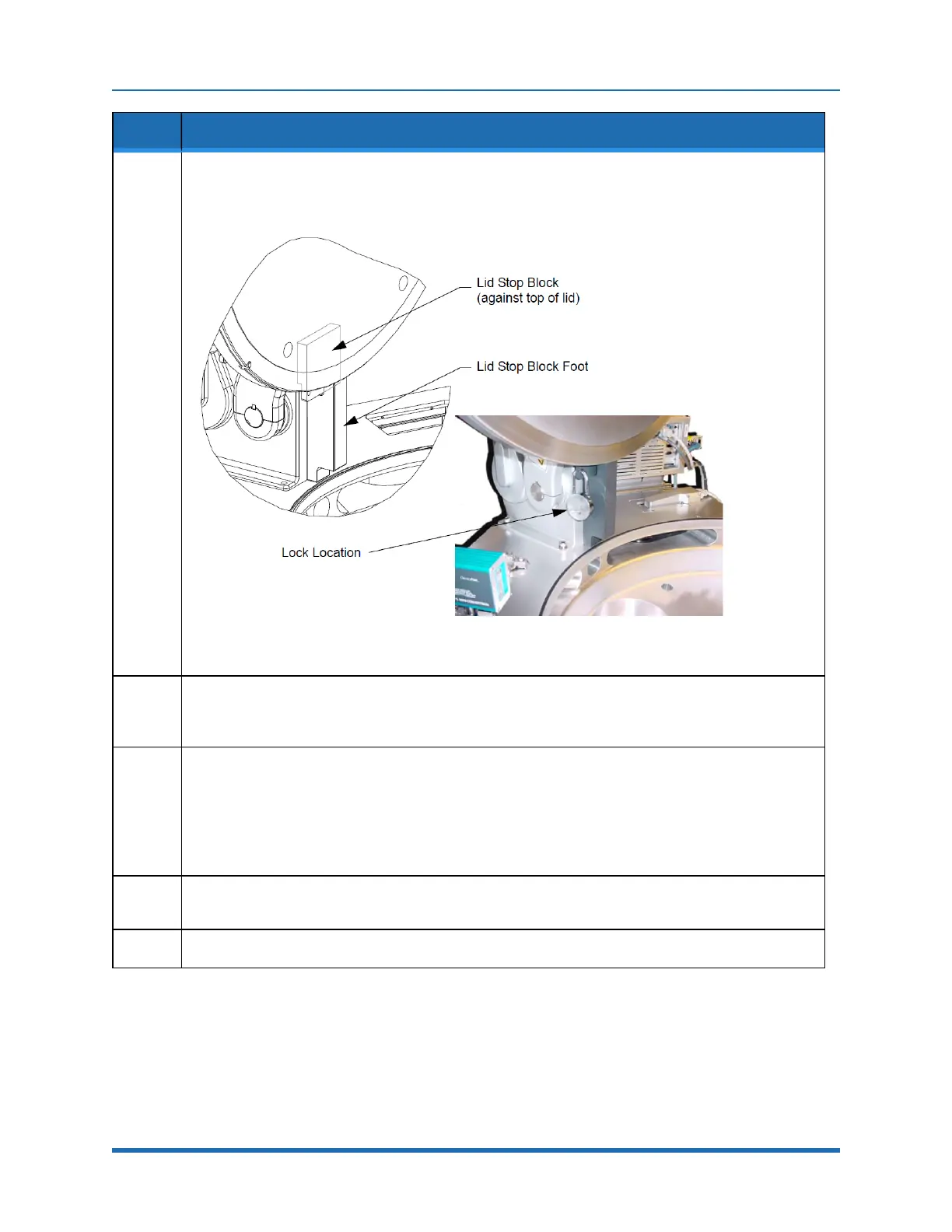
Oncethelidisinthefullyopen(90°)positioninserttheLidStopBlockFootbetweenthelidandthe
chamberandcenteredagainsttheLidLifterasshowninFigure2-7(adjustthepositionofthelidto
greaterthan90°ifrequired).
Figure 2-7: Installing Lid Lockout/Tagout Device
2.
InserttheLidStopBlockagainstthelidbetweenthearmsoftheLidLifterandslideitdownuntilit
engagestheLidStopBlockFootasshowninFigure2-7.EnsurethattheBlockisfullyseated(adjust
thepositionofthelidifnecessary).
3.
InstallalockthroughtheholeprovidedontheLidStopBlock.Attachatagtothelockdescribingthe
reasonforthelockout/tagout.Thetagonthelockmusthavethefollowinginformation:
l
Dateofmaintenance/serviceaction
l
Namesofthepersonsperformingtheserviceprocedure
l
Shortdescriptionoftheservice/maintenanceaction
l
Signaturesoftheservicesupervisorandproductionsupervisor
4.
Oncetheserviceprocedureiscompleteremovethelock,theLidStopBlock,andtheLidStopBlock
Foot.
5.
Assoonasthelockout/tagoutdeviceisremoved,closeandsecurethelid.
44
Copyright © 2023, Brooks Automation, Inc.



 To Next Page