Brooks Automation 3. Installation
Part Number: 605914 Rev. B Unpacking and Inspection
Step Action
5.
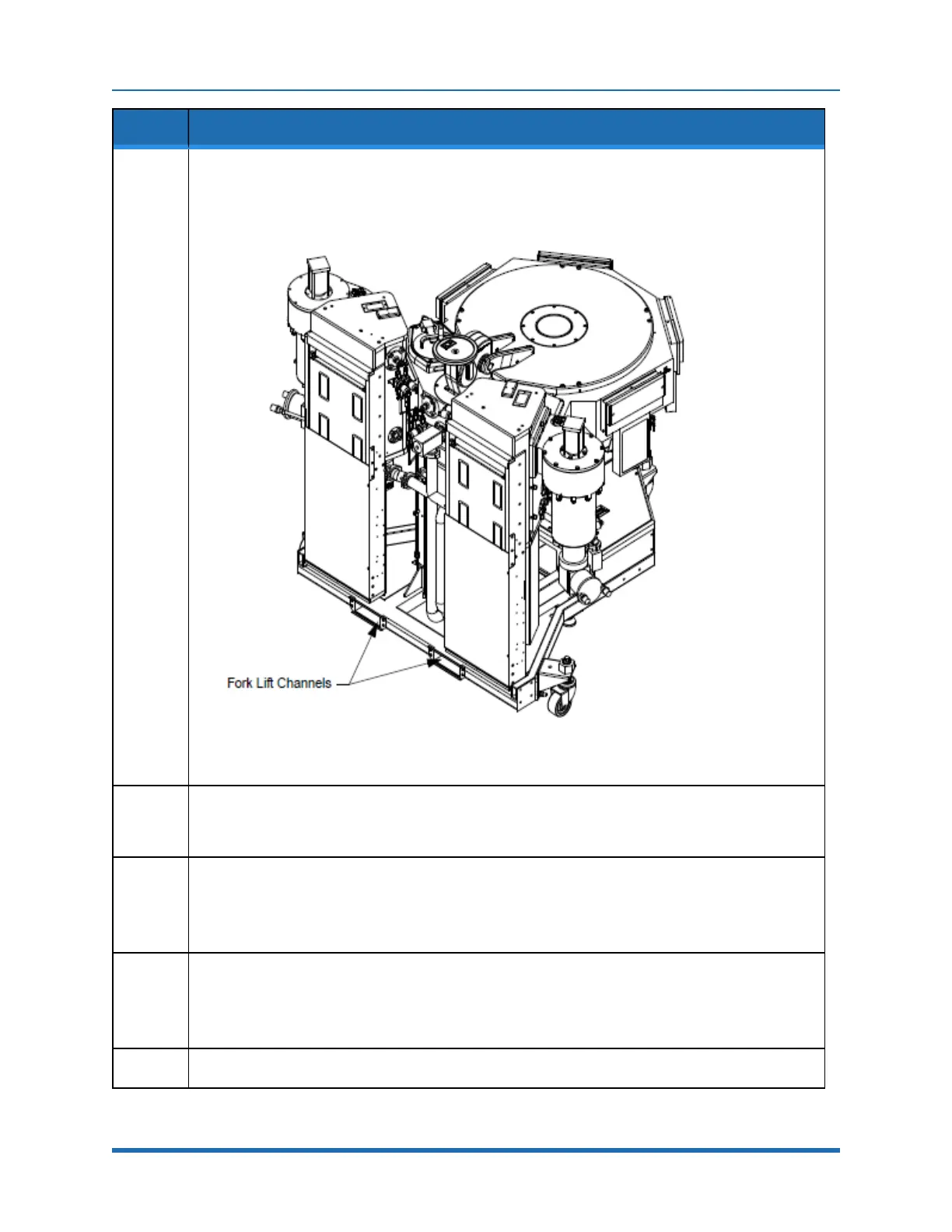
Usingtheforklift,picktheTransportChamberuponlyenoughtocleartheshippingskid.Theforklift
channelsarelocatedbelowtheVCEasshowninFigure3-1.
NOTE: TheMarathonExpresssystemmustbeliftedfromtheLoadLocksideonly.Bumperstops
mustbepresentontheforklifttopreventtheliftfromcontactingtheframe.
Figure 3-1: Fork Lift Channel Locations
6.
SlideouttheshippingskidandlowertheMXsystemjackingcastersasshowninFigure3-1byturning
thethreadedrodsclockwise.Graduallytransfertheweightofthesystemfromthefork-liftchannelsto
thecasters.
7.
Removetheforklift.
NOTE: TheindividualmodulesoftheMarathonExpressaretopheavyanditmaytipandfallwhich
maycauseseriousinjuryordeath.DonotattempttomovetheMarathonExpresswithouttheuseof
aforkliftorahoist.Moveonsmoothfloorsonly.
8.
CutopenandremovethefoilbagtheMXsystemisshippedinandrollthesystemintotheDepack
area.
NOTE: InspectthetravelrouteoftheMarathonExpresssystemtoensurethatitislevelandclearof
alldebrisandobstacles.Coverdips,thresholds,oranyunevenfloortransitionswithplates.
9.
MovethecontentsofallothercratesintotheDepackarea.
Copyright © 2023, Brooks Automation, Inc.
59



 To Next Page