35
Functional introduction
Basic functions
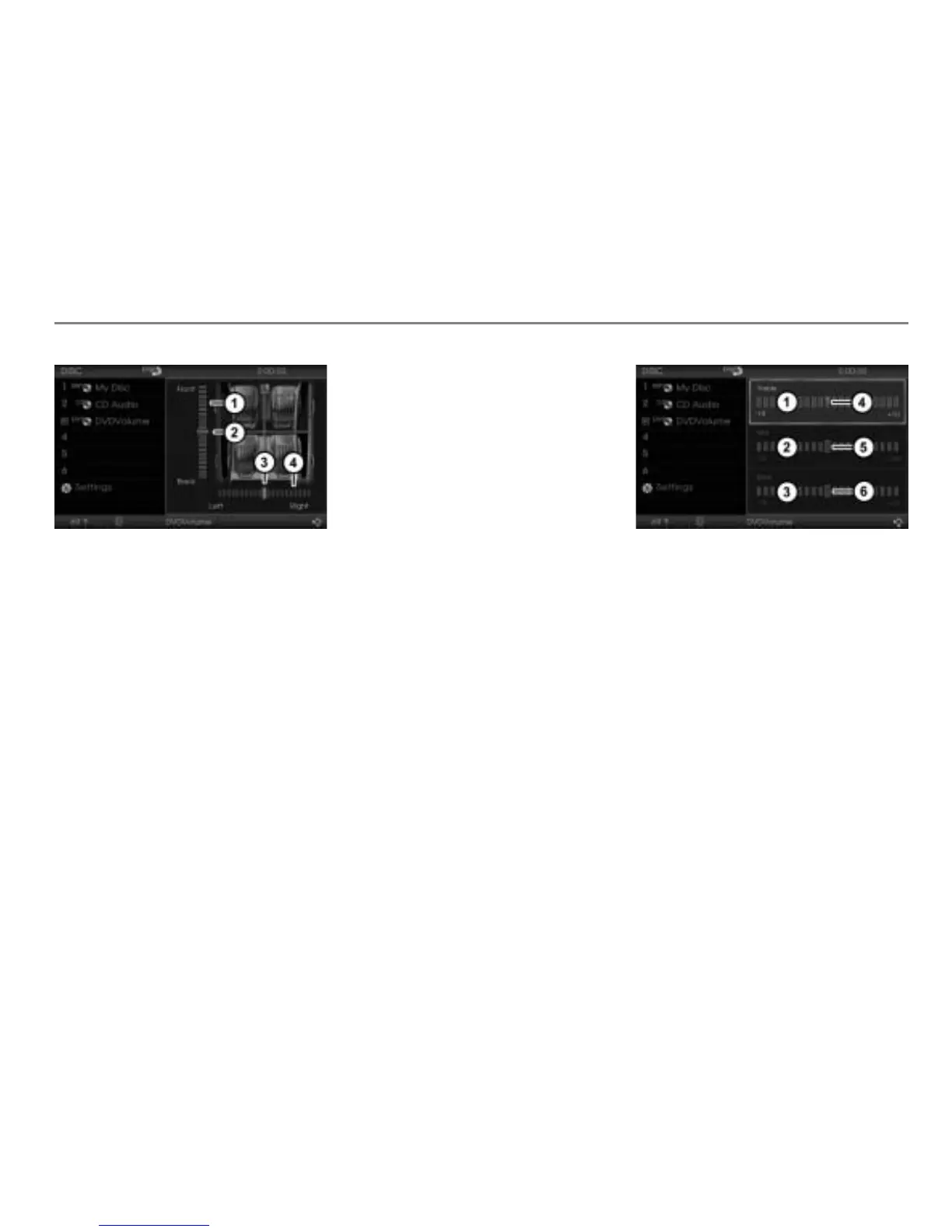
Scale for the fader setting
Fader indicator
Balance indicator
Scale for the balance setting
The position of the two indicators
and
on the scale show the current settings.
The color of the two indicators shows
whether the balance function or the fader
function is active. In the illustration above,
the fader function is active.
Activating the balance or fader
function: If necessary, press the
controller
.
The previously inactive function is now
active.
To set balance or fader: Turn
the
controller
until the desired setting is
reached.
The system saves the setting
automatically.
To close the Balance/Fader menu:
Push
the controller once or briefly
press the button.
Setting the treble/mid/bass
The system automatically saves the treble/
mid/bass settings separately for all audio
and video signal sources.
To open the Treble/Mid/Bass menu:
In the Audio Settings menu, select the
menu item Treble/Mid/Bass.
The Treble/Mid/Bass menu is displayed
in the content area.
Scale for the treble setting
Scale for the mid setting
Scale for the bass setting
Treble indicator
Mid indicator
Bass indicator
The position of the three indicators
,
and on the scales , and show
the respective current settings.
The color of the indicators shows which of
the scales is active. In the illustration
above, the scale for the treble setting is
active.
You can tell an active scale by the white
frame around the scale.



 To Next Page