Electrical equipment
Radio equipment
Bravo-Brava
55.
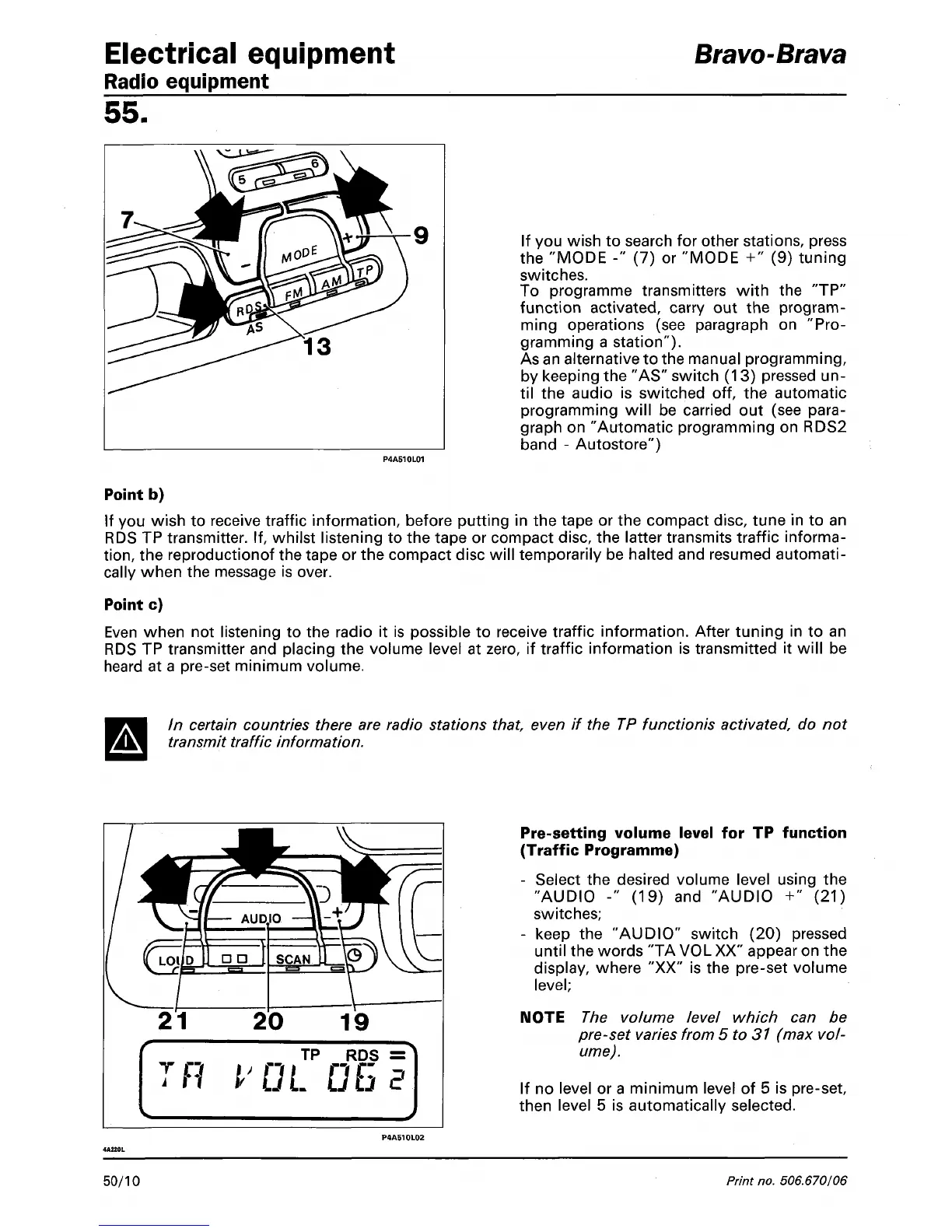
If you wish to search for other stations, press
the "MODE -" (7) or "MODE +" (9) tuning
switches.
To programme transmitters with the "TP"
function activated, carry out the program-
ming operations (see paragraph on "Pro-
gramming a station").
As an alternative to the manual programming,
by keeping the "AS" switch (13) pressed un-
til the audio is switched off, the automatic
programming will be carried out (see para-
graph on "Automatic programming on RDS2
band - Autostore")
Point b)
If you wish to receive traffic information, before putting in the tape or the compact disc, tune in to an
RDS TP transmitter. If, whilst listening to the tape or compact disc, the latter transmits traffic informa-
tion,
the reproductionof the tape or the compact disc will temporarily be halted and resumed automati-
cally when the message is over.
Point c)
Even when not listening to the radio it is possible to receive traffic information. After tuning in to an
RDS TP transmitter and placing the volume level at zero, if traffic information is transmitted it will be
heard at a pre-set minimum volume.
In certain countries there are radio stations
that,
even if the TP functionis activated, do not
transmit traffic information.
T c
TH
TP RDS =
t'GL CG?
Pre-setting volume level for TP function
(Traffic Programme)
- Select the desired volume level using the
"AUDIO -" (19) and "AUDIO +" (21)
switches;
- keep the "AUDIO" switch (20) pressed
until the words "TA VOL XX" appear on the
display, where "XX" is the pre-set volume
level;
NOTE The volume level which can be
pre-set varies from 5 to 31 (max
vol-
ume).
If no level or a minimum level of 5 is pre-set,
then level 5 is automatically selected.
50/10
Print no. 506.670/06



 To Next Page