Bravo-Brava
Electrical equipment
Radio equipment
55.
CLOCK FUNCTION
This function makes it possible to display the hours and minutes.
A double point, between the hours and the minutes, flashes once a second on the display.
With the radio on, if the clock appears on the display, whilst the time is being adjusted or
a
display mode
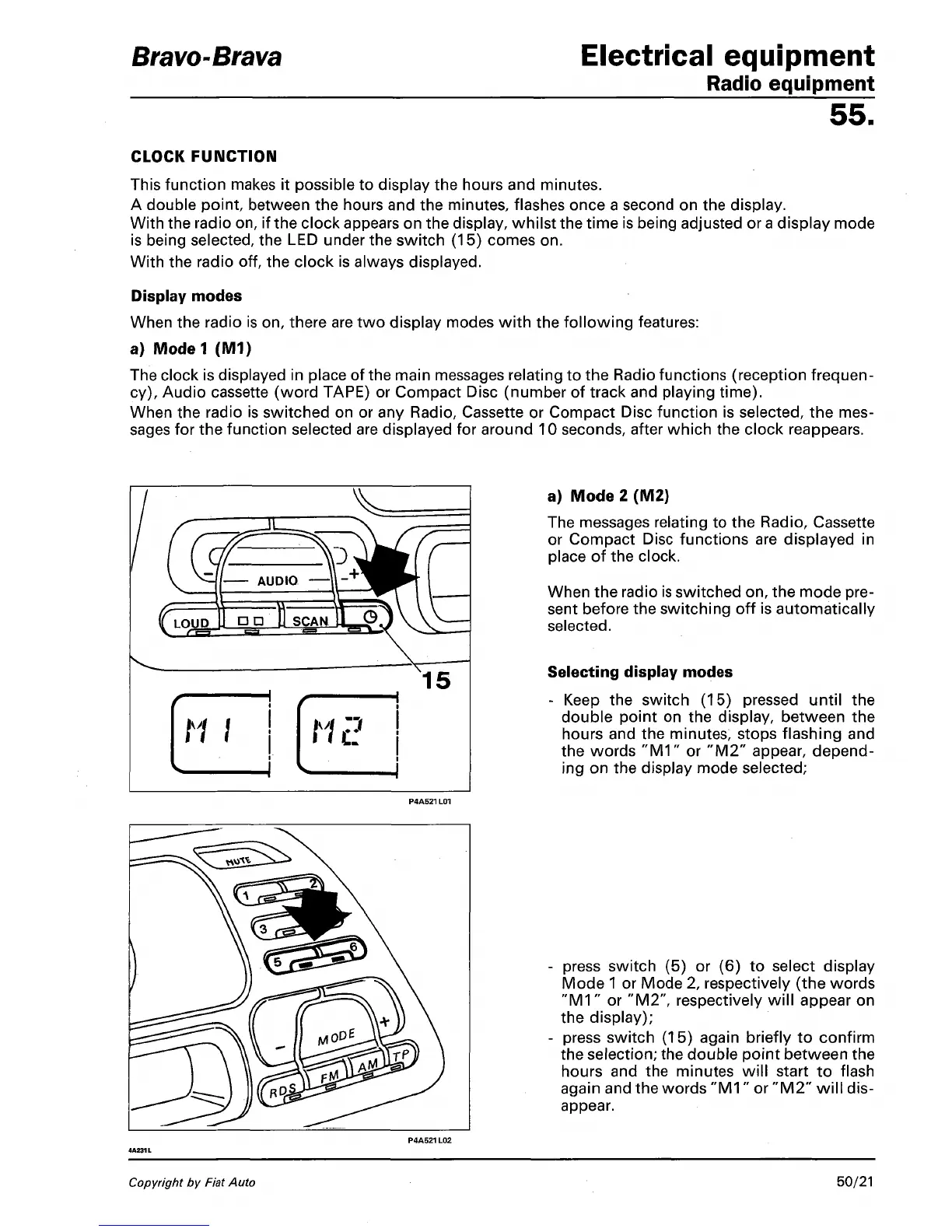
is being selected, the LED under the switch (15) comes on.
With the radio off, the clock is always displayed.
Display modes
When the radio is on, there are two display modes with the following features:
a) Model (M1)
The clock is displayed in place of the main messages relating to the Radio functions (reception frequen-
cy),
Audio cassette (word TAPE) or Compact Disc (number of track and playing time).
When the radio is switched on or any Radio, Cassette or Compact Disc function is selected, the mes-
sages for the function selected are displayed for around 10 seconds, after which the clock reappears.
a) Mode 2 (M2)
The messages relating to the Radio, Cassette
or Compact Disc functions are displayed in
place of the clock.
When the radio is switched on, the mode pre-
sent before the switching off is automatically
selected.
Selecting display modes
- Keep the switch (15) pressed until the
double point on the display, between the
hours and the minutes, stops flashing and
the words "M1" or "M2" appear, depend-
ing on the display mode selected;
- press switch (5) or (6) to select display
Mode
1
or Mode 2, respectively (the words
"M1"
or "M2", respectively will appear on
the display);
- press switch (15) again briefly to confirm
the selection; the double point between the
hours and the minutes will start to flash
again and the words
"M1"
or "M2" will dis-
appear.
Copyright by Fiat Auto
50/21



 To Next Page