Electrical equipment
Radio equipment
55.
M'3
nrimnn
ML.
UU'UU
v
J
uU*UU
K
4
P4A522L04
4A232L
Bravo-Brava
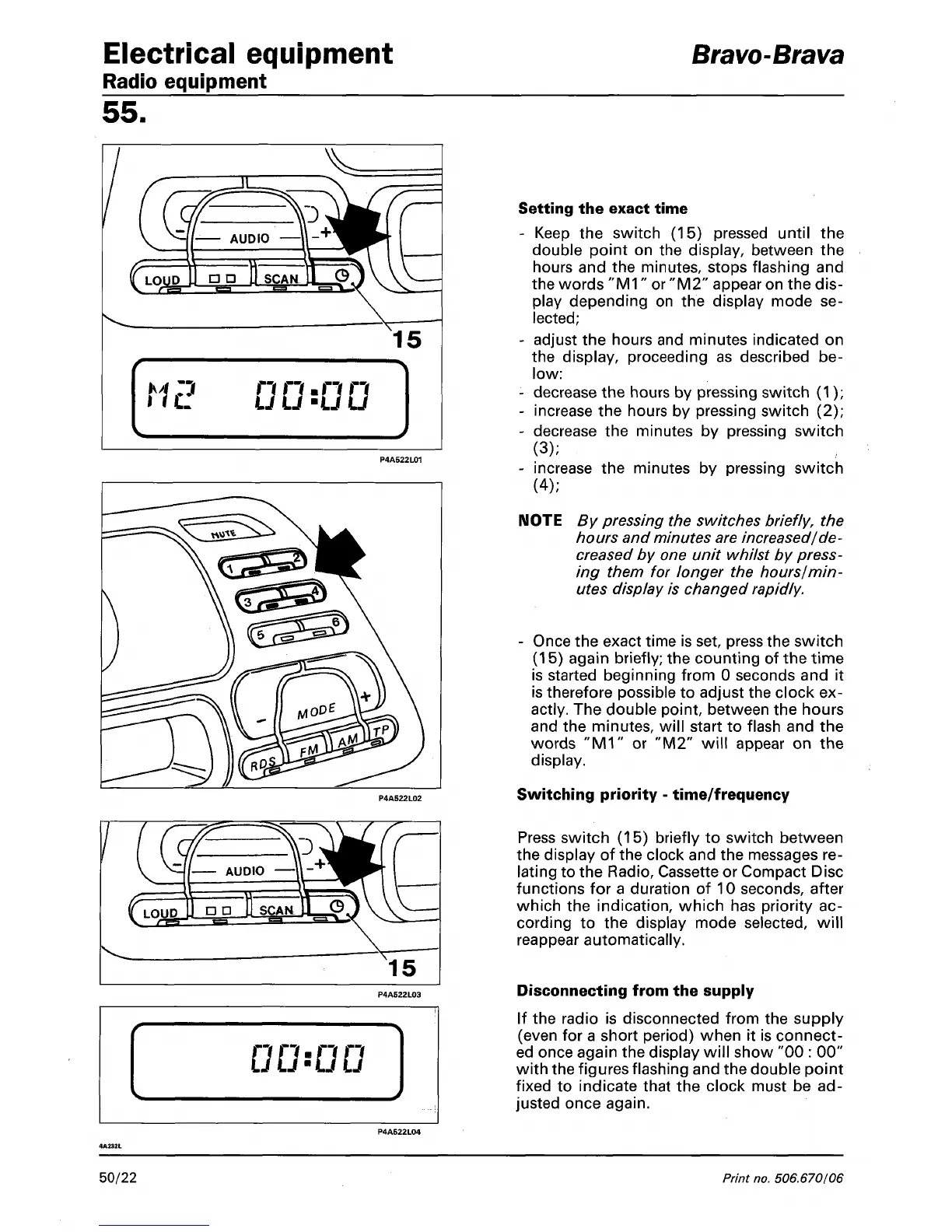
Setting the exact time
- Keep the switch (15) pressed until the
double point on the display, between the
hours and the minutes, stops flashing and
the words
"M1"
or "M2" appear on the dis-
play depending on the display mode se-
lected;
- adjust the hours and minutes indicated on
the display, proceeding as described be-
low:
- decrease the hours by pressing switch (1);
- increase the hours by pressing switch (2);
- decrease the minutes by pressing switch
(3);
- increase the minutes by pressing switch
(4);
NOTE By pressing the switches briefly, the
hours and minutes are increased/de-
creased by one unit whilst by press-
ing them for longer the hours/min-
utes display is changed rapidly.
- Once the exact time is set, press the switch
(15) again briefly; the counting of the time
is started beginning from 0 seconds and it
is therefore possible to adjust the clock ex-
actly. The double point, between the hours
and the minutes, will start to flash and the
words "M1" or "M2" will appear on the
display.
Switching priority - time/frequency
Press switch (15) briefly to switch between
the display of the clock and the messages re-
lating to the Radio, Cassette or Compact Disc
functions for a duration of 10 seconds, after
which the indication, which has priority ac-
cording to the display mode selected, will
reappear automatically.
Disconnecting from the supply
If the radio is disconnected from the supply
(even for a short period) when it is connect-
ed once again the display will show "00 : 00"
with the figures flashing and the double point
fixed to indicate that the clock must be ad-
justed once again.
50/22
Print
no,
506.670/06



 To Next Page