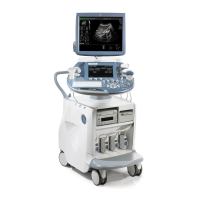
CFM Mode
8. CFM Mode (Color Flow Mode)
Color imaging uses the Doppler principle to build a Color image.
The Color coding gives information about blood flow velocity, direction, quality, and timing.
This information is then used to overlay a Color image onto the 2D grayscale scan image.
Color imaging helps you to locate blood flow disturbances. Color imaging also helps you to locate the
sample volume for pulsed-wave Doppler spectral analysis.
Pulsed wave Doppler provides the most accurate peak velocity information when the sound beam axis
and flow axis are nearly parallel. This relation between accuracy and angle still exists with Color but it
is not as critical as in pulsed wave Doppler. Abnormal flow can still be detected and conclusions
drawn with Color flow derived in a near-to-perpendicular situation. Since Color is not specifically
designed to detect absolute velocity, it is not as limited by incident angle considerations as pulsed-
wave Doppler.
The Color mode display incorporates the following with the 2D-display: a Color scale with Color base
line, Nyquist limit values, a Wall Motion Filter, a grayscale with a Color echo write balance marker,
and annotation of the 2D Color Flow control settings.
The CFM mode is subdivided in two groups. In these groups you will see how to use CFM mode and
how to adjust the CFM settings.
To use the CFM mode review: CFM Main Menu
(chapter 8.1)
To adjust CFM setting review: CFM Sub Menu
(chapter 8.3)
To use special utilities review: Utilities
(chapter 12) and Gray Chroma Map (chapter 12.1)
8.1 CFM Main Menu
C Mode key (hard key)
Pressing the [C] control activates the CFM mode; the CFM box appears in the active
2D image.
To use the CFM mode, review: CFM Operation
(chapter 8.2)
To adjust the CFM settings, review: CFM Sub Menu
(chapter 8.3)
This hard key is also the Gain control for the CFM mode (in write mode only).
review: CFM Gain Control
(chapter 8.2.2)
Voluson® 730Pro - Basic User Manual
8-2 105831 Rev. 0


 To Next Page