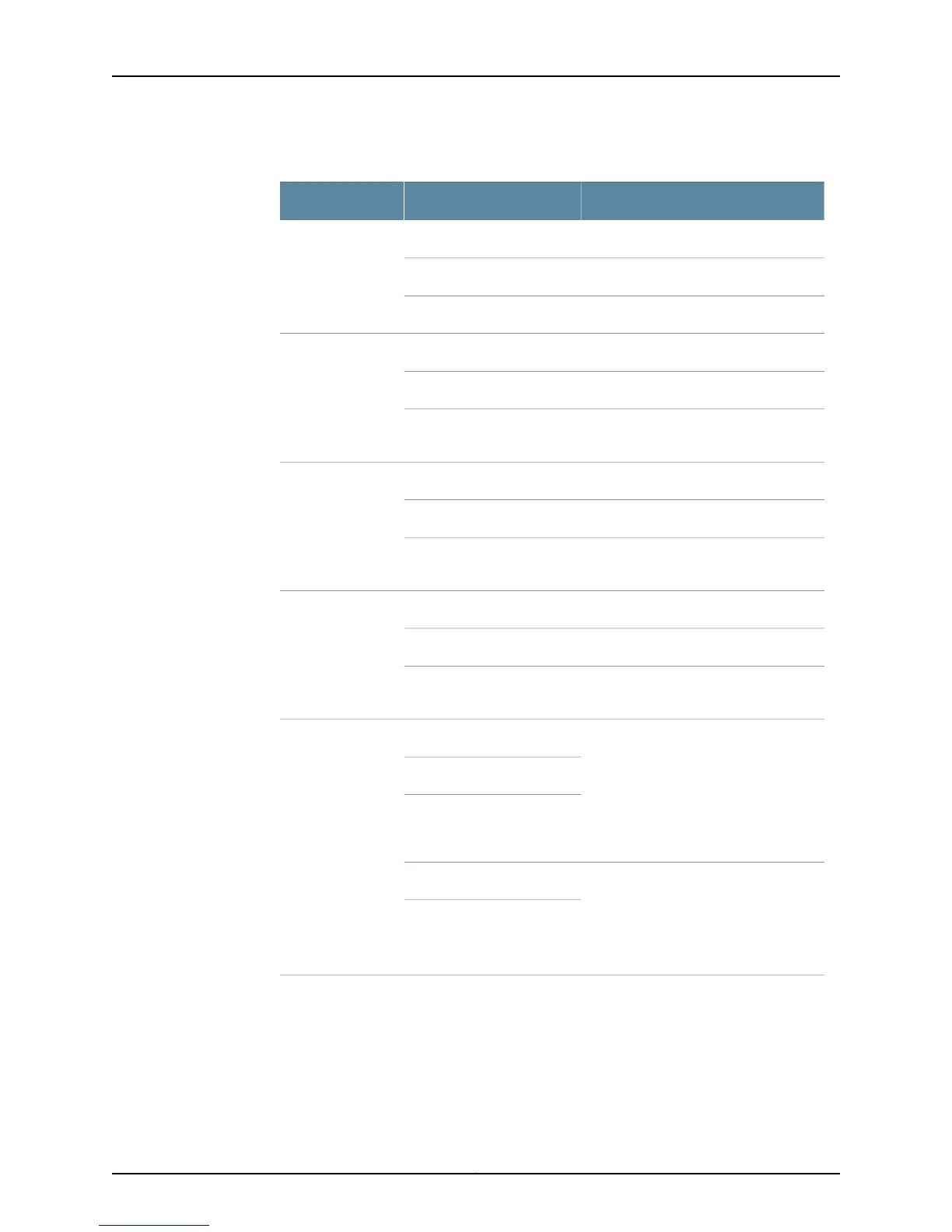
Table 91: Cooling System Alarm Messages (continued)
CLI Long VersionLCD Short VersionRouting Platform
fan-name stopped spinningfan-name FAILM40
fan-name removedfan-name RMVD
Too few fans installed or workingToo few fans
RED ALARM - fan-name FailureFan FailureM40e and M160
YELLOW ALARM - fan-name RemovedFan Removed
RED ALARM - Too many fans missing or
failing
Fans Missing
RED ALARM - fan-name FailureFan FailureM120 and M320
YELLOW ALARM - fan-name RemovedFan Removed
RED ALARM - Too many fans missing or
failing
Fans Missing
RED ALARM - fan-name Fan FailureFan FailureT320 and T640
YELLOW ALARM - fan-name Fan RemovedFan Removed
RED ALARM - Too many fans missing or
failing
Fans Missing
RED ALARM -
fan-name Fan Failure
Too many fans missing or failing Fan
Removed
T1600 Rear Fan Tray in LCC
Fan FailureT1600
Fans Missing
T1600 Rear Fan Tray in LCC
YELLOW ALARM -
fan-name Removed
Minor – Mix of FAN-TRAYS Mix of
FAN-TRAYS
Fan Removed
Mix of FAN-TRAYS
347Copyright © 2012, Juniper Networks, Inc.
Chapter 11: Monitoring the Cooling System


 To Next Page