10A myMBRAUN App
Setting up the myMBRAUN app
Page
10A - 4
MB-20-G/MB-200G-W_MB-LABmaster_MB-200 MOD_TP700
Operating Manual - V5.0 - 04/2018 - STD
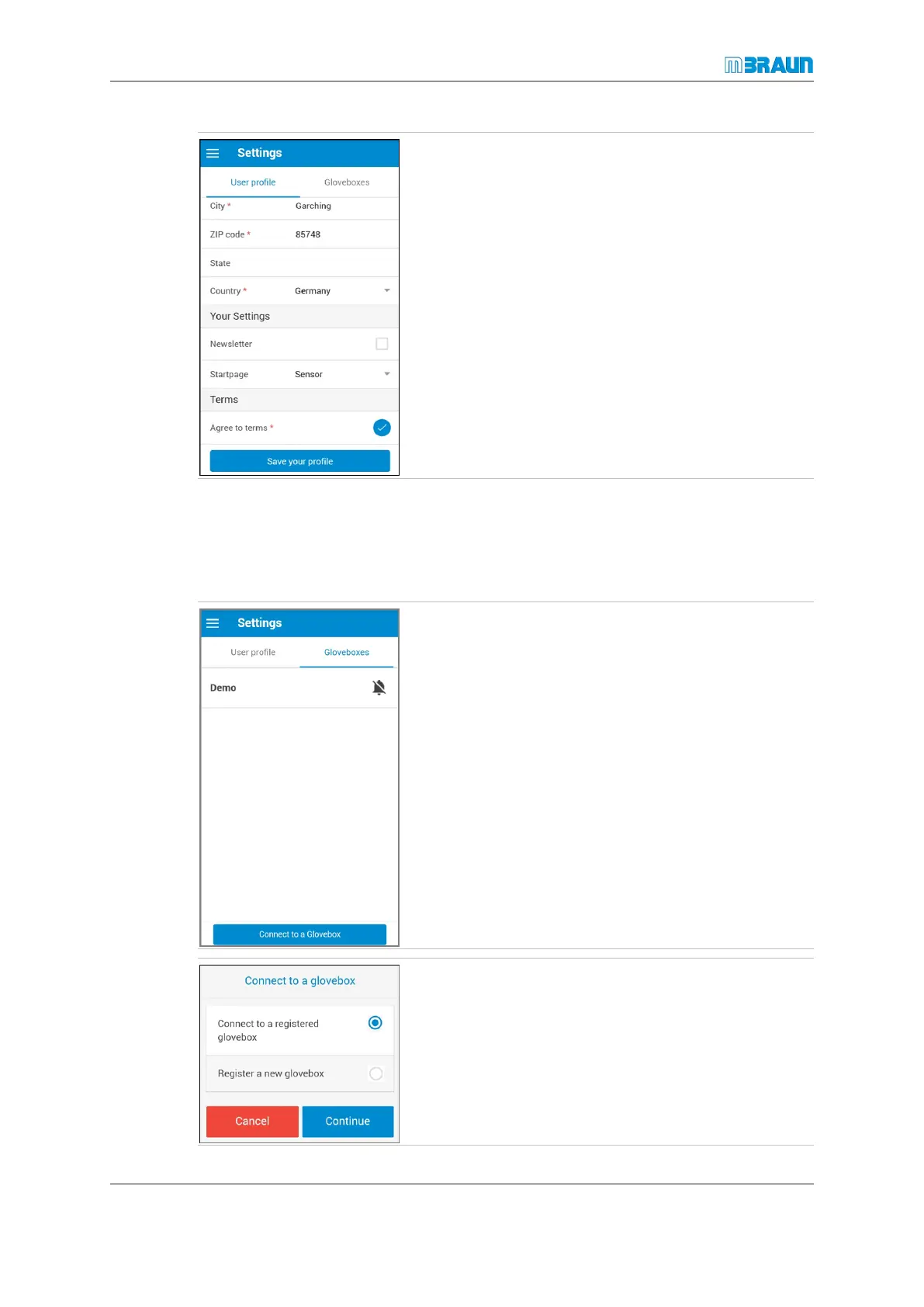
The Settings page opens.
The circle next to Agree to terms shows a check mark on
a blue background, and the contact information fields are
now enabled for you to enter your information.
Connect a registered MBRAUN glovebox
If MBRAUN delivers the glovebox with the function “myMBRAUN”-Interface, the glovebox
is already registered and must connected as a already registered glovebox.
You can register up to 20 gloveboxes in the app.
► Touch the Connect to a Glovebox button.
► Select Connect to a registered glovebox.
► Touch the Continue button.
ð The Register a glovebox page opens.



 To Next Page