OKI Data Infotech Corporation CONFIDENTIAL
Chapter 6 Parts Replacement (Disassembly/Reassembly)
6-125
Notes for installation
Pay attention to the washer orientation.
Be sure to connect the ground wire when installing the PLATEN64-MW-ASSY.
Pay attention not to catch the cables when installing the platen.
Tighten the screws to a torque of 0.8 N・m (8.2kgf・cm).
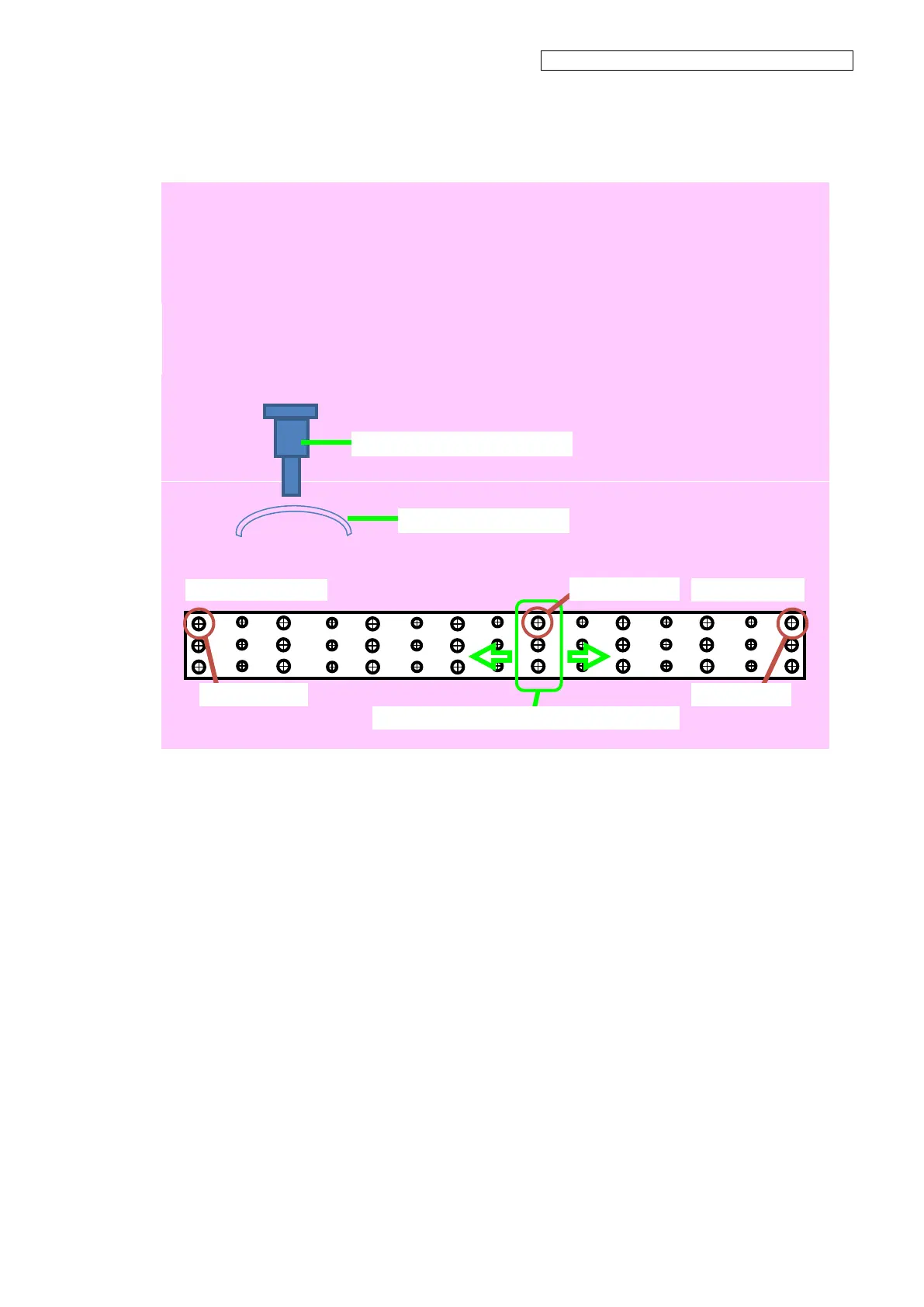
Install the screws in the following orders:
(a) Tighten temporarily the rear screw of the center row.
(b) Tighten temporarily the two rear screws at each platen extremity.
(c) Set and tighten all the screws from the rear to the front, and then from the center rows to
the extremities.
Tighten the screws from the center to the extremities
PLATEN64-MW-ASSY securing screw
Washer (the convex side up)


 To Next Page