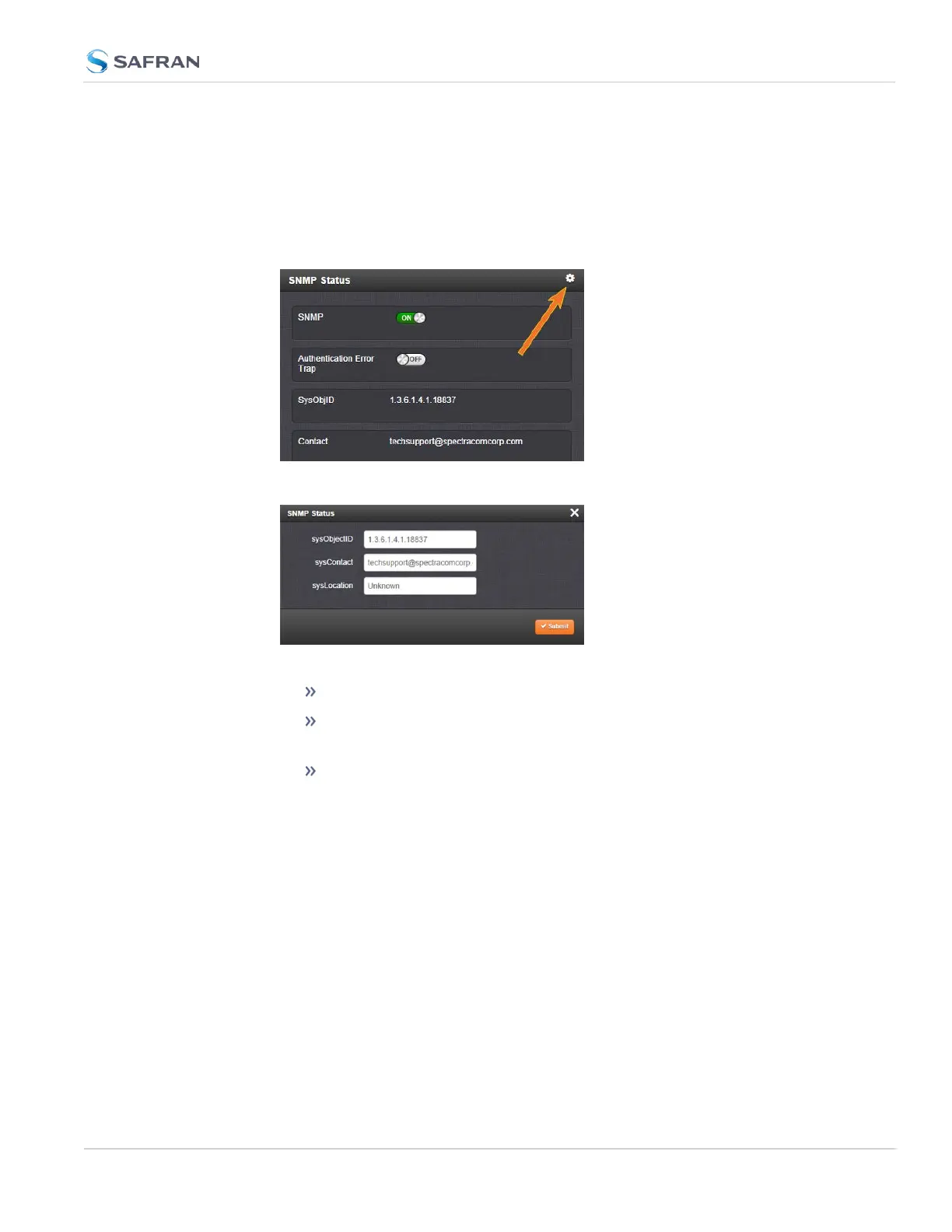
The SNMP Status Settings are sysObjectID, sysContact, and sysLocation. To con-
figure SNMP Status Settings:
1.
Navigate to MANAGEMENT > NETWORK: SNMP Setup.
2.
In the SNMP Status panel on the left, click the GEARicon in the top-right
corner of the panel.
3.
The SNMP Status pop-up window will display:
The following settings can be configured in this window:
In the sysObjectID field, enter the SNMP system object ID.
In the sysContact field, enter the e-mail information for the system
contact you wish to use.
In the sysLocation field, enter the system location of your
SecureSync unit.
4.
Click Submit, or cancel by clicking the X-icon in the top-right corner.
Accessing the SNMP Support MIB Files
Safran Trusted 4D (formerly Orolia/Spectracom)’s private enterprise MIB files
can be extracted via File Transfer Protocol (FTP) from SecureSync, using an FTP
client such as FileZilla or any other shareware/freeware FTP program.
2.14 Configure Network Settings
CHAPTER 2 • SecureSync 2400 User Manual Rev. 5.2
103



 To Next Page