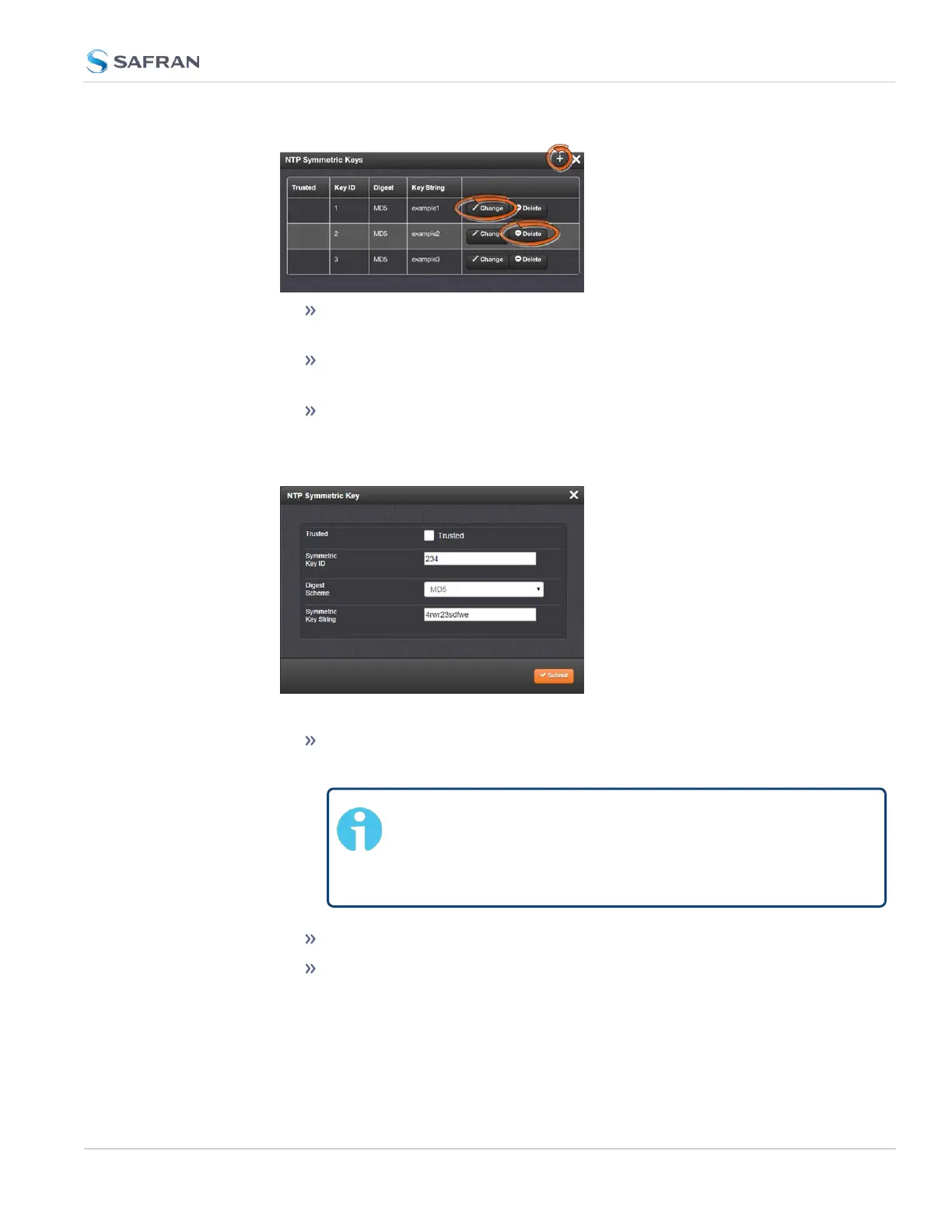
To CREATE a Symmetric Key, click the PLUS icon in the top-right
corner, and proceed to Step4.
To EDIT an existing key pair, click the corresponding Change button,
and proceed to Step4.
To DELETE a key pair, click the corresponding Delete button, and
click OK in the dialog box to confirm and complete the procedure.
4.
The NTP Symmetric Key window will display:
Fill in, or edit the fields:
Trusted (checkbox)—Check this box to use MD5 authentication with
trusted key ID.
Note: To use the MD5 authentication with trusted key ID,
both the NTP client and the SecureSync must contain the
same key ID/key string pair, the client must be set to use
one of these MD5 pairs, and the key must be trusted.
Key ID—The key ID must be a number between 1 and 65532.
Digest Scheme—Choose one of the options from the drop-down list.
The available options are:
2.15 Configure NTP
CHAPTER 2 • SecureSync 2400 User Manual Rev. 5.2
131



 To Next Page