3.
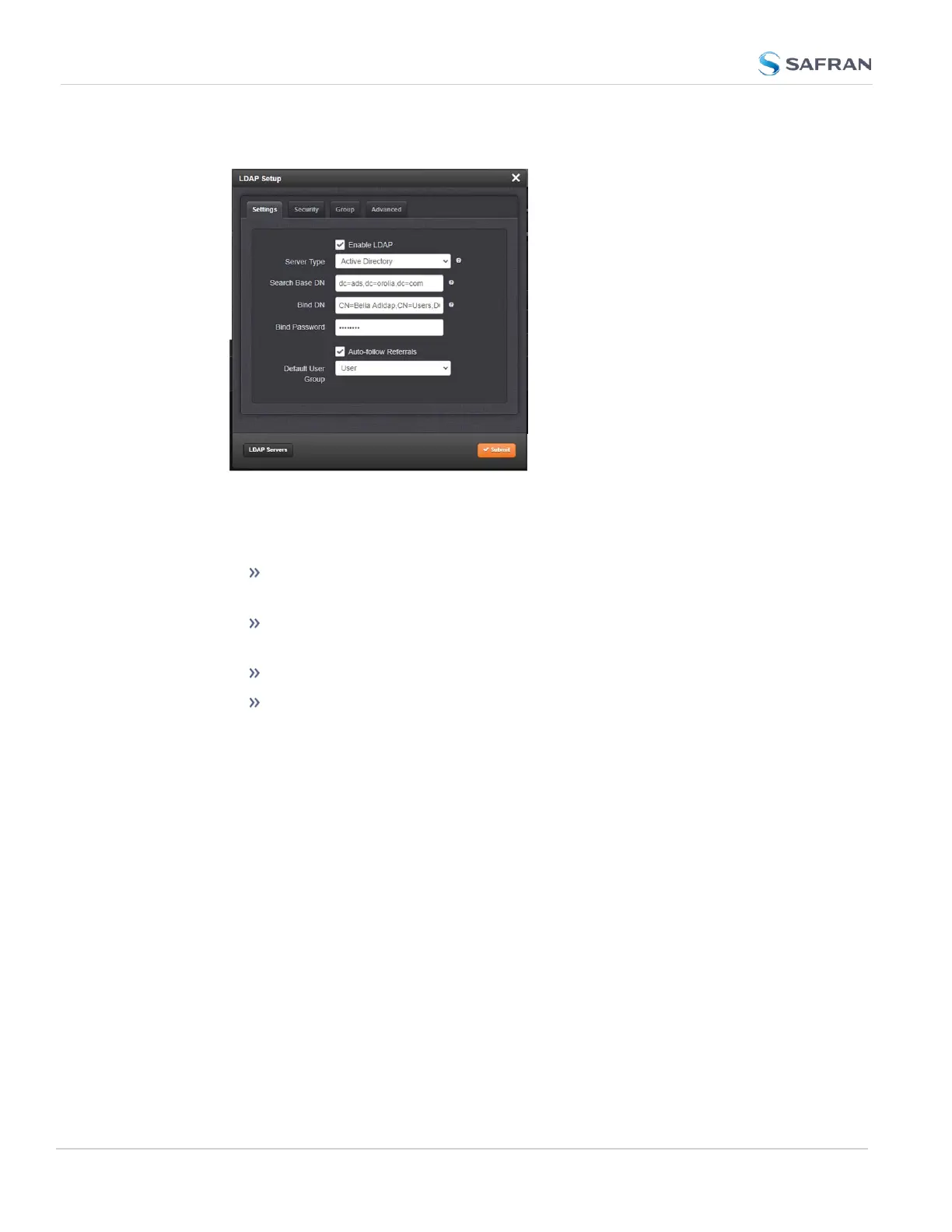
The LDAP Setup window will display.
4. Click the LDAPServers button to add a server and identify the primary
server.
5. There will be 4 tabs to allow additional LDAPconfiguration:
Settings: This is where you set up the general LDAP Distinguished
Name and Bind settings.
Security: This is where you upload and manage the CA server cer-
tificate, CA client certificate and CA client key.
Group: This is where you enable/disable group-based authentication.
Advanced: This is where you set up your search filter(s) and login
attribute.
LDAP Servers Settings
Under the LDAP Servers popup window, you manage the LDAP server(s) to be
accessed:. It is necessary to add a server before other settings are configured.
284
CHAPTER 4 • SecureSync 2400 User Manual Rev. 5.2
4.3 Managing Users and Security



 To Next Page