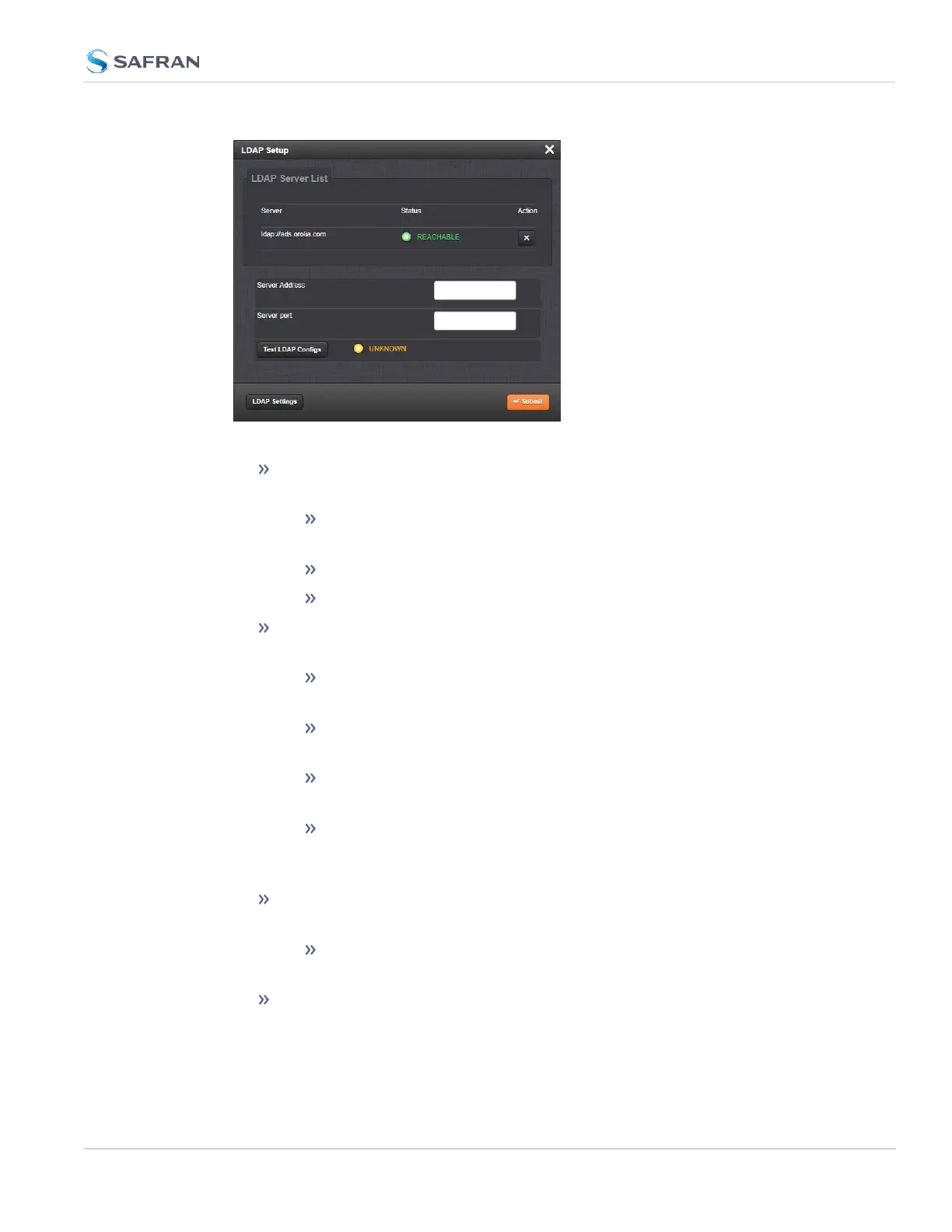
Under the LDAP Servers tab, the window displays:
LDAP Server Status—Attempts to ping the server and will display one of
the following states:
DISABLED (yellow) —The Enabled checkbox under the Settings tab
as not been selected.
REACHABLE (green)—The server is reachable.
UNREACHABLE (red)—The server is unreachable.
Test LDAP Configs button -Performs an ldapsearch command with the
configured servers and settings. (Note: does not test TLS Certificates).
UNKNOWN (yellow) —The LDAP Config test has not been performed
yet.
LDAPCONFIGURATIONVALID (green)—The ldapsearch command
successfully authenticated with the server.
SERVERCANNOTBEREACHED (red)—The server cannot be
reached.
other message (red)—The server could be reached, but the con-
figuration is invalid. The error message returned by ldapsearch is dis-
played.
Server—The hostname(s) or IP address(es) of the LDAP server(s) that have
been added.
Action—After a server has been listed, it can be removed by clicking
the X-button.
Port: The port number of the LDAP server (default port numbers: regular
LDAP = 389; secure LDAP = 636)
4.3 Managing Users and Security
CHAPTER 4 • SecureSync 2400 User Manual Rev. 5.2
285



 To Next Page