Signature Control: Used to control when the 1PPS output signal will be
present. See "Signature Control" on page183.
Offset: Used to account for 1PPS cable delays or other latencies in the 1PPS
output. The Offset value is entered and displayed in nanoseconds (ns). The
available Offset range is -500 to +500 ms.
Edge: The operator can select if the output signal is a positive (reference
on the rising edge) or a negative (reference on the falling edge) pulse.
Pulse Width: Configures the Pulse Width of the 1PPS output. The Pulse
Width is entered and displayed in nanoseconds (ns). The default Pulse
Width is 200 milliseconds.
1PPS Output: Status Window
To view the current settings of a 1PPS Output, go to its Status window. For
instructions, see: "Viewing Input/Output Configuration Settings" on page363.
The Web UI list entries for these option cards are:
1PPS OUT, 4-BNC
1PPS OUT, 10V
1PPS OUT, RS-485
1PPS OUT, Fiber
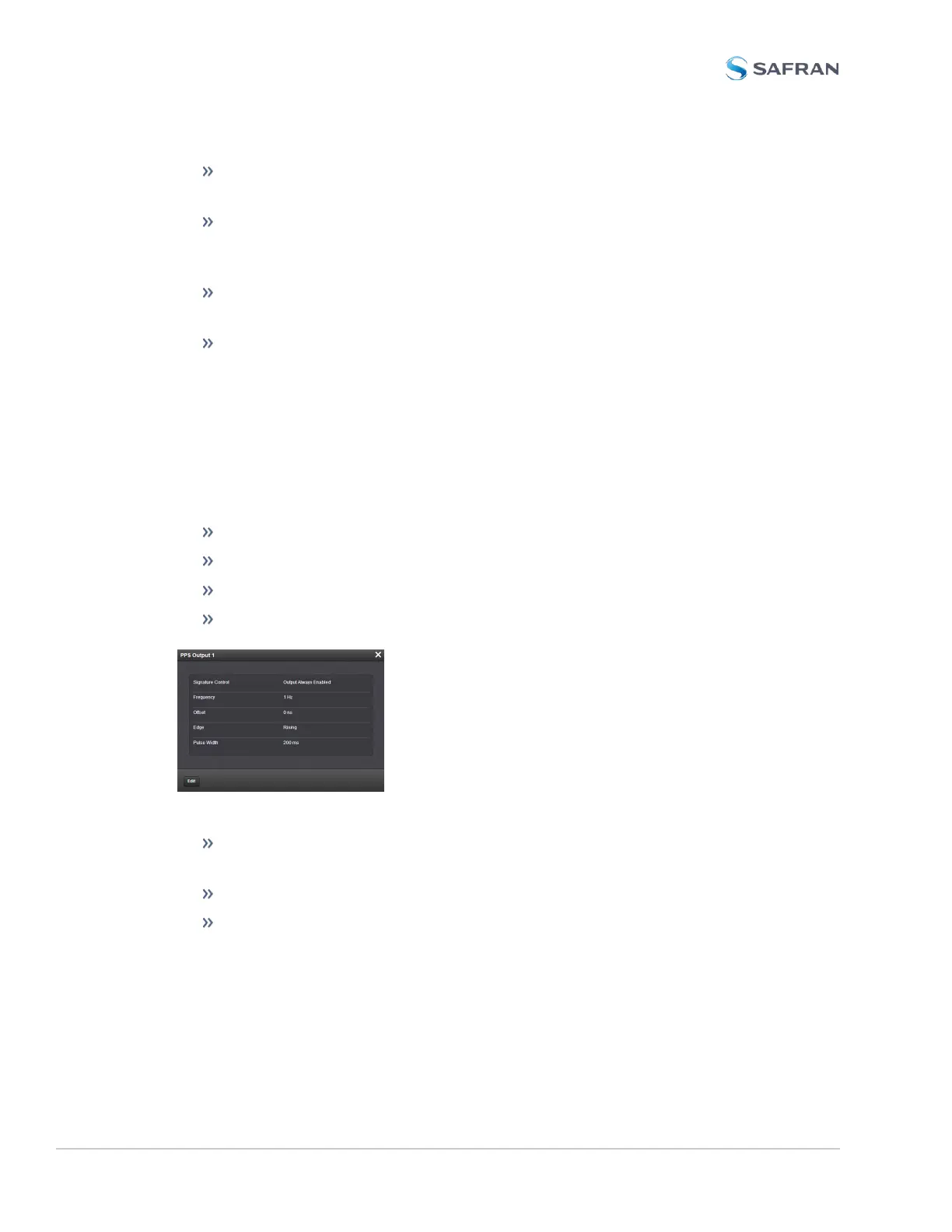
The Status window displays the following settings:
Signature Control: Displays the current configuration of Signature Control;
see "Signature Control" on page183.
Frequency: Indicates the configured frequency of the 1PPS output signal.
Offset: Displays the configured Offset (to account for cable delays or other
latencies).
390 SecureSync 2400 User Manual
APPENDIX



 To Next Page