1.
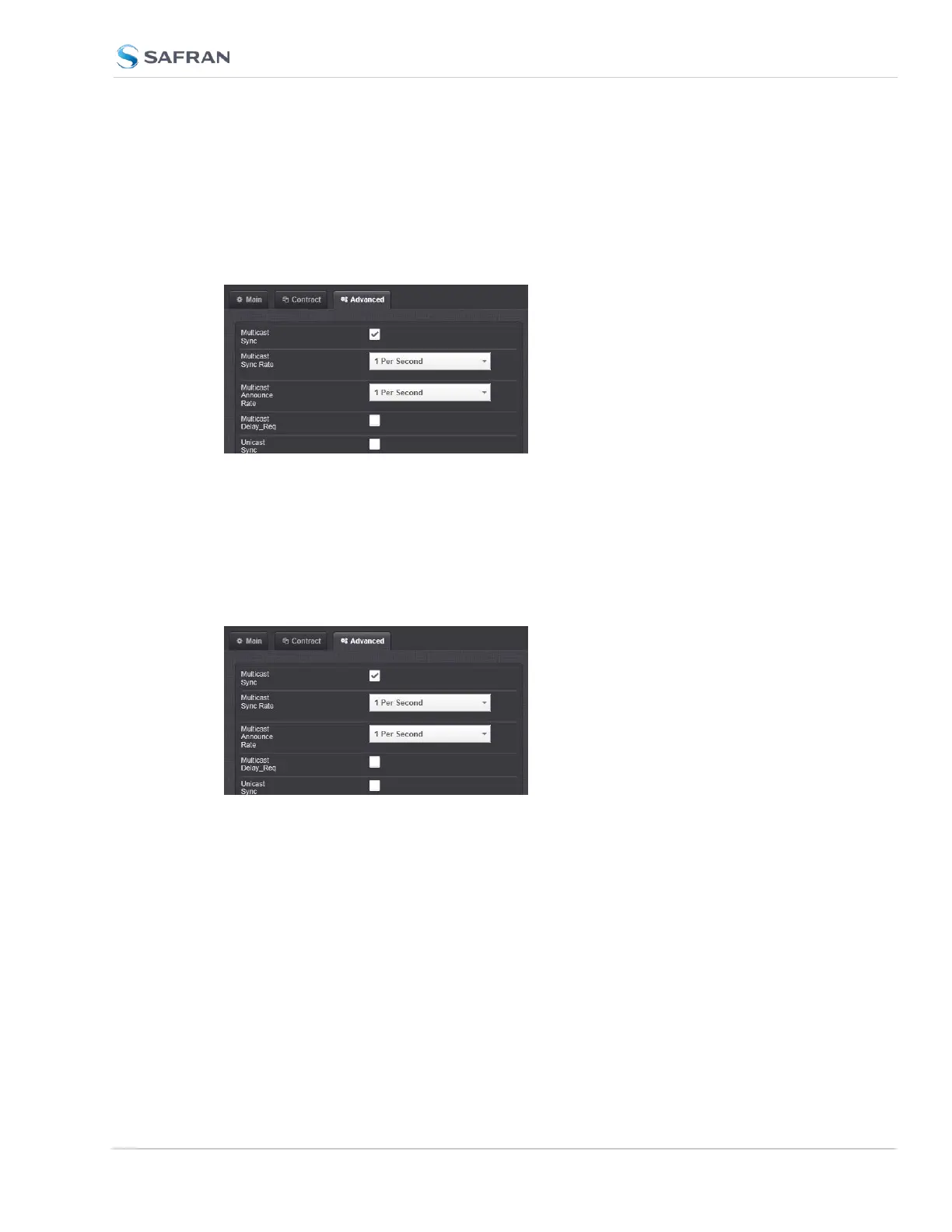
In the GB PTP Edit window, navigate to the Advanced tab.
2.
Select the Multicast Sync checkbox.
3.
Select the Multicast Sync Rate from the drop-down list.
4.
Select the Multicast Announce Rate from the drop-down list.
Configuring Unicast Mode
To enter the Unicast mode, perform the following steps:
1.
In the GB PTP Edit window, navigate to the Advanced tab.
2.
Confirm that Unicast Sync is checked. The 1204-32 PTP module should
always respond to unicast negotiations.
Configuring Minicast/Hybrid Mode
To enter the Minicast/Hybrid mode, perform the following steps:
1.
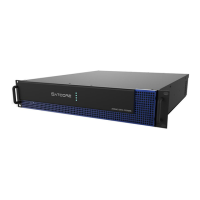
In the GB PTP Edit window, navigate to the Advanced tab.
2.
Select the Multicast Sync checkbox.
3.
Select the Multicast Sync Rate from the drop-down list.
4.
Select the Multicast Announce Rate from the drop-down list.
SecureSync 2400 User Manual 515
APPENDIX


 To Next Page