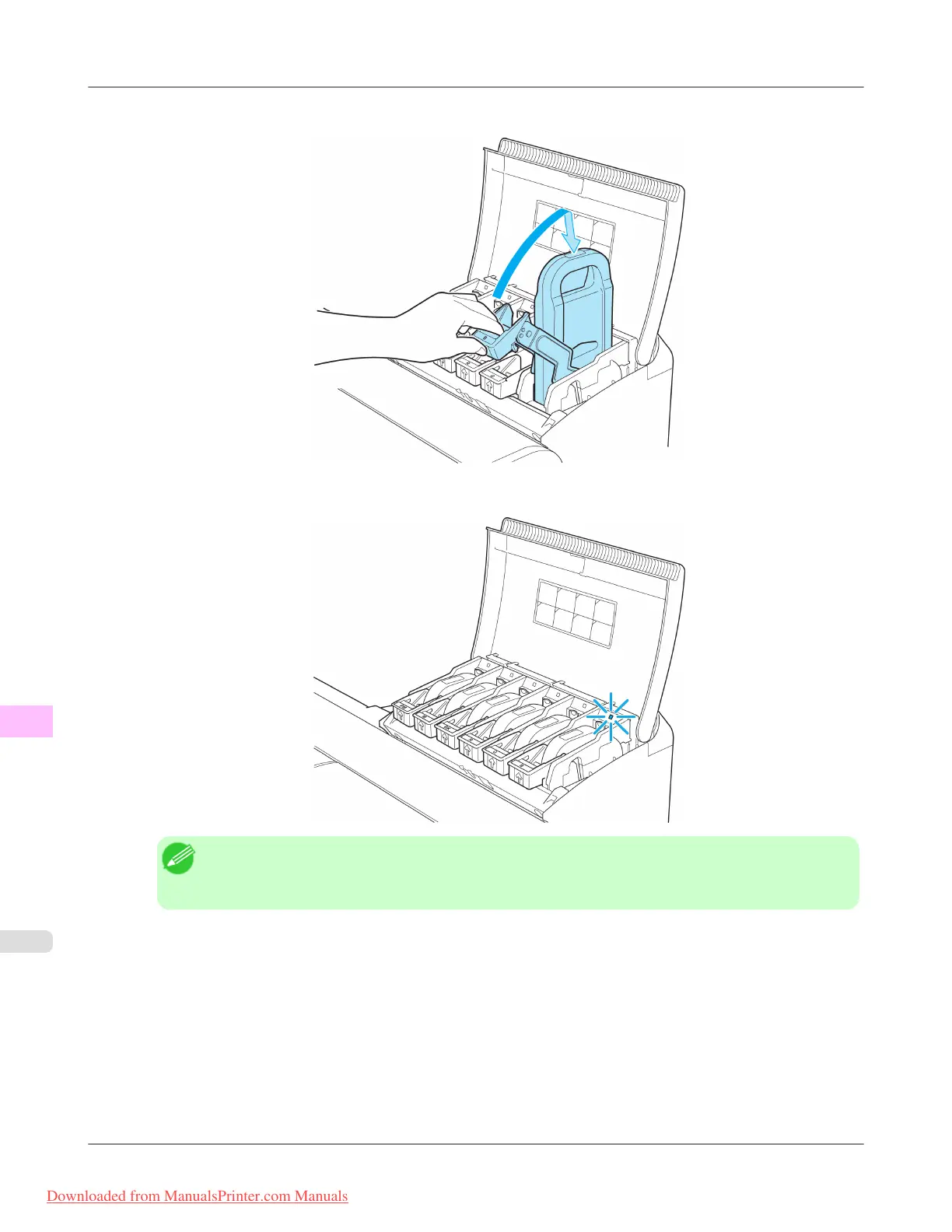
4. Lift the Ink Tank Lock Lever until it stops, and then push it down until it clicks into place.
5. Make sure the Ink Lamp is lit in red.
Note
• If the Ink Lamp is not lit in red, reload the tank.
• Ink lamps flash when there is little ink left.
Maintenance
>
Ink Tanks
>
Replacing Ink Tanks iPF8300
11
994
Downloaded from ManualsPrinter.com Manuals














 To Next Page