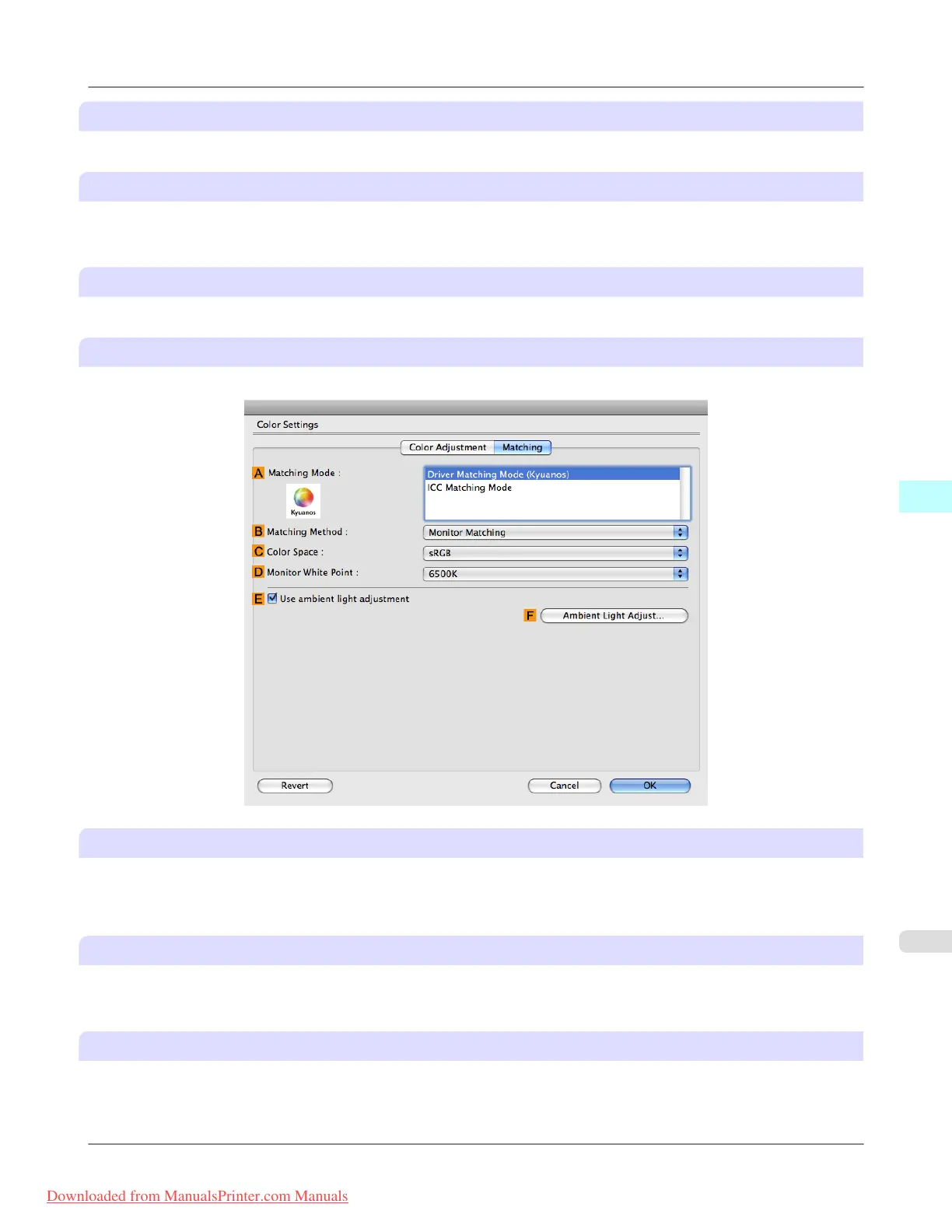
A Matching Mode
Select the color matching mode to use, as desired.
B Matching Method
Select the color matching method that suits the document to be printed. Various B Matching Method options are available
depending on your selection in A Matching Mode.
C Color Space
Select the applicable color space as desired.
Driver Matching Mode (Using Mac OS X 10.4 or later)
The following options are available when you select Driver Matching Mode in the A Matching Mode list.
A Matching Mode
Select the color matching mode to use, as desired.
Normally, select Driver Matching Mode. For color matching based on ICC profiles, select ICC Matching Mode depend-
ing on your color matching system.
B Matching Method
Select the color matching method that suits the document to be printed. Various B Matching Method options are available
depending on your selection in A Matching Mode.
C Color Space
Select the applicable color space as desired.
Mac OS X Software
>
Printer Driver
>
iPF8300 Matching pane
5
495
Downloaded from ManualsPrinter.com Manuals














 To Next Page