Menu Operations
To view available menus organized on tabs, select a tab on the Tab Selection screen and press the OK button. For details,
see "Menu Settings."
→P.912
• Menus (when the Ink tab is selected and the OK button is pressed)
Note
• If the Tab Selection screen is not displayed, press the Menu button.
Simply press buttons on the Control Panel to access menus on various tabs from the Tab Selection screen and set or exe-
cute Menu items.
The following sections describe menu operations.
• Accessing menus →P.902
• Specifying menu items →P.903
• Specifying numerical values →P.904
• Executing menu commands →P.904
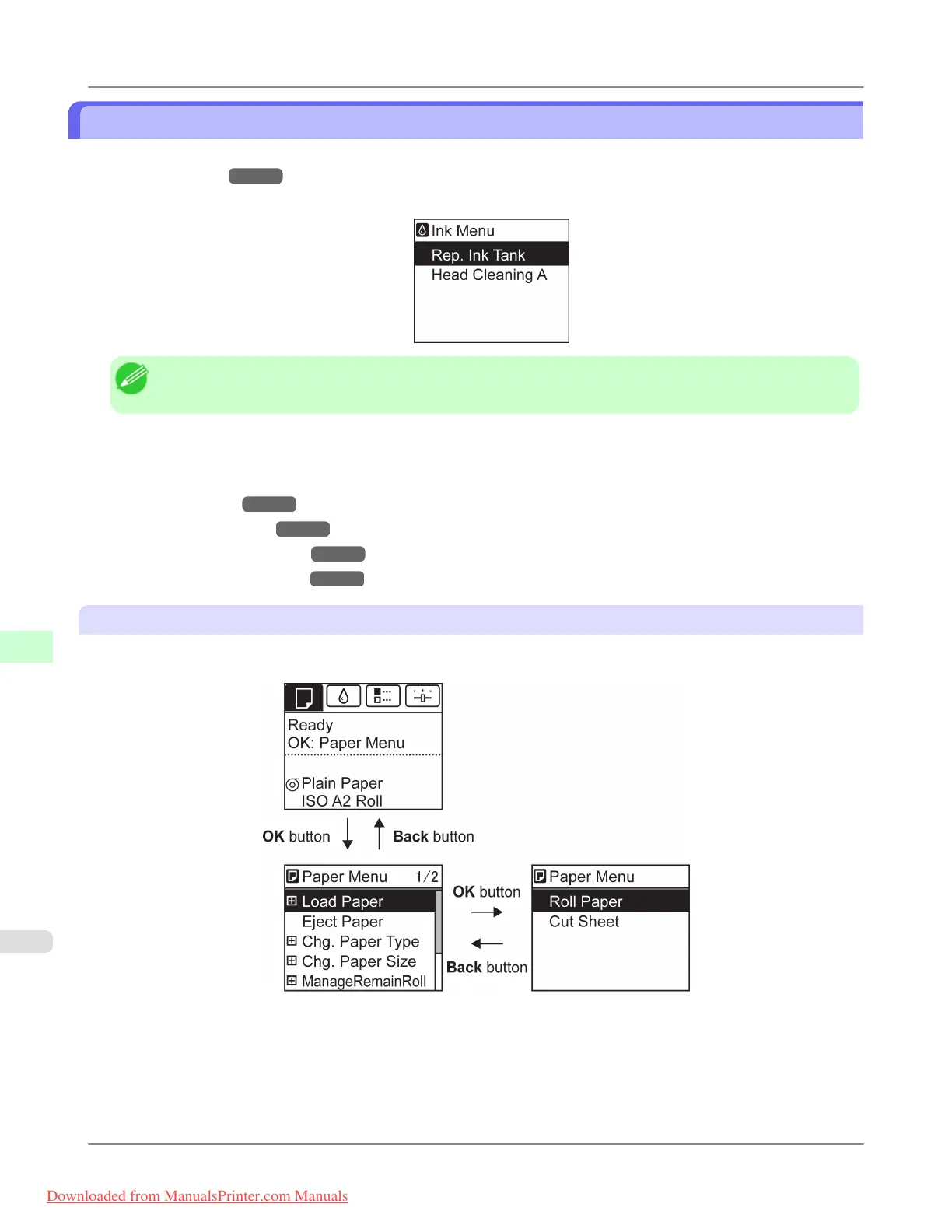
Accessing menus
Printer menus are grouped by function.
Menus are displayed with the upper line selected. You can use the buttons on the Control Panel to access each menu.
Printer Parts
>
Control Panel
>
Menu Operations iPF8300
9
902
Downloaded from ManualsPrinter.com Manuals














 To Next Page