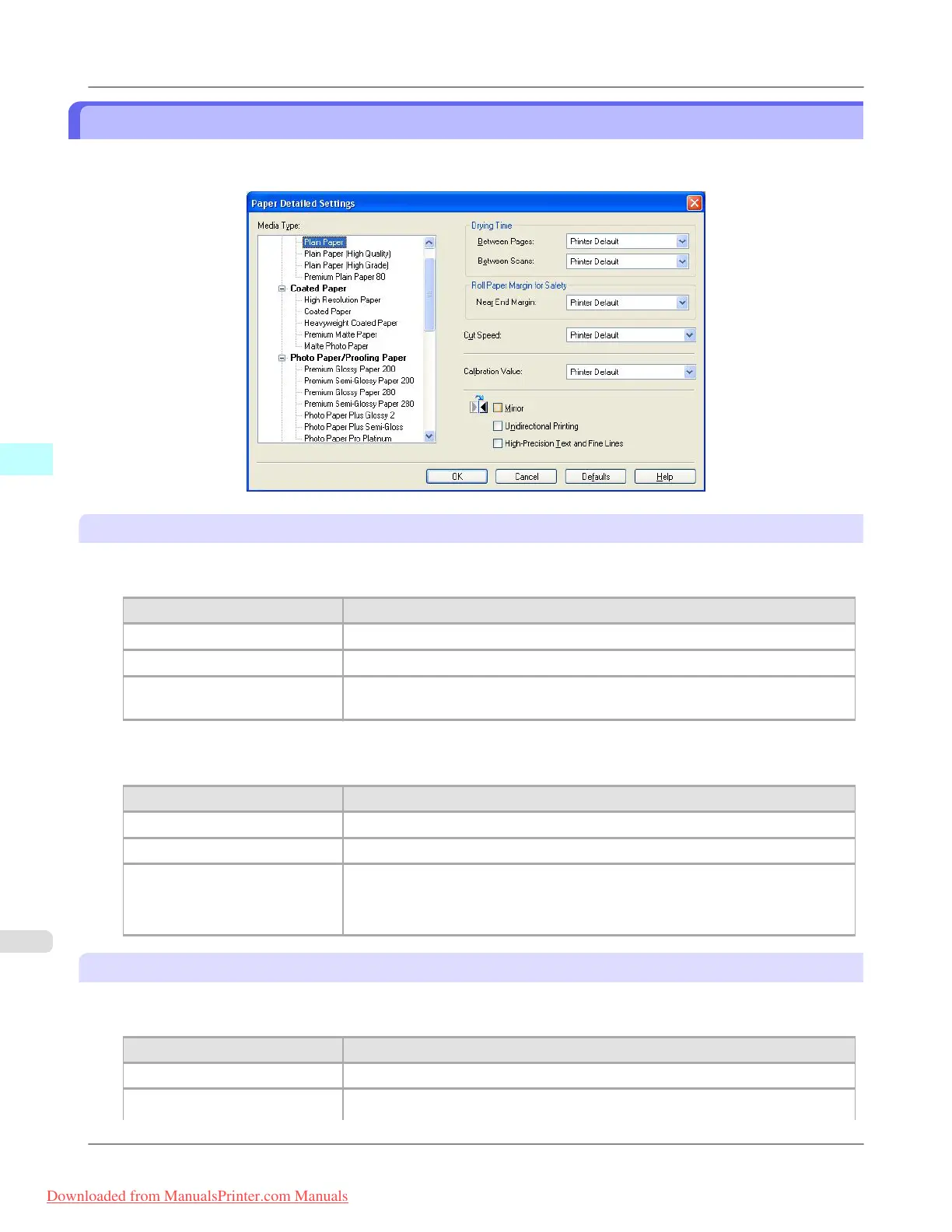
Paper Detailed Settings Dialog Box
This dialog box appears when you click the Advanced Settings button on the Main Sheet. You can set Drying Time and
Roll Paper Margin for Safety by media type.
Drying Time
Between Pages
This sets the wait time for the ink to dry between each completely printed sheet and the output of the sheet.
Setting Details
Printer Default The settings of the printer operating panel are applied.
None The paper is ejected immediately after printing.
30sec. / 1min. / 3min. / 5min. /
10min. / 30min. / 60min.
The sheet is ejected when the specified time after printing has elapsed.
Between Scans
This sets the wait time between line scans during printing.
Setting Details
Printer Default The settings of the printer operating panel are applied.
None The printing continues to the next line immediately after the last line.
1sec. / 3sec. / 5sec. / 7sec. / 9sec. The printing continues to the next line after the set time.
*For the media type that has problems, such as ink smears on the page or colors
that seem uneven during borderless printing etc., increase the value for this setting.
Roll Paper Margin for Safety
Near End Margin
This sets the length of the near end margin of the roll paper.
Setting
Details
Printer Default The settings of the printer operating panel are applied.
5mm Print at a standard size.
Windows Software
>
Print Plug-In for Photoshop/Digital Photo Professional
>
Paper Detailed Settings Dialog Box iPF8300
4
322
Downloaded from ManualsPrinter.com Manuals














 To Next Page