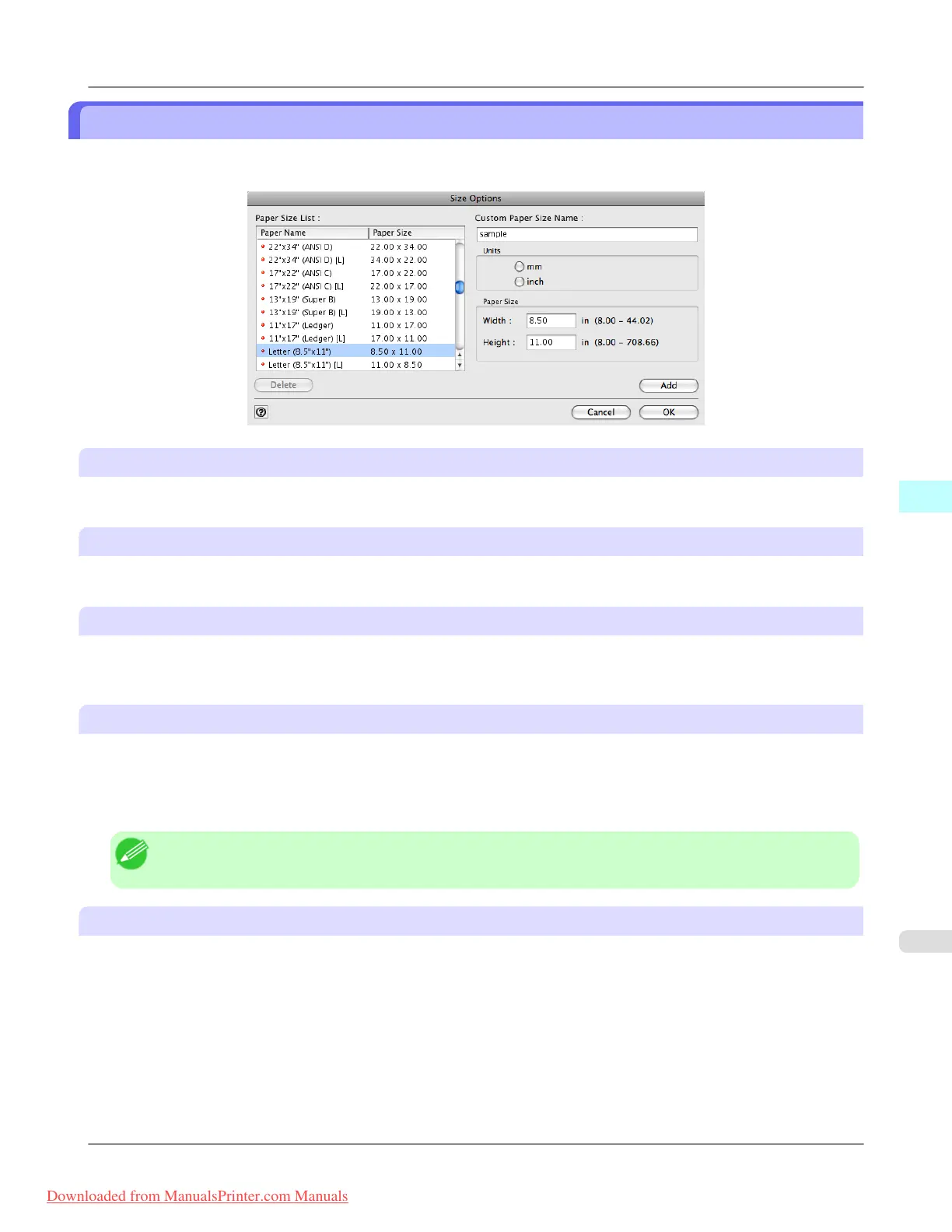
Size Options Dialog Box
This dialog box appears when you click the Size Options button on the Page Setup Sheet. You can select a media name,
size and other settings.
Paper Size List
Displays all the standard sizes and custom media sizes.
Custom Paper Size Name
You can enter any name up to 63 characters.
Units
You can select the units of measure to use when you define custom media size. Switching this setting resets the units of
measure for the entire Plug-In.
Paper Size
Width
Enter the width of the media size.
Height
Enter the height of the media size.
Note
• You can change the numbers by clicking either ▲ button or ▼ button.
Add button
Click the button to register the contents of the settings.
Mac OS X Software
>
Print Plug-In for Photoshop/Digital Photo Professional
>
iPF8300 Size Options Dialog Box
5
629
Downloaded from ManualsPrinter.com Manuals














 To Next Page