Using RemoteUI
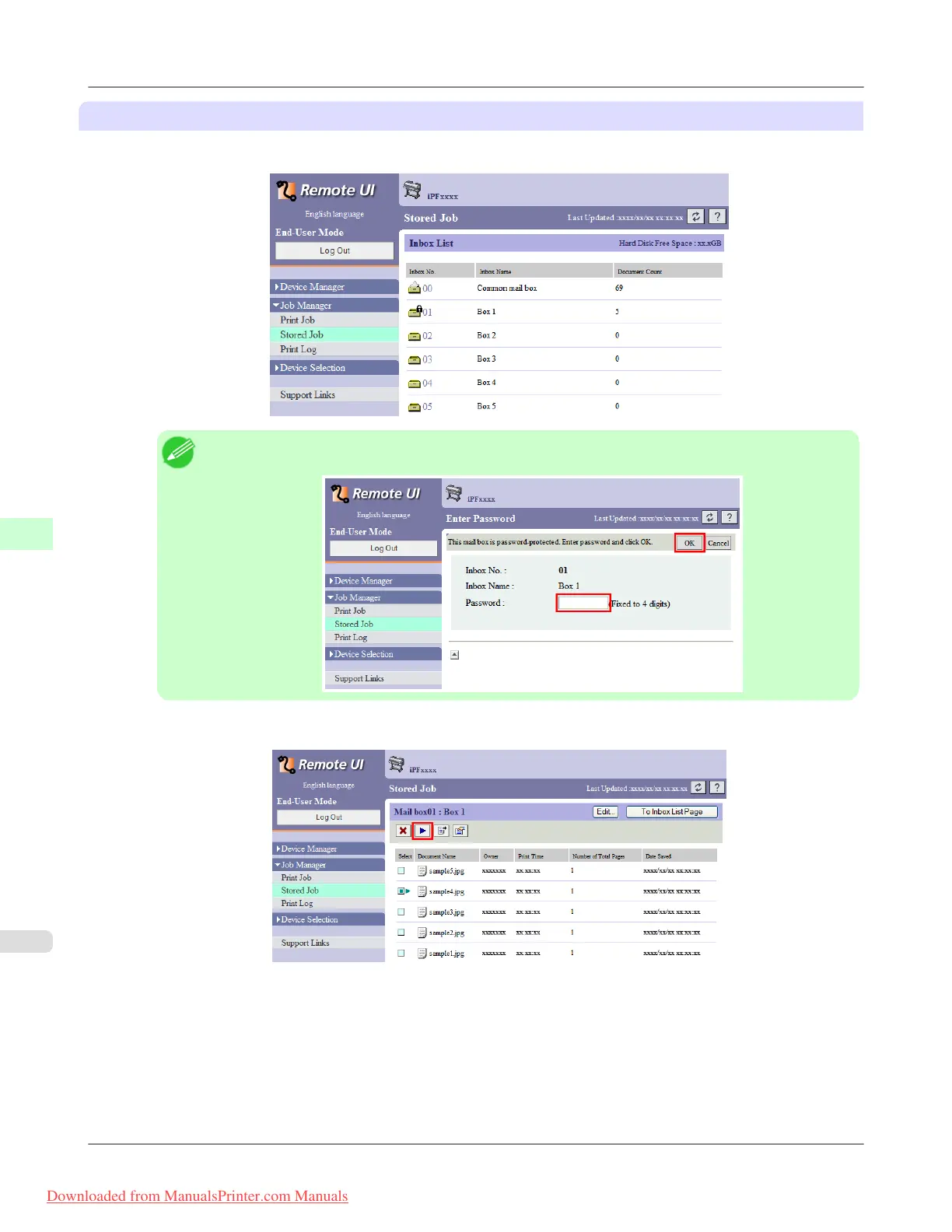
1. On the Stored Job page, choose the box.
Note
• Enter a password if one has been set.
2. Select the print job and click Resume.
Print Jobs
>
Basic Print Job Operations
>
Printing Saved Jobs iPF8300
6
726
Downloaded from ManualsPrinter.com Manuals














 To Next Page