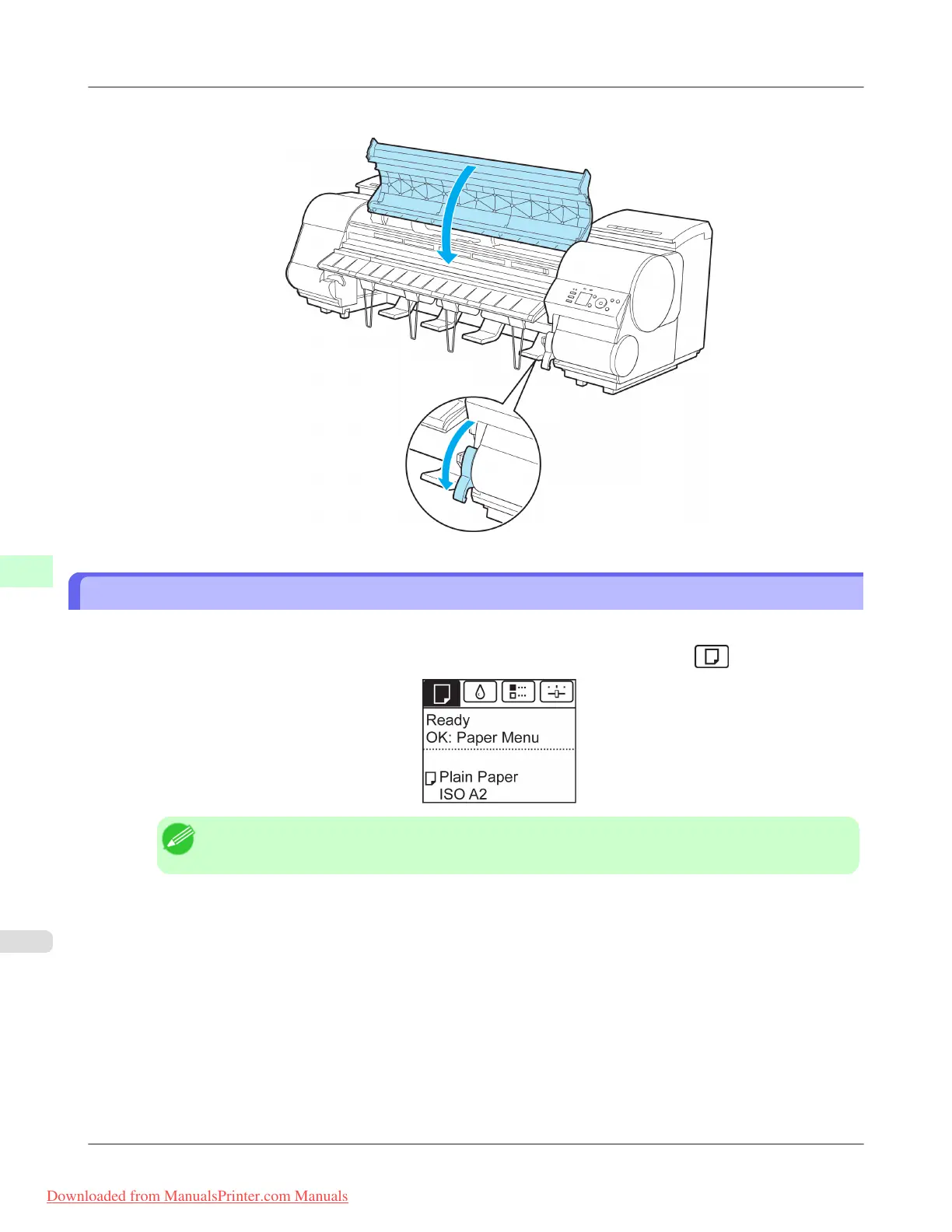
6. Lower the Release Lever and close the Top Cover.
Removing Sheets
Remove sheets from the printer as follows.
1. On the Tab Selection screen of the Control Panel, press ◀ or ▶ to select the Paper tab ( ).
Note
• If the Tab Selection screen is not displayed, press the Menu button.
2. Press the OK button.
The Paper Menu is displayed.
3. Press ▲ or ▼ to select Eject Paper, and then press the OK button.
4. Press ▲ or ▼ to select "Yes", and then press the OK button.
The paper is ejected from the front of the printer.
Handling Paper
>
Handling sheets
>
Removing Sheets iPF8300
7
810
Downloaded from ManualsPrinter.com Manuals














 To Next Page