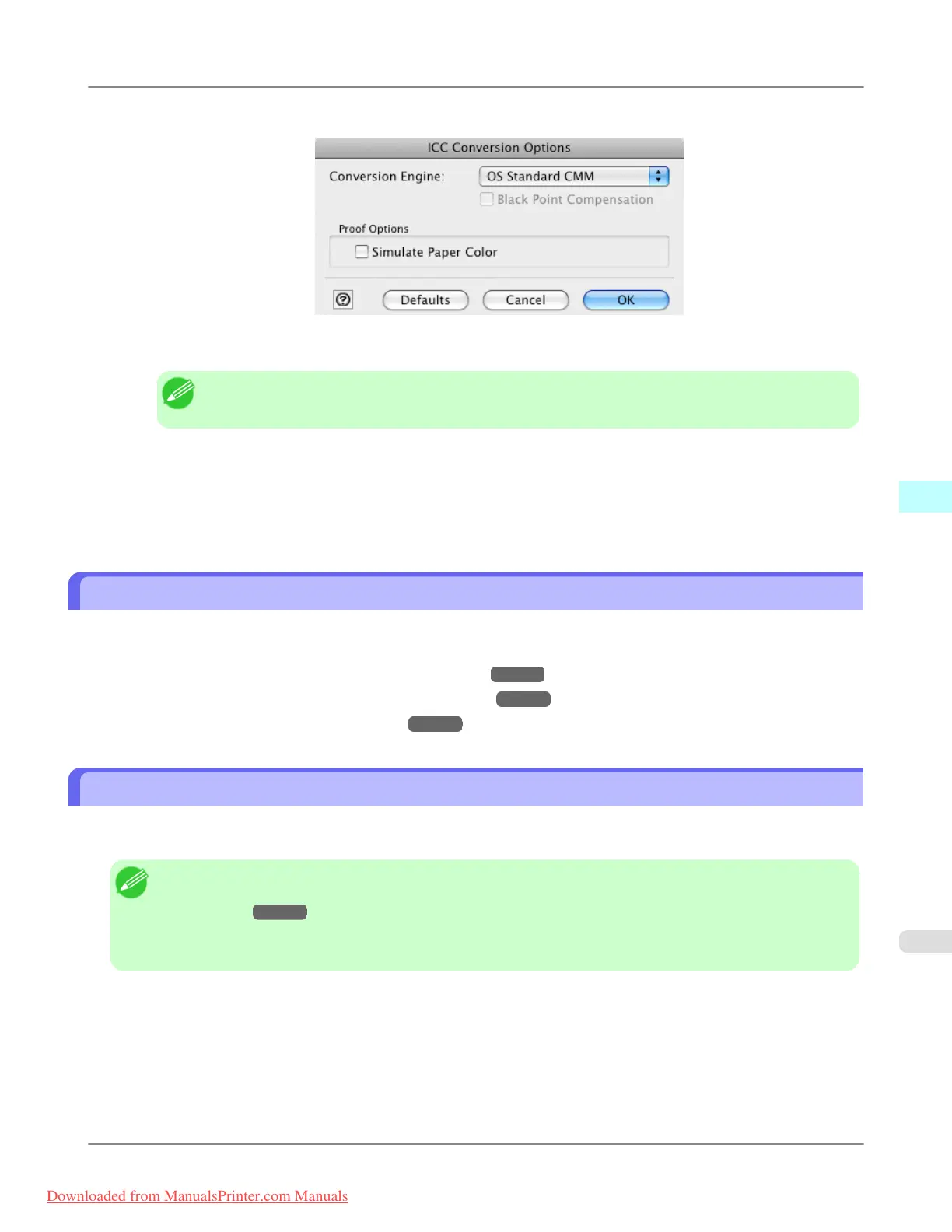
4. Click the ICC Conversion Options button to open the ICC Conversion Options dialog box.
5. Configure the Proof Options as needed.
Note
• The proof option is Simulate Paper Color.
6. Click the OK button to close the ICC Conversion Options dialog box.
7. Click the Print button.
Printing begins.
Enlarge/Reduce and Print
You can enlarge or reduce an image in Print Plug-In.
Three methods to enlarge/reduce and print are as follows.
• Enlarge/Reduce and Print Matching Output Media Size
→P.649
• Enlarge/Reduce and Print Matching Width of Roll Paper →P.651
• Specify Scaling, Enlarge/Reduce and Print →P.652
Enlarge/Reduce and Print Matching Output Media Size
By specifying the media type loaded in the printer, the image can be enlarged or reduced to fit the size of the image area of
the media. This feature is useful when you need to print on the full width of Media that you have selected.
Note
• When you need to print on the full width of roll media, see "Enlarge/Reduce and Print Matching Width of
Roll Paper." →P.651
• When you do the procedure below to print on roll media, the print job will match the size of the output with
the media selected with the Paper Size setting.
Mac OS X Software
>
Print Plug-In for Photoshop/Digital Photo Professional
>
iPF8300 Enlarge/Reduce and Print
5
649
Downloaded from ManualsPrinter.com Manuals














 To Next Page