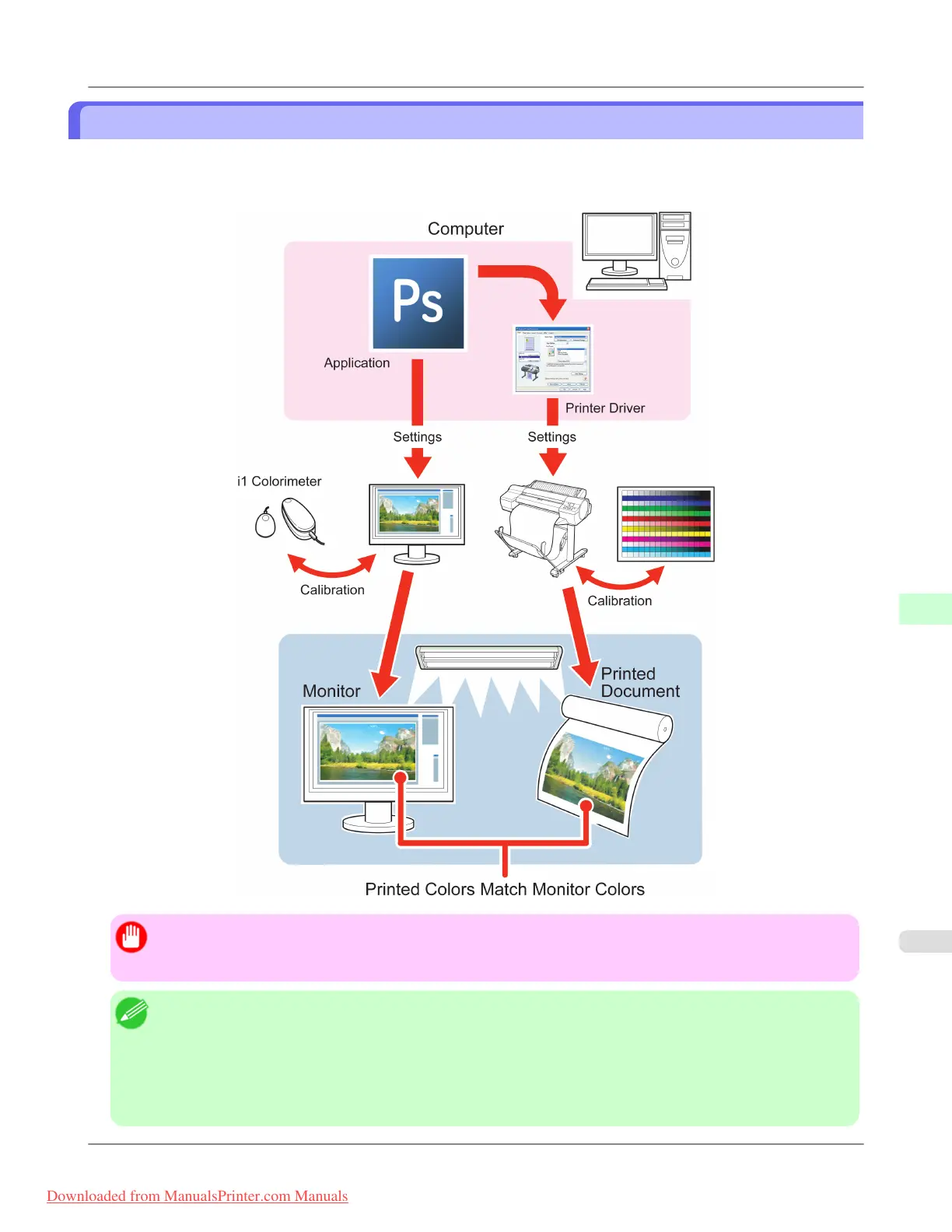
Printing Images to Match Monitor Colors
Adjusting the colors printed so that they more closely match the colors displayed on the monitor is called "monitor match-
ing." Using this mode requires adjustment or configuration of the settings of your monitor, the source application, the file
for printing, and the printer driver.
Important
• Monitor matching may not be applied, or these settings may not be configurable or adjustable, depending on
your monitor and the source application.
Note
• Printing in exactly the same colors as displayed on the monitor may not be possible due to differences in the
monitor and printer color gamuts.
• Calibrating your monitor requires a measuring device.
• Because colors appear different under sunlight at different times of day, we recommend following this proce-
dure in a room not exposed to sunlight.
Adjustments for Better Print Quality
>
Color adjustment
>
iPF8300 Printing Images to Match Monitor Colors
8
873
Downloaded from ManualsPrinter.com Manuals














 To Next Page