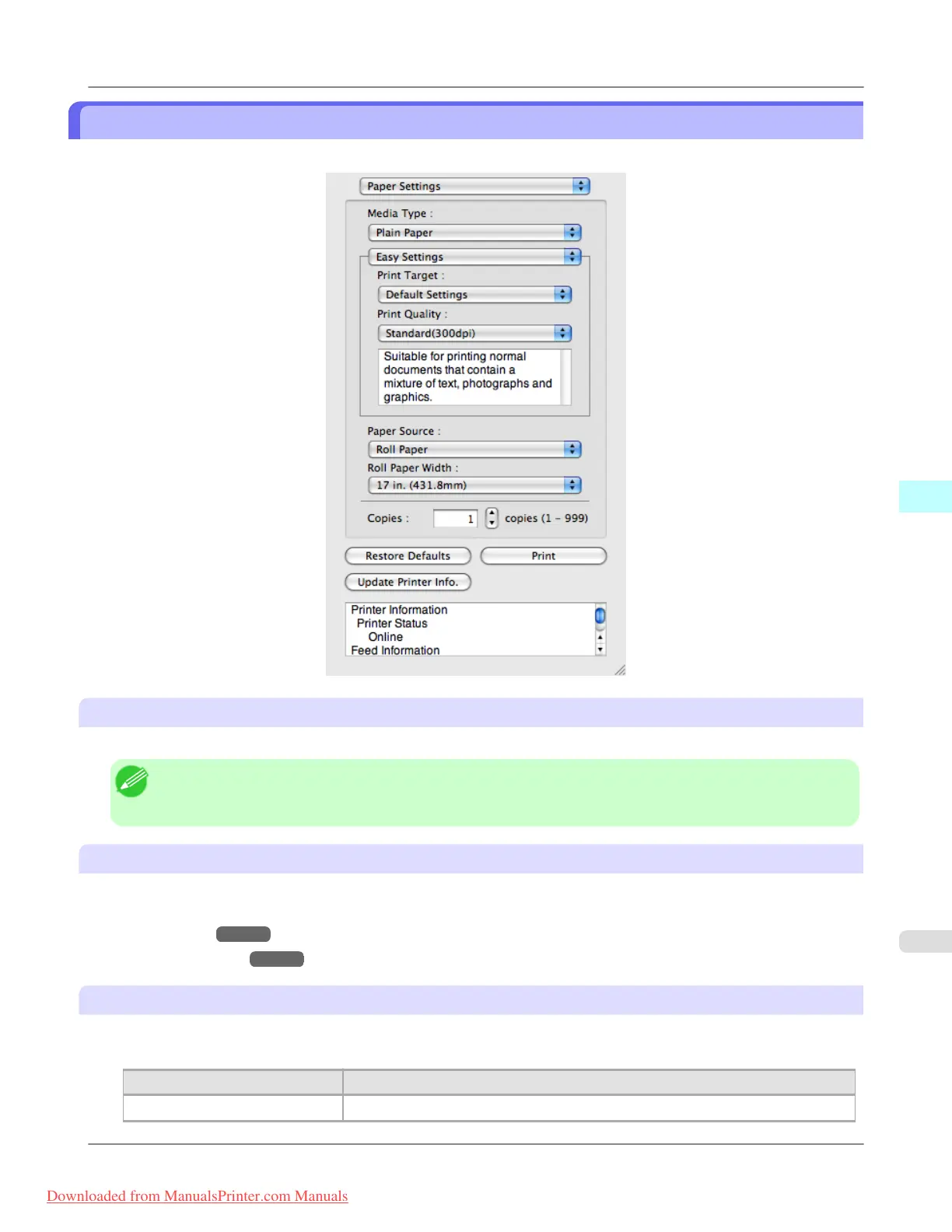
Paper Settings Panel
This panel appears when you select Paper Settings in the dialog area.
Media Type
This allows you to select the media type.
Note
• Always select media type that is actually set in the printer. When the media you chose is different from the
media set in the printer, you may not receive the desired print results.
Easy Settings / Advanced Settings
Two modes are available to provide the optimum print settings for jobs.
The settings available on each mode are as follows.
• Easy Settings
→P.549
• Advanced Settings →P.550
Paper Source
You can select the paper source.
The following settings are available for paper source.
Setting
Details
Cut Sheet Select to print on the cut sheet.
Mac OS X Software
>
Free Layout
>
iPF8300 Paper Settings Panel
5
547
Downloaded from ManualsPrinter.com Manuals














 To Next Page