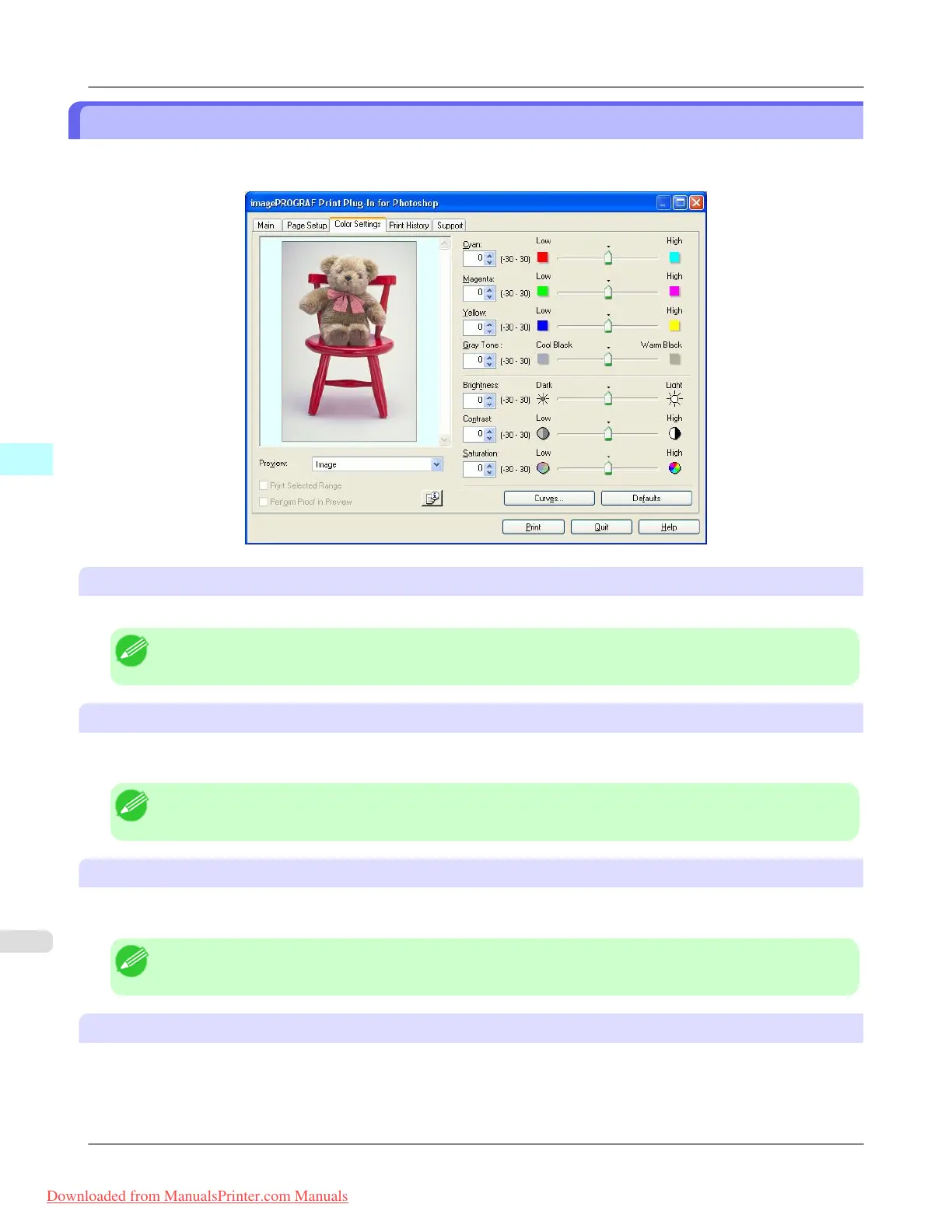
Color Settings Sheet
You can use this sheet to adjust image Color, Brightness, Contrast, Saturation, and you can set the color balance of print
product more to your liking.
Cyan / Magenta / Yellow
You can adjust the strength or weakness of a color by either inputting a numerical value or dragging the slide bar.
Note
• You can check the adjustments in the preview display.
Gray Tone
You can adjust gray tone from cool black (cool tones) to warm black (red tones) by either inputting a numerical value or
dragging the slide bar.
Note
• You can check the adjustments in the preview display.
Brightness
You can adjust the brightness of the printed image without losing the brightest and darkest areas by either inputting a nu-
merical value or dragging the slide bar.
Note
• You can check the adjustments in the preview display.
Contrast
You can relatively adjust the brightness of the brightest and darkness areas by either inputting a numerical value or dragging
the slide bar.
Windows Software
>
Print Plug-In for Photoshop/Digital Photo Professional
>
Color Settings Sheet iPF8300
4
318
Downloaded from ManualsPrinter.com Manuals














 To Next Page