• Apply Print History to an Image →P.354
• Store Print History to Print Preferences →P.355
• Delete Print History →P.357
• Export Print History from Print Preferences →P.360
• Import Print History to Print Preferences →P.361
• Delete Print History from Print Preferences →P.363
• Set Information to Print with Image →P.365
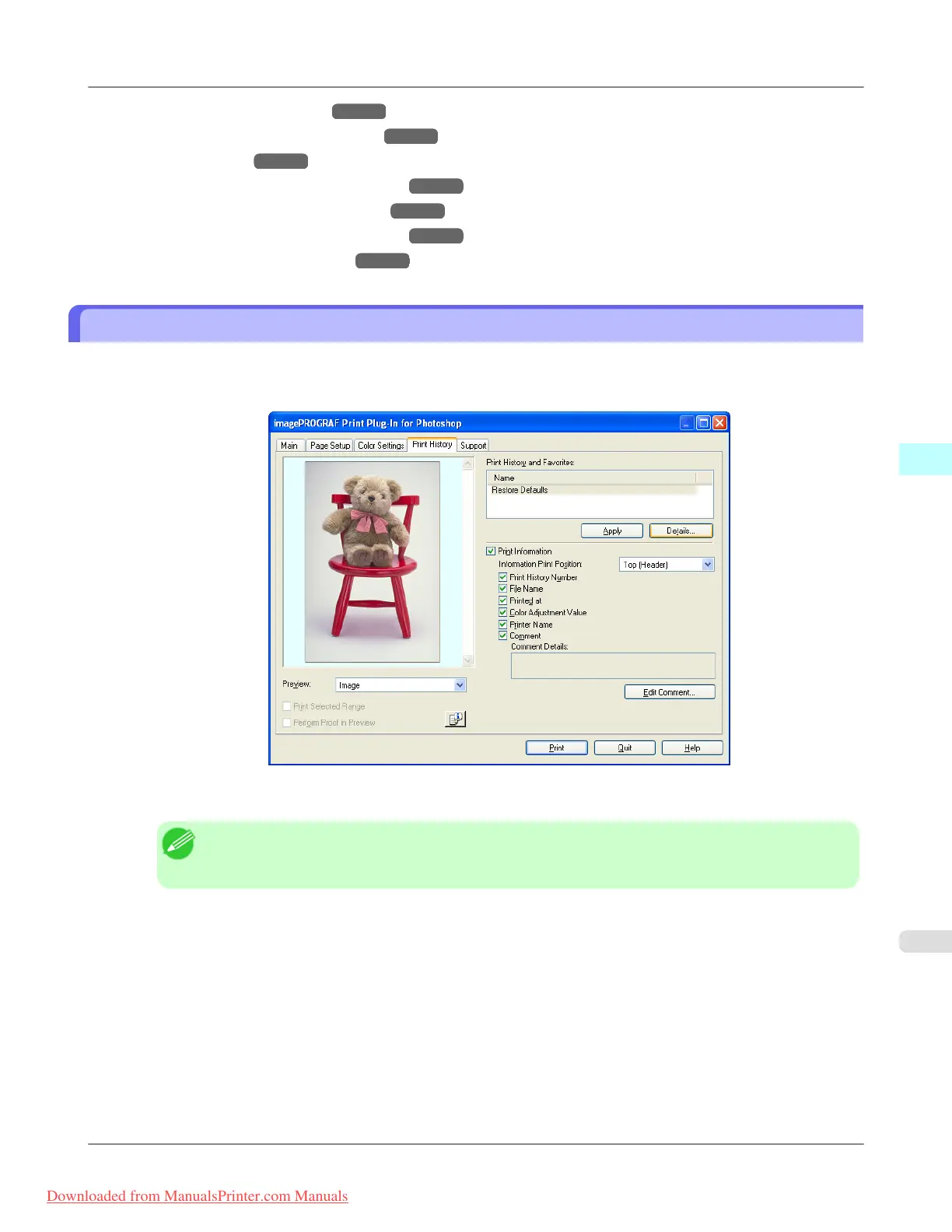
Confirm Print History Details
You can confirm the print history details.
1. Display Print History sheet.
2.
Click the Details button.
Note
• Select the print history you wish to check the details of, from either Print History or Favorites in the
Print History Details dialog box.
Windows Software
>
Print Plug-In for Photoshop/Digital Photo Professional
>
iPF8300 Confirm Print History Details
4
353
Downloaded from ManualsPrinter.com Manuals














 To Next Page