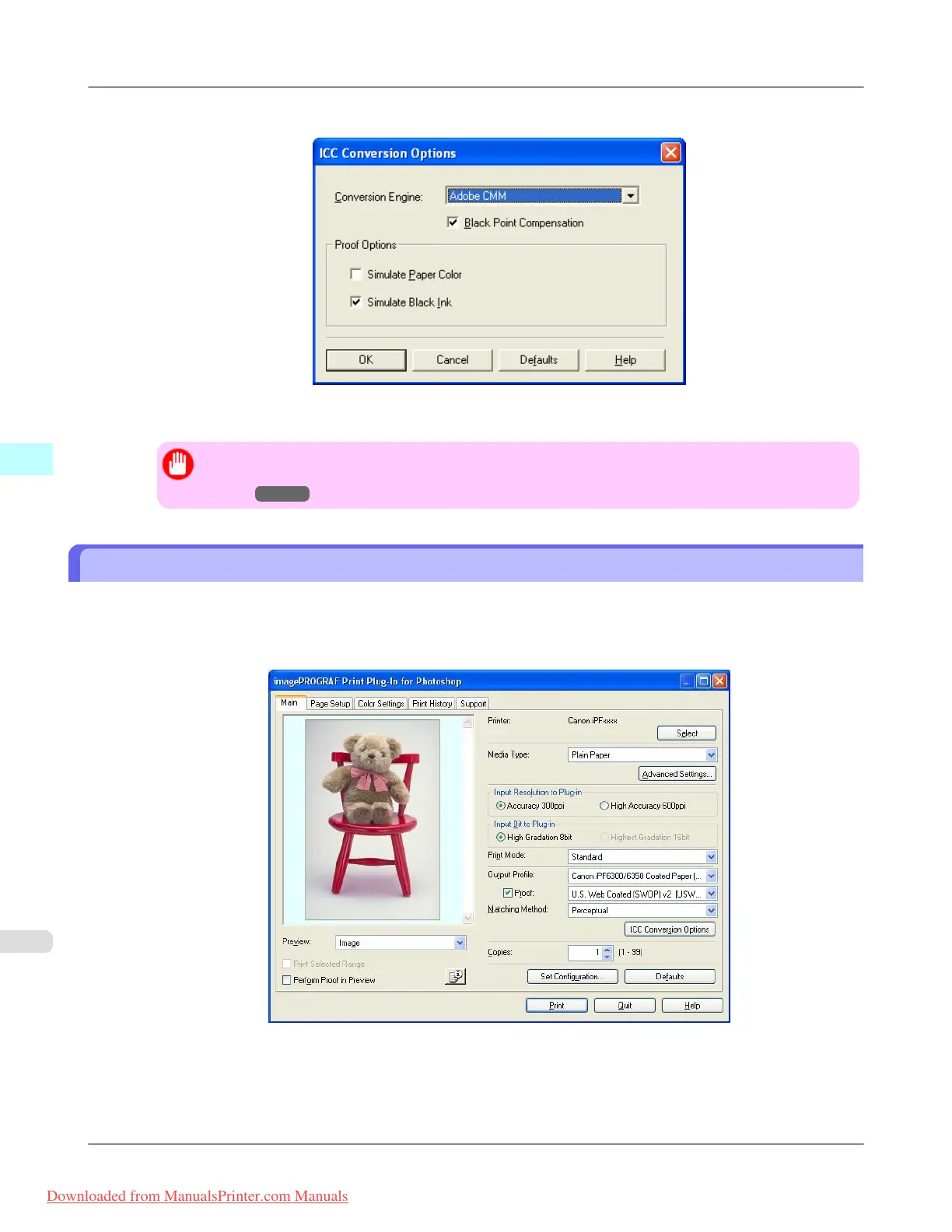
5. Check the Black Point Compensation check box.
6. Click the OK button to close the ICC Conversion Options dialog box.
Important
• Adobe CMM needs to be installed in order to use black point compensation. Refer to Using Adobe
CMM →P.343 for details on how to install Adobe CMM.
Perform Printing Press Simulation Print
You can perform printing press simulation prints by specifying ICC profiles such as Japan Color or SWOP, and specifying
an ICC profile for the printing press.
1. Display the Main sheet.
2. Select one of the ICC profiles as the Output Profile.
3. Check the Proof check box and select the profile for the printing press you want to target from the list on the right.
Windows Software
>
Print Plug-In for Photoshop/Digital Photo Professional
>
Perform Printing Press Simulation Print iPF8300
4
346
Downloaded from ManualsPrinter.com Manuals














 To Next Page