COUNTER Utilization status of the cutter, media,
and other items (indicating how much
they have been used).
CUTTER
MEDIA
LIFE TTL
LIFE ROLL
LIFE CUTSHEET
MEDIA 1-7,OTHER
NAME
TTL
ROLL
CUTSHEET
AFTER INSTALLATION
DUTY Counters for maintenance purposes. Needed
when service is requested.
UNIT:m2
UNIT:sq.f
UNIT:A4 Sheet
UNIT:Letter Sheet
Printing Interface Setting Reports
You can print an Interface Print report indicating the current interface settings values of the printer.
Interface Print reports indicate settings values for TCP/IP, NetWare, and other settings.
Printing Interface Print reports
1. Load the paper.
If using sheets, load paper A4/Letter-sized, you will need at least three sheets.
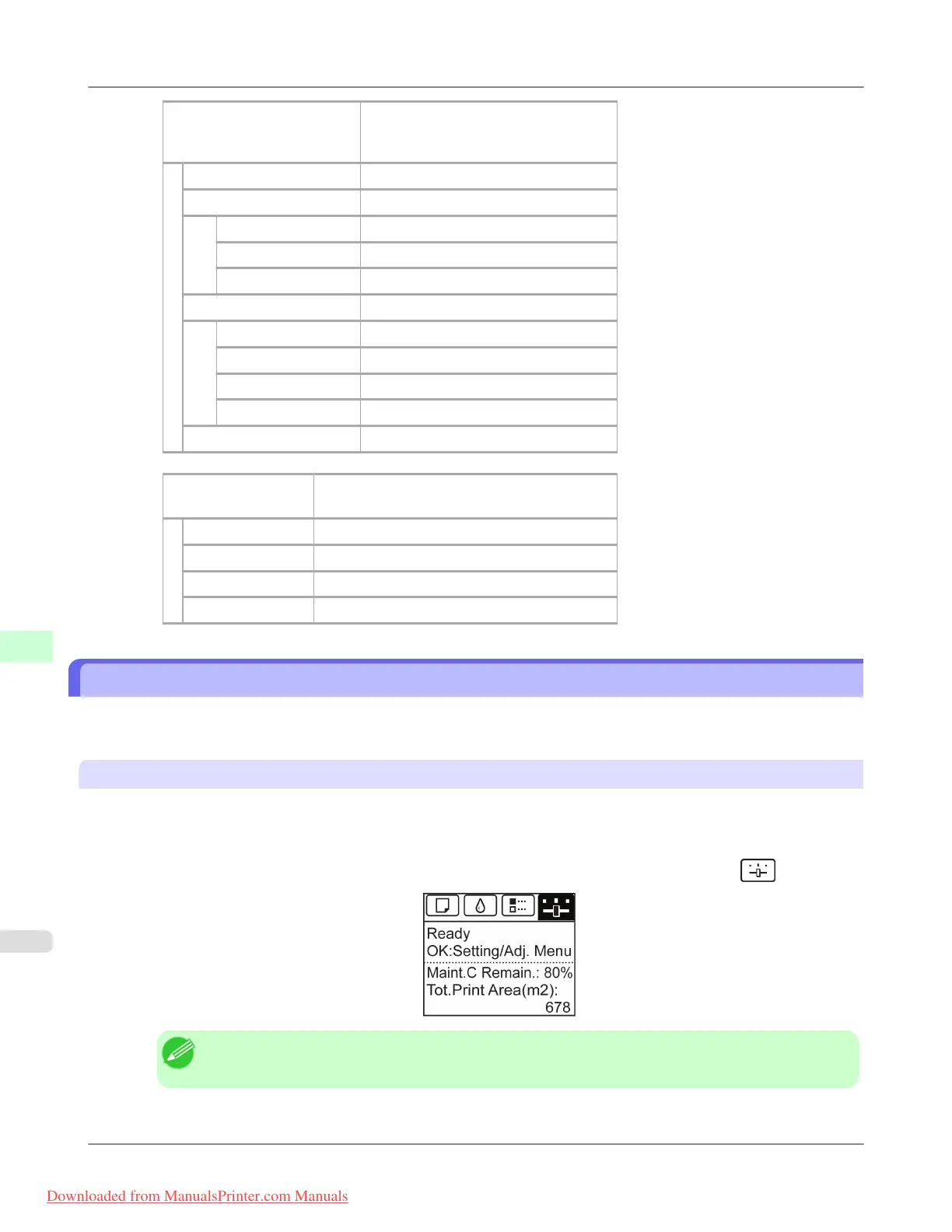
2. On the Tab Selection screen of the Control Panel, press ◀ or ▶ to select the Settings/Adj. tab (
).
Note
• If the Tab Selection screen is not displayed, press the Menu button.
Printer Parts
>
Control Panel
>
Printing Interface Setting Reports iPF8300
9
928
Downloaded from ManualsPrinter.com Manuals














 To Next Page