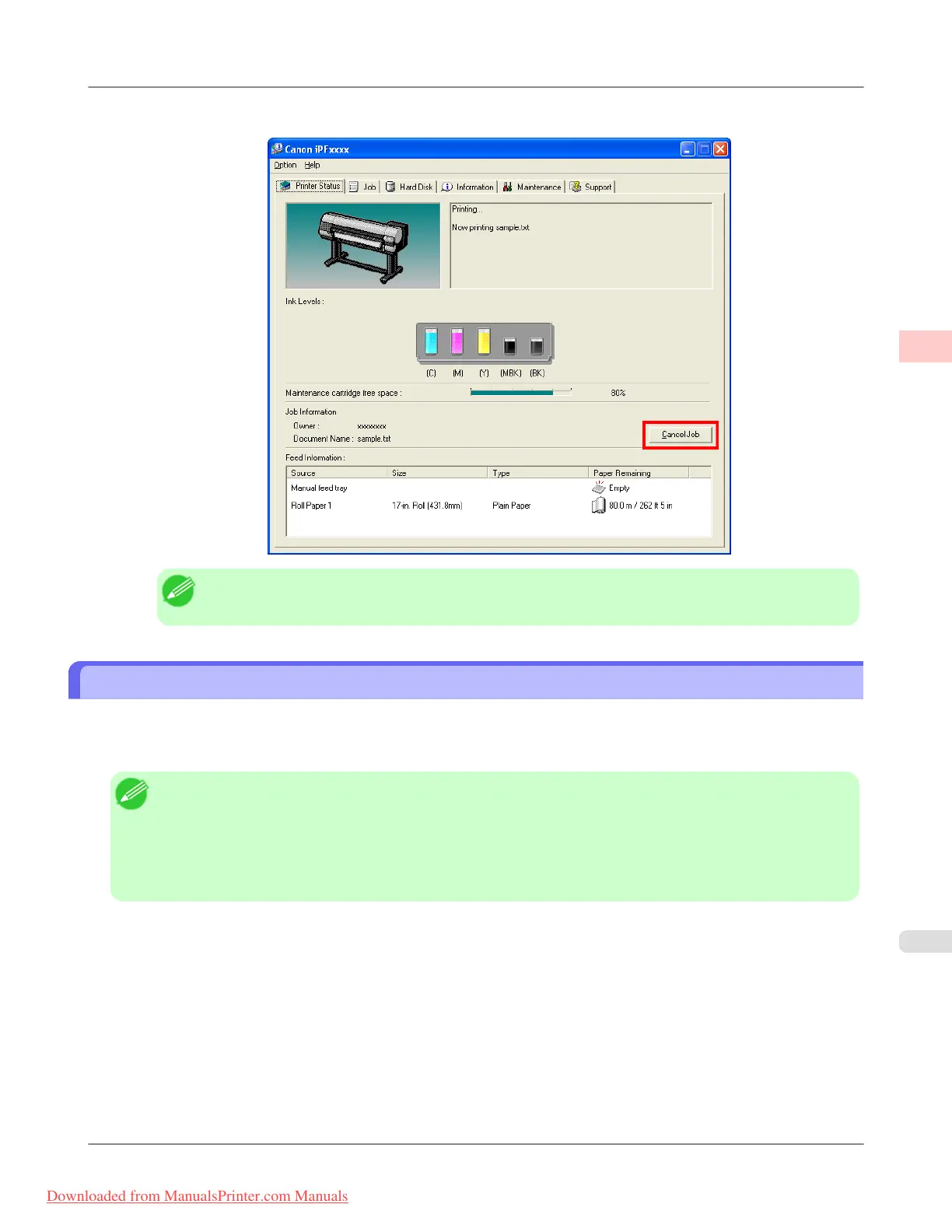
4. On the Printer Status sheet, click Cancel Job.
Note
• The screen may differ slightly depending on the model you are using.
Canceling Print Jobs from Mac OS X
In the printer window, you can cancel jobs that are being sent to the printer.
Otherwise, you can cancel jobs from imagePROGRAF Printmonitor if they have been received by the printer or are current-
ly being printed.
Note
• Print jobs are shown in the printer window while they are being sent from the computer. After transmission,
jobs are not displayed even during printing.
• Print jobs are displayed in the imagePROGRAF Printmonitor window from the moment the printer starts re-
ceiving the print data until the moment printing is finished. They are not displayed before print data is sent to
the printer, even if the computer has started preparing the print data.
1. Click the printer icon in the Dock to display the printer window.
Basic Printing Workflow
>
Canceling print jobs
>
iPF8300 Canceling Print Jobs from Mac OS X
1
13
Downloaded from ManualsPrinter.com Manuals














 To Next Page