B Graphics
Select this option to apply color adjustment to graphics, such as lines and circles.
C Text
Select this option to apply color adjustment to text.
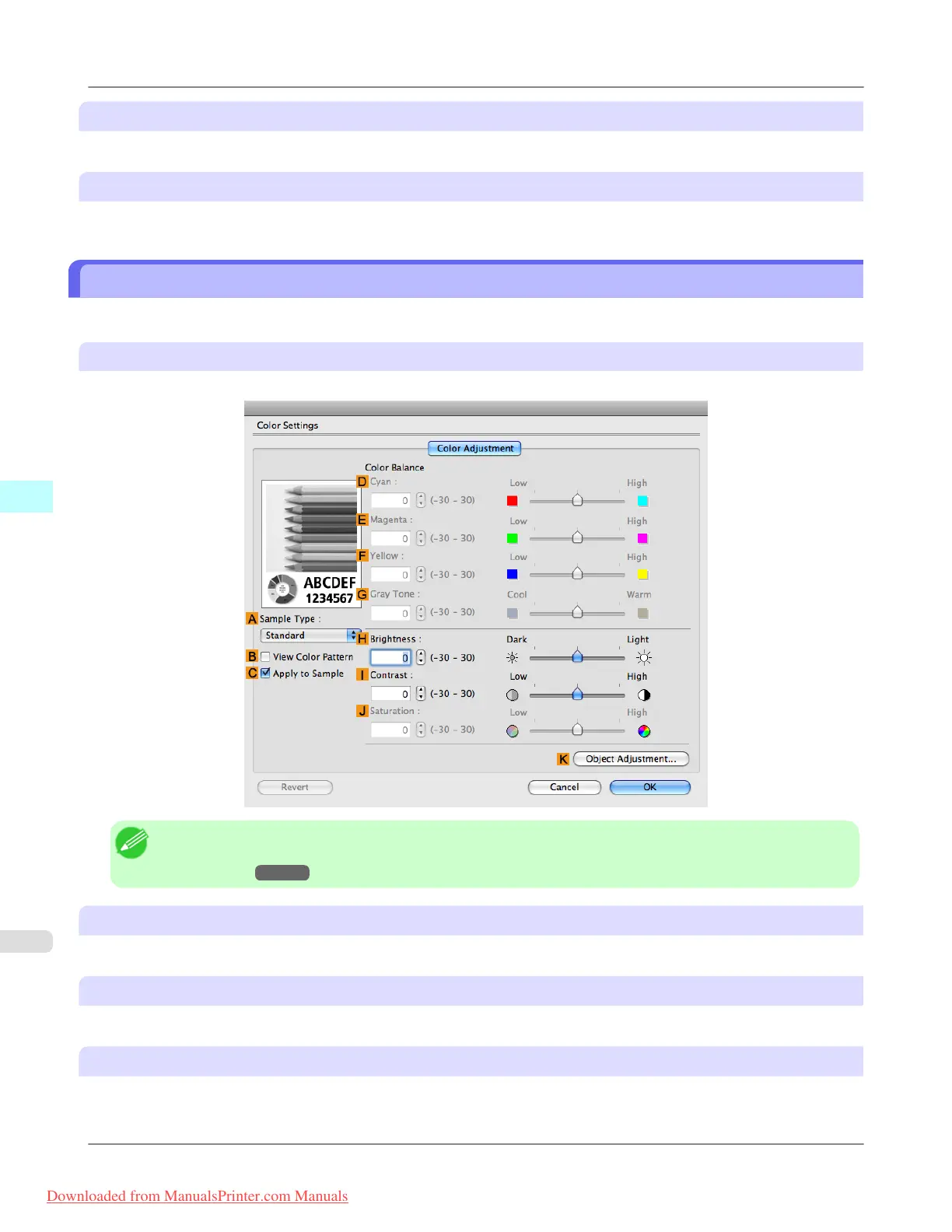
Color Settings Pane: Monochrome
The following settings are available on the Color Settings pane for monochrome printing.
Color Adjustment pane: Monochrome
On the Color Adjustment pane for monochrome printing, you can adjust the brightness and contrast.
Note
• To display the Color Adjustment pane, on the Main pane, click Color Settings in Advanced Settings.(See
"Main Pane →P.486 ")
A Sample Type
Choose a sample image from Standard, Portrait, Landscape, or Graphics.
B View Color Pattern
Select this checkbox to display the color pattern.
C Apply to Sample
Select this checkbox to apply the changed settings to the sample image.
Mac OS X Software
>
Printer Driver
>
Color Settings Pane: Monochrome iPF8300
5
502
Downloaded from ManualsPrinter.com Manuals














 To Next Page