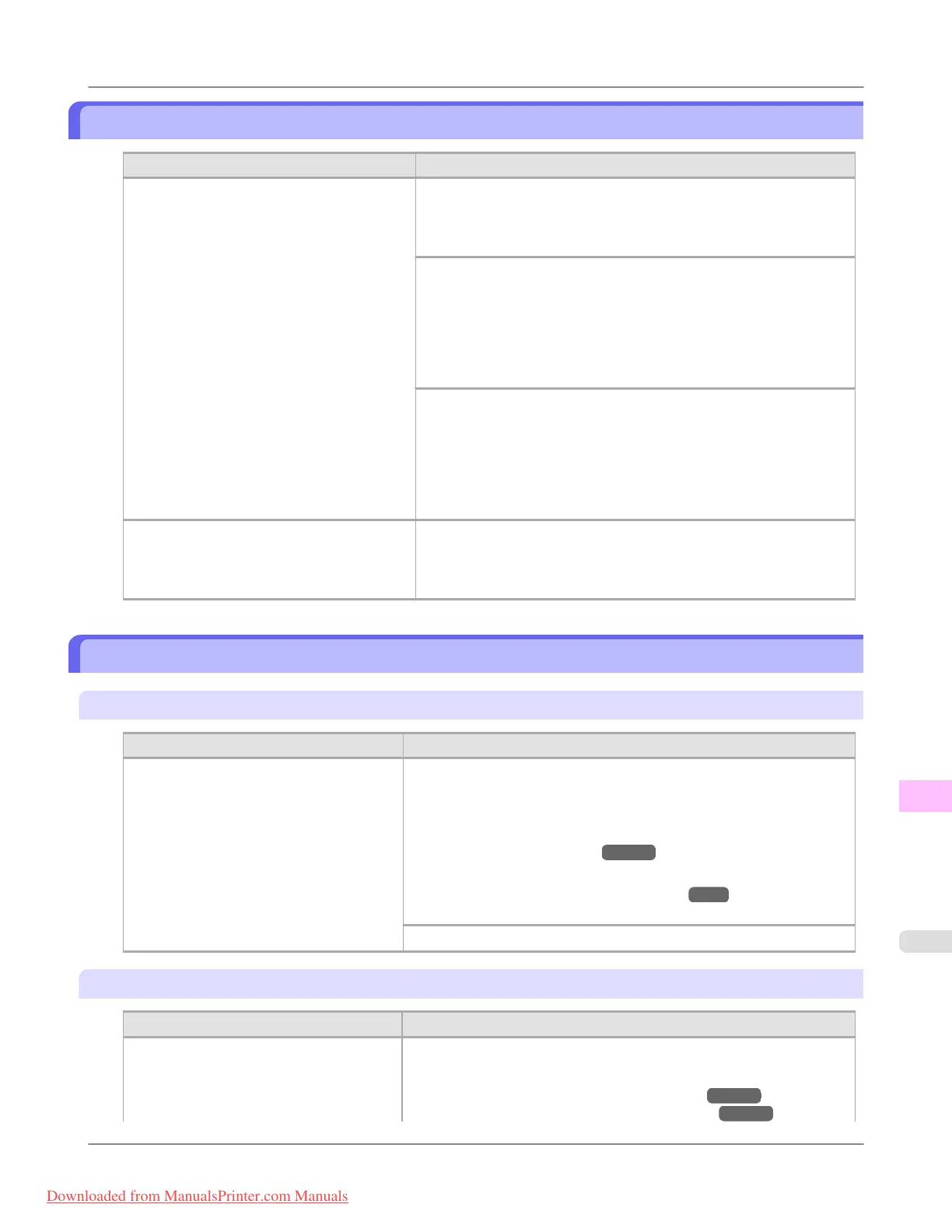
The paper is too small.
Cause Corrective Action
When Detect Mismatch in the Control Panel
menu is set to Pause, paper smaller than the
size specified in the printer driver is loaded.
Press ▲ or ▼ to select Print, and then press the OK button to resume
printing.
However, note that this error may cause paper jams and affect the
printing quality.
Adjust the paper size setting in the printer driver to match the size loa-
ded in the printer as follows.
1. Press ▲ or ▼ to select Stop Printing, and then press the OK but-
ton.
2. Change the paper size setting in the printer driver to the size loaded
in the printer and try printing again.
Replace the loaded paper with paper of a size that matches the size set-
ting in the printer driver as follows.
1. Press ▲ or ▼ to select Change Paper, and then press the OK but-
ton to stop printing.
2. Replace the loaded paper to match the paper width setting in the
printer driver and try printing again.
When Detect Mismatch in the Control Panel
menu is set to Warning, paper smaller than
the size specified in the printer driver is loa-
ded.
You can continue to print, but note that this error may cause problems
in the printing results.
The paper is too small.
"Replace paper with A4/LTR (vertical) or larger"
Cause Corrective Action
The loaded paper is too small.
(When you have attempted to print a test
print sheet or other printer status informa-
tion.)
Replace the paper with paper of A4/Letter (vertical) size or larger as fol-
lows.
1. Press ▲ or ▼ to select Change Paper, press the OK button, and re-
move the paper.
(See "Removing Sheets.") →P.810
2. Switch to paper A4/Letter (vertical) or larger.
(See "Loading and Printing on Sheets.") →P.6
The printer will resume printing.
Press ▲ or ▼ to select Stop Printing, and then press the OK button.
"Replace roll with 10 in. wide or larger roll."
Cause
Corrective Action
The loaded paper is too small.
(When you have attempted to print a test
print sheet or other printer status informa-
tion.)
Replace the roll with a roll 10 inches in width or larger as follows.
1. Press ▲ or ▼ to select Change Paper, and then press the OK button.
(See "Removing the Roll from the Printer.") →P.786
(See "Removing the Roll Holder from Rolls.") →P.789
Error Message
>
Messages regarding paper
>
iPF8300 The paper is too small.
13
1083
Downloaded from ManualsPrinter.com Manuals














 To Next Page