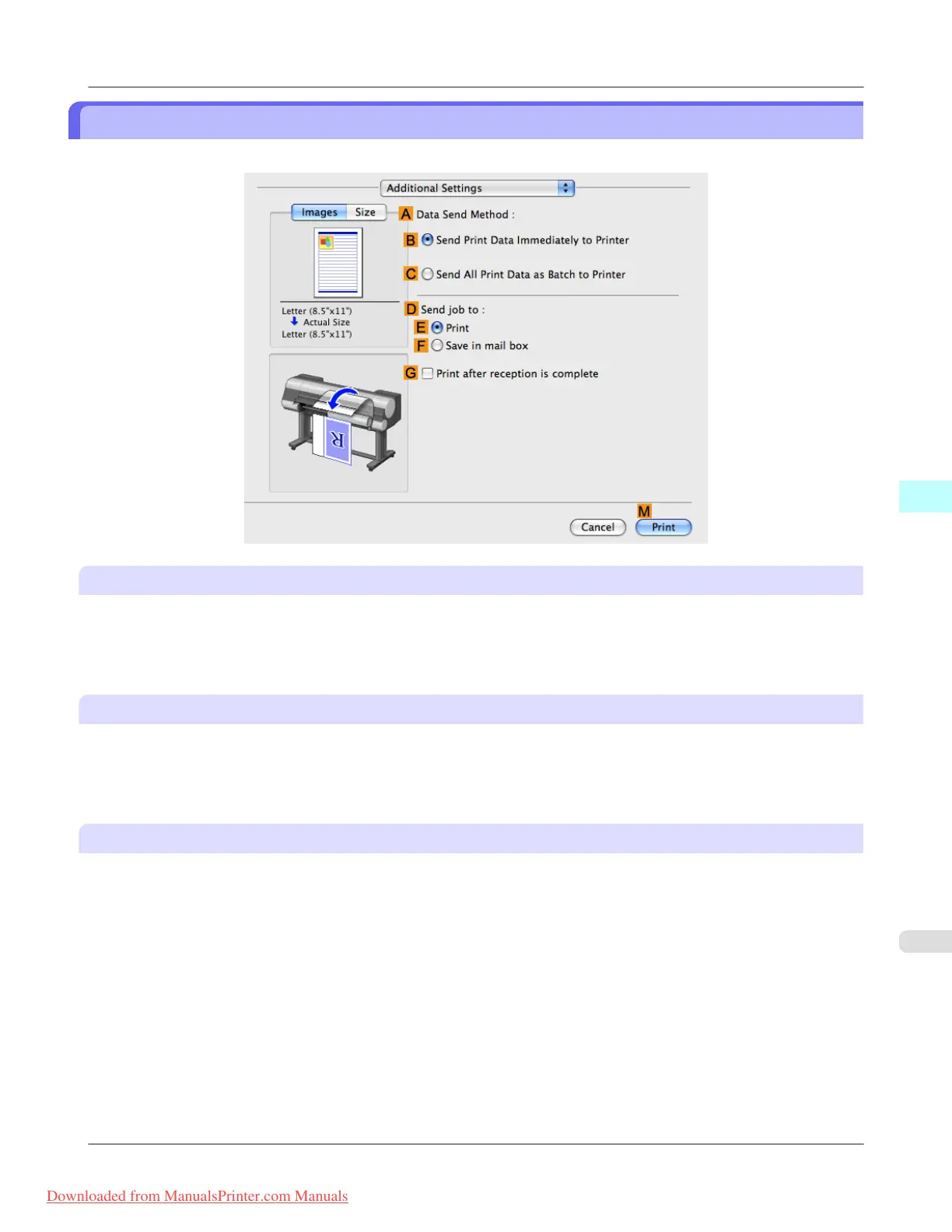
Additional Settings Pane
The following settings are available on the Additional Settings pane.
A Data Send Method
Choose how print data is sent to the printer.
• B Send Print Data Immediately to Printer
• C Send All Print Data as Batch to Printer
D Send job to
You can configure the method for saving print jobs to the printer hard disk.
• E Print
• F Save in mail box
G Print after reception is complete
Jobs are printed after they are saved on the hard disk.
Mac OS X Software
>
Printer Driver
>
iPF8300 Additional Settings Pane
5
509
Downloaded from ManualsPrinter.com Manuals














 To Next Page