imagePROGRAF Printer Driver
Starting Free Layout
Follow the procedure below to start the Free Layout.
1. Start the apllication software which you use.
2. From the application software's File menu, select the printer setup menu to open the Print dialog box.
Note
• Normally, select Print from the File menu.
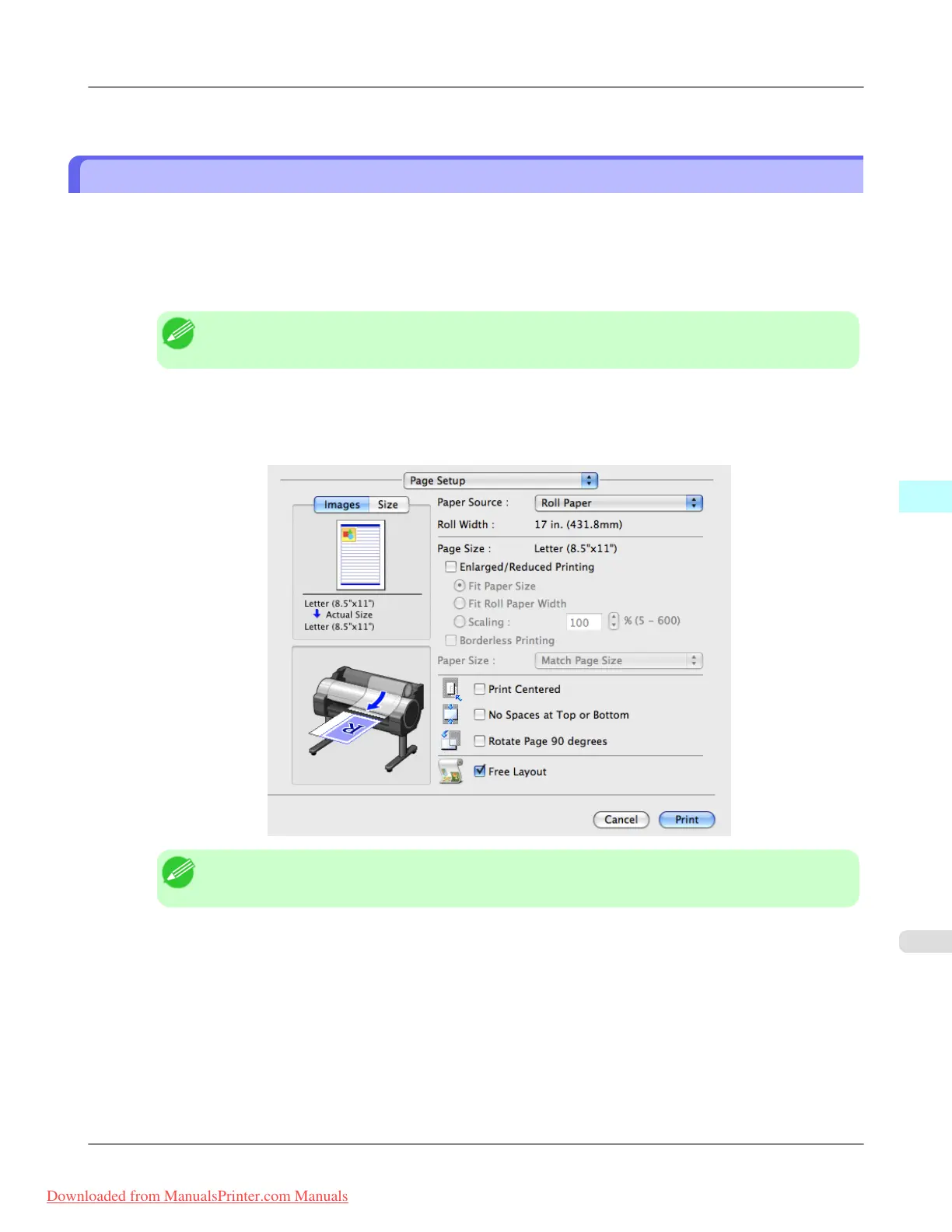
3. Click on Free Layout in the Page Setup panel to attach a checkmark.
4. Click the Print button in the Print dialog box.
Note
• Your printer is depicted in the lower-left area of this screen.
Mac OS X Software
>
Free Layout
>
iPF8300 Starting Free Layout
5
543
Downloaded from ManualsPrinter.com Manuals














 To Next Page