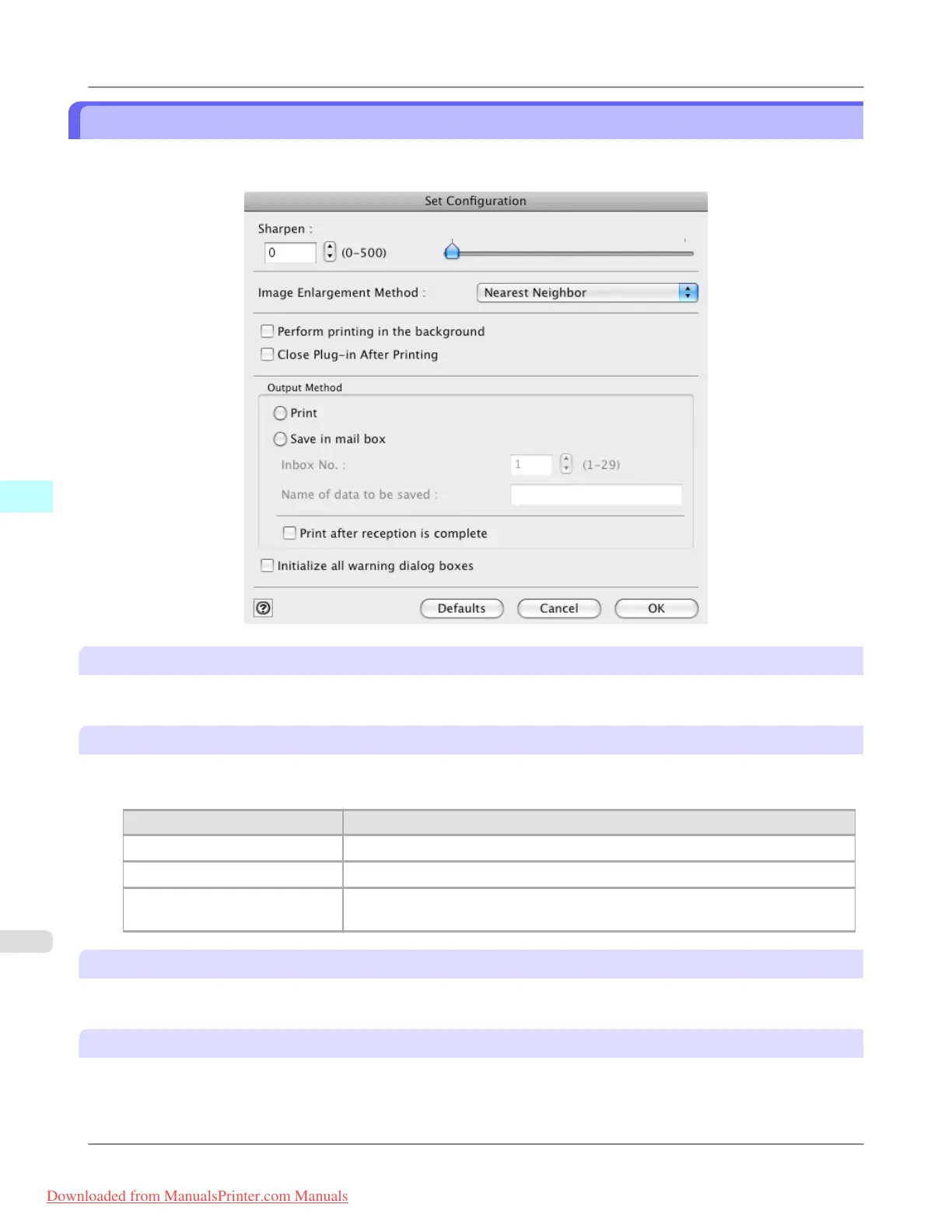
Set Configuration Dialog Box
This dialog box appears when you click the Set Configuration button on the Main Sheet. You can set the adjustment of
image sharpness and image enlargement method.
Sharpen
Performs adjustment of the sharpness (outline) settings.
Image Enlargement Method
You can select the image enlargement method.
The following settings are available for the image enlargement method.
Setting Details
Nearest Neighbor Performs simple enlargement.
Bilinear Performs line vector enlargement.
Bicubic Adjust pixels with calculation of elements such as a color or brightness of neigh-
boring pixels.
Perform printing in the background
When you place a checkmark here, the plug-in performs printing with the Plug-In in the background.
Close Plug-in After Printing
When you place a checkmark here, the plug-in closes after printing finishes.
Mac OS X Software
>
Print Plug-In for Photoshop/Digital Photo Professional
>
Set Configuration Dialog Box iPF8300
5
626
Downloaded from ManualsPrinter.com Manuals














 To Next Page