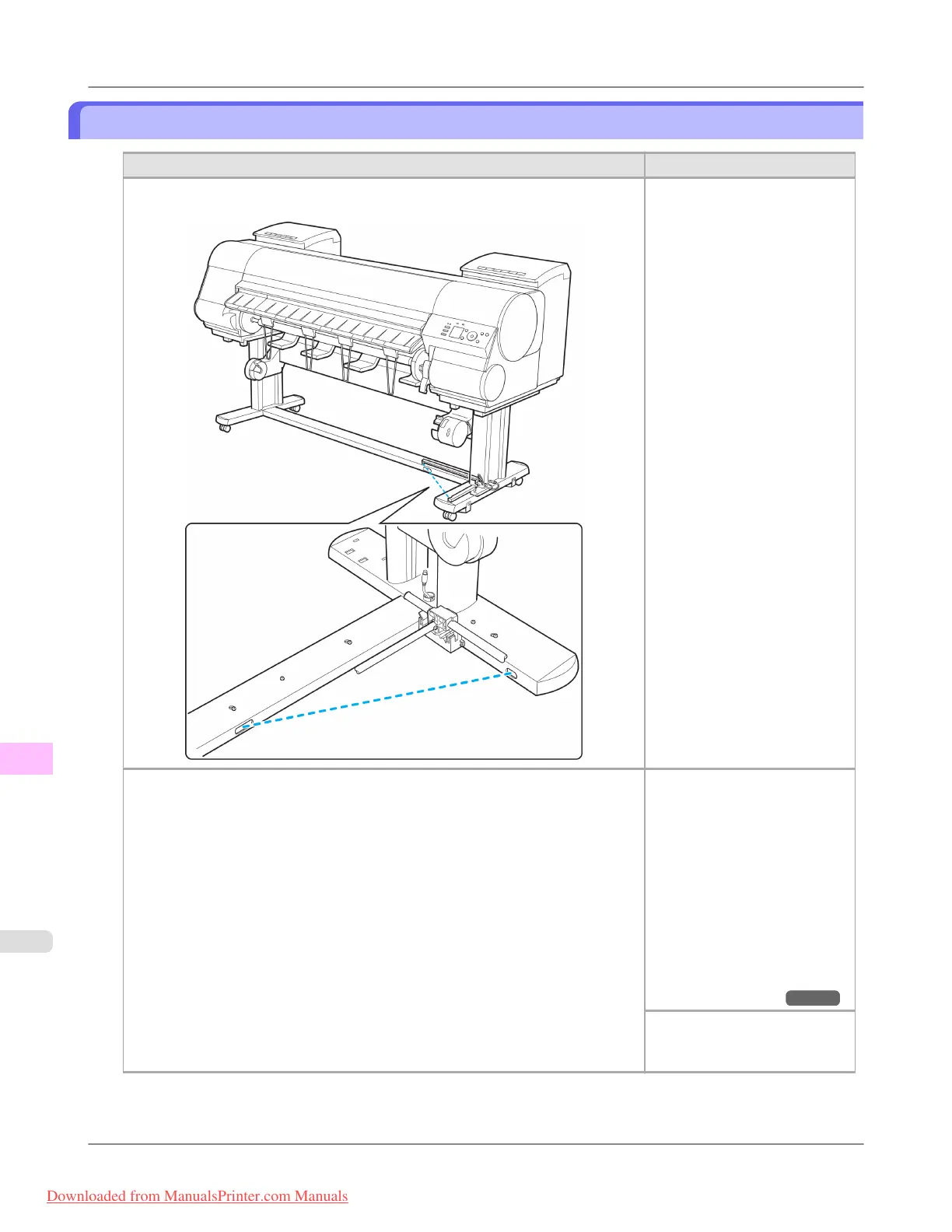
The media take-up unit continues rotating
Cause Corrective Action
There is a foreign object in the path of the Media Take-up Sensor (indicated by a
dotted line).
Remove the foreign object from
the Media Take-up Sensor path.
Arrange the Basket Cloth and
Basket Rod so they do not in-
terfere with the Media Take-up
Sensor.
The Media Take-up Sensor cord is not connected to the Right Media Take-up Unit
correctly.
Reconnect the Media Take-up
Sensor cord as follows.
1. Turn the printer off.
2. Disconnect the Media Take-
up Sensor cord from the
Right Media Take-up Unit
and reconnect it firmly, all
the way in.
3. Turn the printer on.
(See "Using the Media Take-
up Unit (Optional).")
→P.821
If the Media Take-up Unit con-
tinues rotating, contact your
Canon dealer for assistance.
Troubleshooting
>
Problems Regarding Paper
>
The media take-up unit continues rotating iPF8300
12
1052
Downloaded from ManualsPrinter.com Manuals














 To Next Page