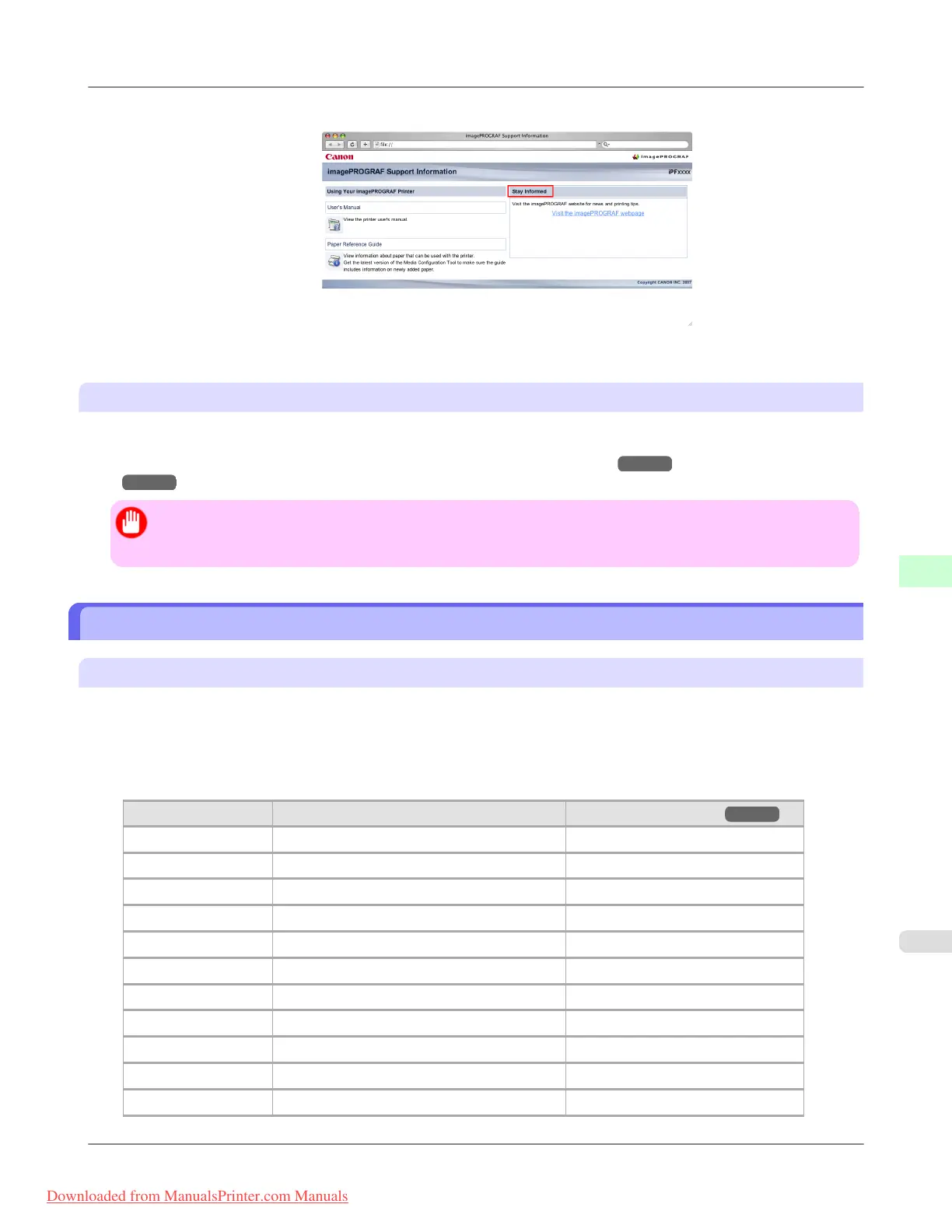
2. Click Visit the imagePROGRAF webpage.
The default browser on your computer is started and the imagePROGRAF webpage is displayed.
Adding Custom Paper
You can use the Media Configuration Tool to add custom paper (paper that is not Canon genuine paper or Canon feed con-
firmed paper) to the printer control panel and the printer driver.
For details on the Media Configuration Tool, refer to the Media Configuration Tool
→P.440 or the Media Configuration
Tool →P.671 .
Important
• Any printer malfunctions that arise out of the use of custom paper (paper that is not Canon genuine paper or
Canon feed confirmed paper) will result in a fee being charged to resolve, even within the warranty period.
Paper Sizes
Rolls
Rolls that meet the following conditions are supported.
• Outer diameter: Up to 150 mm (6 in)
• Inner diameter of paper core: 2 or 3 inches
• Printing side out
Roll Width Roll Paper Width Setting in Printer Driver Borderless Printing (*1 →P.772 )
1117.6 mm (44.00 in) 44-in. Roll (1117.6mm) Yes
1066.8 mm (42.00 in) 42-in. Roll (1066.8mm) Yes
1030.0 mm (40.55 in) JIS B0/B1 Roll (1030.0mm) Yes
914.4 mm (36.00 in) 36-in. Roll (914.4mm) Yes
841.0 mm (33.11 in) ISO A0/A1 Roll (841.0mm) Yes
762.0 mm (30.00 in) 30-in. Roll (762.0mm) No
728.0 mm (28.66 in) JIS B1/B2 Roll (728.0mm) No
609.6 mm (24.00 in) 24-in. Roll (609.6mm) Yes
594.0 mm (23.39 in) ISO A1/A2 Roll (594.0mm) Yes
515.0 mm (20.28 in) JIS B2/B3 Roll (515.0mm) Yes
431.8 mm (17.00 in) 17-in. Roll (431.8mm) Yes
Handling Paper
>
Paper
>
iPF8300 Paper Sizes
7
771
Downloaded from ManualsPrinter.com Manuals














 To Next Page