Updating paper information
To update the paper information in the Paper Reference Guide and on the printer, download the latest version of the Media
Configuration Tool from the imagePROGRAF website. For information about the Media Configuration Tool, see Media
Configuration Tool →P.440 (Windows) or Media Configuration Tool →P.671 (Macintosh).
The imagePROGRAF website is accessible from imagePROGRAF Support Information.
Important
• When you use the Media Configuration Tool to update information about paper, the types of paper on the
printer Control Panel, in the printer driver, and in related software are updated.
•
Windows
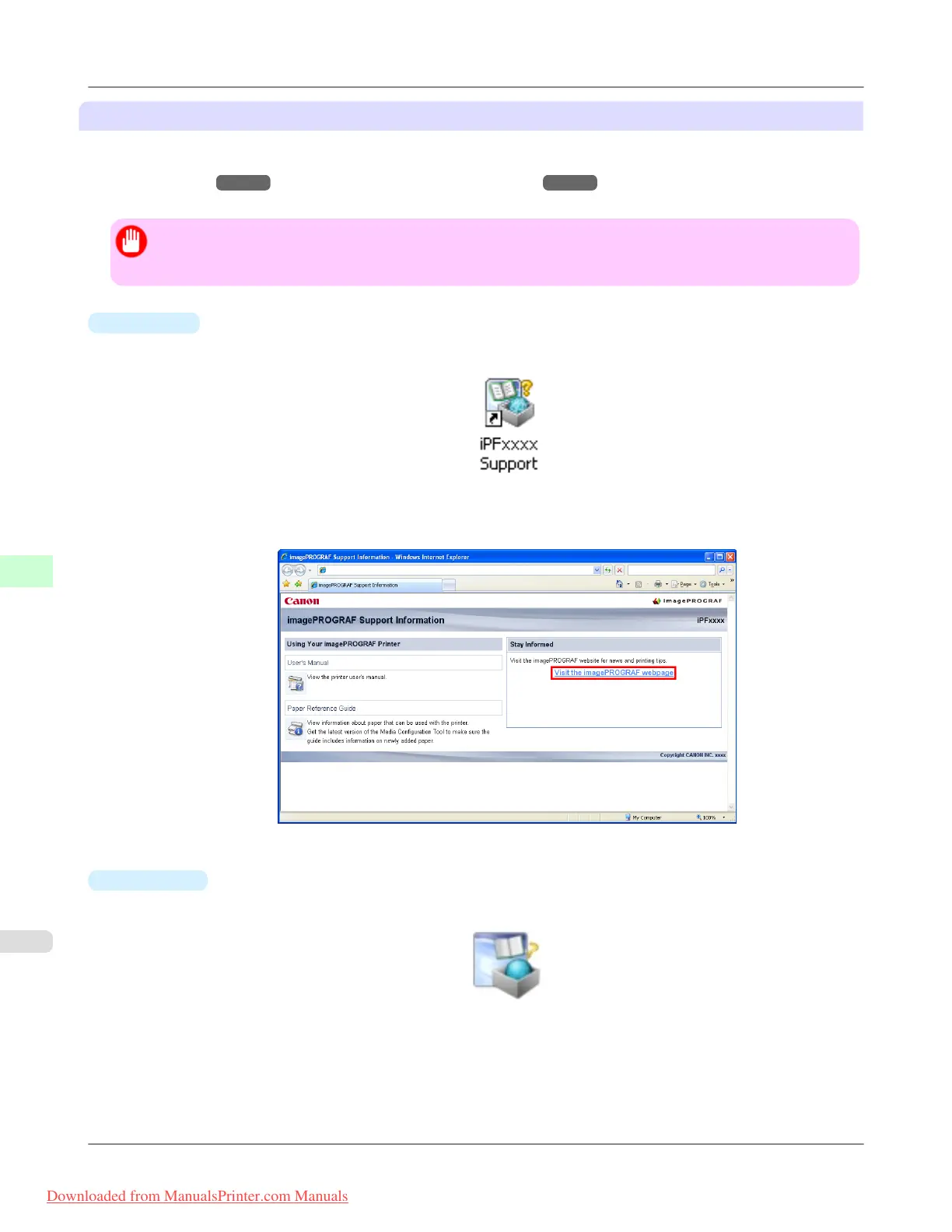
1. Double-click the iPFxxxx Support desktop icon. (iPFxxxx indicates the printer model.)
The imagePROGRAF Support Information window is displayed.
2. Click Visit the imagePROGRAF webpage.
The default browser on your computer is started and the imagePROGRAF webpage is displayed.
•
Mac OS X
1. Click the iPF Support icon in the Dock.
The imagePROGRAF Support Information window is displayed.
Handling Paper
>
Paper
>
Types of Paper iPF8300
7
770
Downloaded from ManualsPrinter.com Manuals














 To Next Page