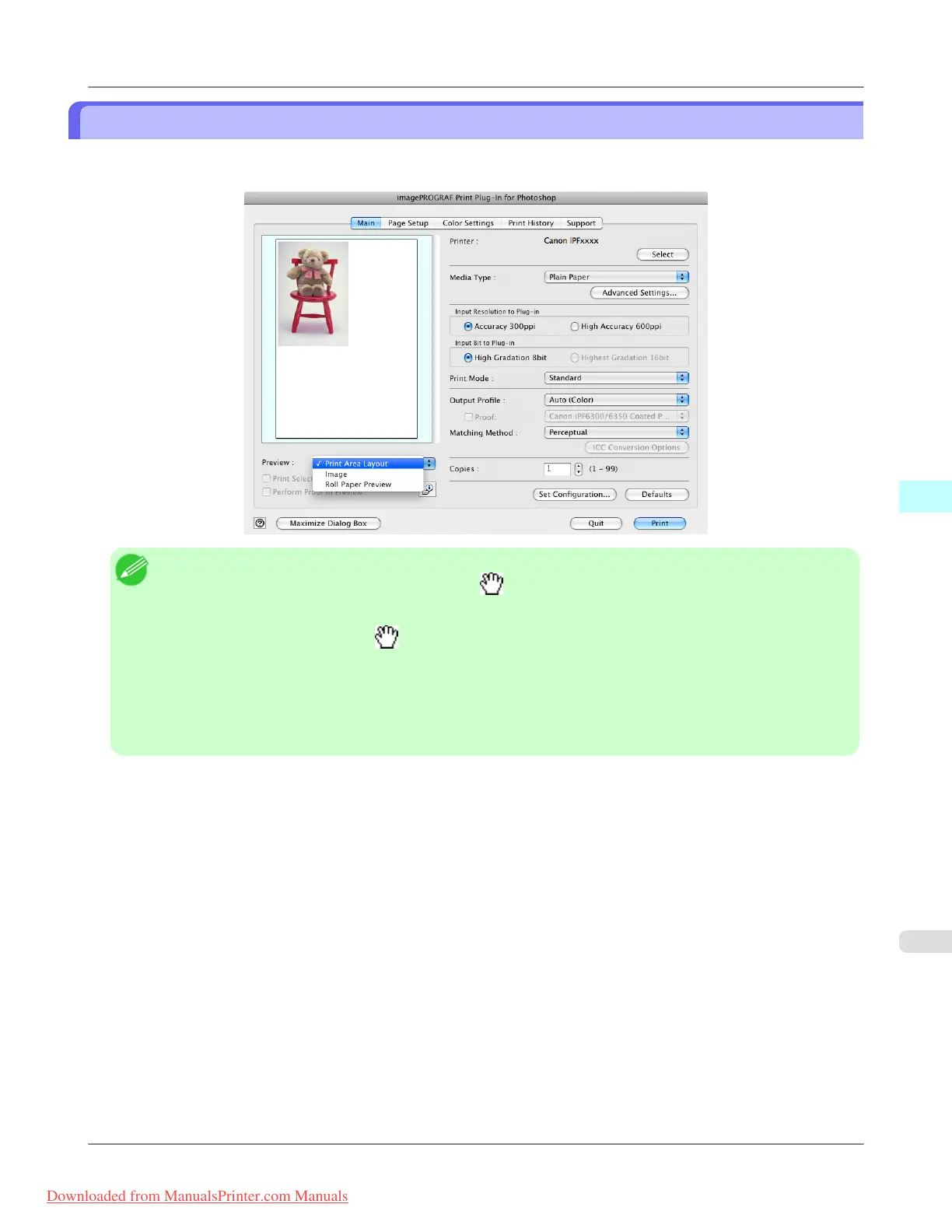
Check Image with Print Area Layout
Displays the print range and the area out of the print range in the layout matching the media size set in the print area layout.
Select Print Area Layout in Preview.
Note
• When the cursor on the preview is displayed as on the preview, you can specify the print position by
dragging the image.
• When the cursor is displayed as
on the preview, the below conditions on the Page Setup sheet have all
been met.
• There is no checkmark in Borderless Printing.
• There is no checkmark in Enlarged/Reduced Printing or Scaling has been selected.
• Center of Roll Paper has not been selected in Layout..
Mac OS X Software
>
Print Plug-In for Photoshop/Digital Photo Professional
>
iPF8300 Check Image with Print Area Layout
5
633
Downloaded from ManualsPrinter.com Manuals














 To Next Page