o.
Cut Sheet lamp (green)
Lit when sheets are selected as the paper source.
Note
• To recover from Sleep mode, any button can be pressed except the Power button.
Turning the Printer On and Off
Turning the printer on
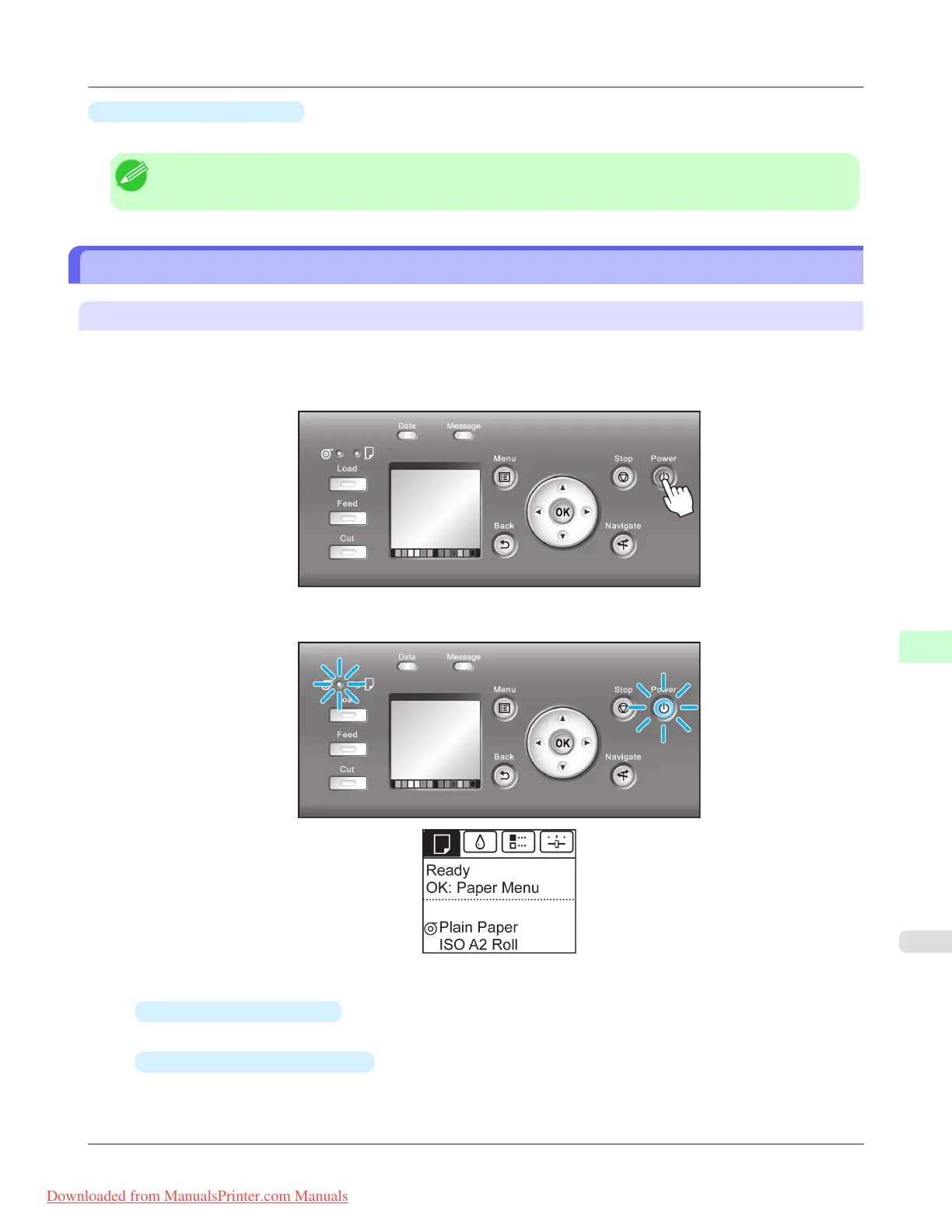
1. Press the Power button to turn on the printer.
The printer will now start up.
After the Display Screen shows the Canon logo, "Starting up... Please wait." is displayed.
2. The Power Lamp is lit when the printer finishes starting up, and the printer is now in Standby.
The printer will not go into Standby in the following situations. Take the appropriate action.
•
The Top Cover is open
Close the Top Cover.
•
The Ink Tank Cover is open
Close the Ink Tank Cover.
Printer Parts
>
Control Panel
>
iPF8300 Turning the Printer On and Off
9
893
Downloaded from ManualsPrinter.com Manuals














 To Next Page