•
The Printhead is not installed
see "Replacing the Printhead." →P.1000
•
An Ink Tank is not installed
see "Replacing Ink Tanks." →P.984
•
If ERROR is shown on the Display Screen
(See "Error Messages →P.1079 .")
•
The Power Lamp and Message Lamp are not lit (even once), and nothing appears on the Display
Screen
Make sure the printer is plugged in correctly. Check the connection at the plug and electrical outlet.
•
No paper is loaded
Load paper. (See "Loading and Printing on Rolls.") →P.3 (See "Loading and Printing on Sheets.") →P.6
Important
• Starting the printer when it is connected via the USB cable to a Macintosh computer that is off may cause the
computer to start up at the same time. To prevent this, disconnect the USB cable before starting the printer.
Connecting the printer to the computer via a USB hub may solve this issue.
Turning the printer off
Important
• Never disconnect the printer's power supply or unplug it during a print job. This may damage the printer.
1. Make sure no print jobs are in progress.
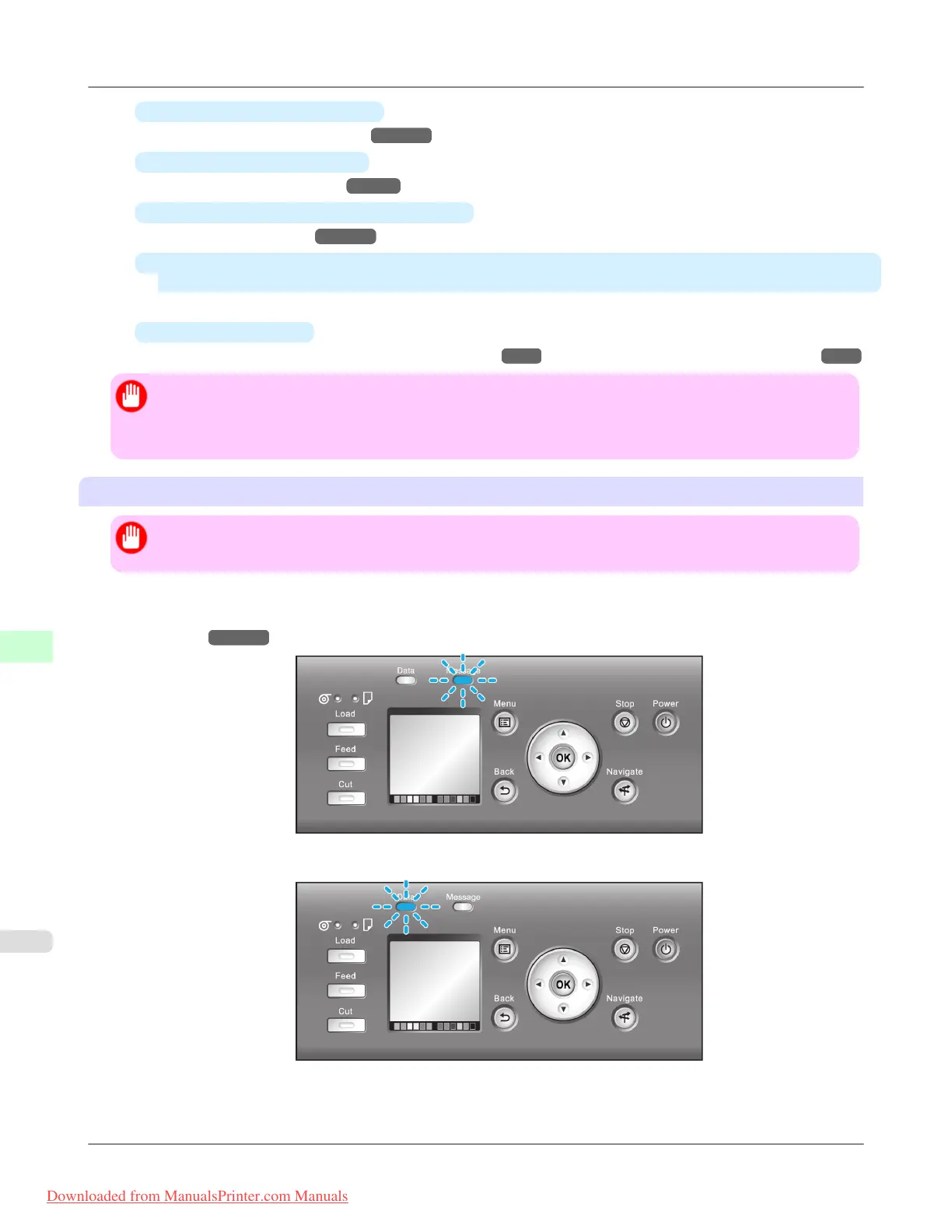
If the Message Lamp is flashing, check the message on the Display Screen and take action as necessary. (See "Error
Messages →P.1079 .")
If the Data Lamp is flashing, the printer is receiving a print job. Turn off the printer only after printing is finished.
Printer Parts
>
Control Panel
>
Turning the Printer On and Off iPF8300
9
894
Downloaded from ManualsPrinter.com Manuals














 To Next Page