Hard Disk
Hard disk capacity 80 GB (print job storage capacity: 48
GB)
Print job storage capacity Common Box 100 jobs
Personal Boxes 100 jobs
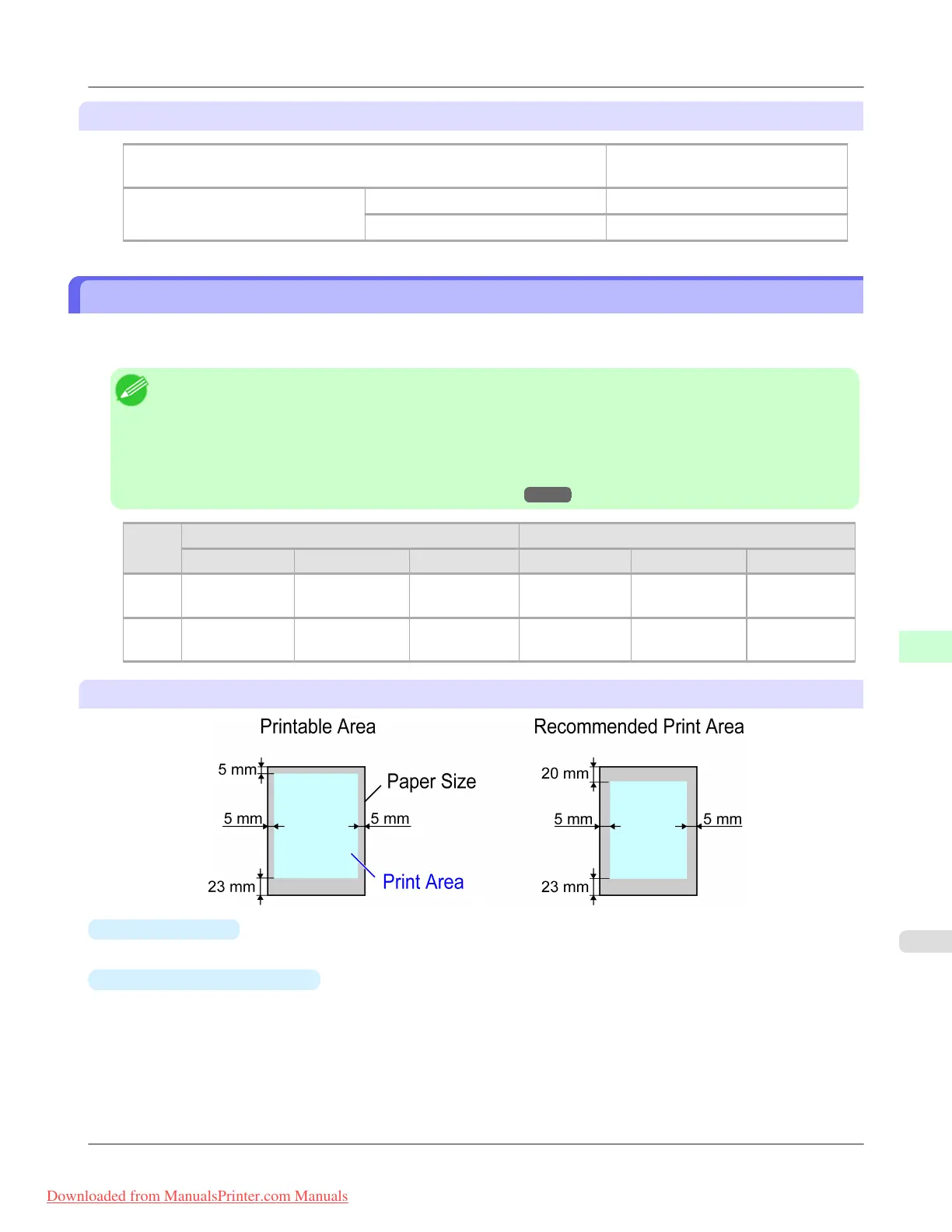
Print Area
A margin required by the printer is added with respect to the size of paper loaded in the printer. Except in borderless print-
ing, the actual printing area corresponds to the paper size minus the space for this margin.
Note
• Printable Area: The area that can be printed.
• There is no margin (that is, a margin of 0 mm) during borderless printing on rolls.
• Recommended Print Area: We recommend printing within this area.
• To print so that your original matches the print area exactly, use an oversized paper size that includes the
required margin. (See "Printing on Oversized Paper.") →P.81
Margins of Printable Area Margins of Recommended Print Area
Top Edge Bottom Edge Sides Top Edge Bottom Edge Sides
Sheets 5 mm (0.20 in) 23 mm (0.91
in)
5 mm (0.20 in) 20 mm (0.79
in)
23 mm (0.91
in)
5 mm (0.20 in)
Rolls 0/5 mm (0/0.20
in)
0/5 mm (0/0.20
in)
0/5 mm
(0/0.20 in)
20 mm (0.79
in)
5 mm (0.20 in) 5 mm (0.20 in)
Sheets
•
Printable Area:
A margin of 5 mm (0.20 in) on top, 23 mm (0.91 in) on bottom, and 5 mm (0.20 in) on left and right sides is required.
•
Recommended Print Area:
A margin of 20 mm (0.79 in) on top, 23 mm (0.91 in) on bottom, and 5 mm (0.20 in) on left and right sides is required.
Printer Parts
>
Printer Specifications
>
iPF8300 Print Area
9
945
Downloaded from ManualsPrinter.com Manuals














 To Next Page