6. Either drag the image on the Print Area Layout preview, or set the print position Layout.
7. Click the Print button.
Printing begins at the set scaling rate.
Print with No Borders
You can use the borderless printing function to print without margins surrounding the image.
Note
• With some media borderless printing can be performed only between two edges.
• To use the borderless printing function, the specified media must be set to the printer.
1. Display the Page Setup sheet.
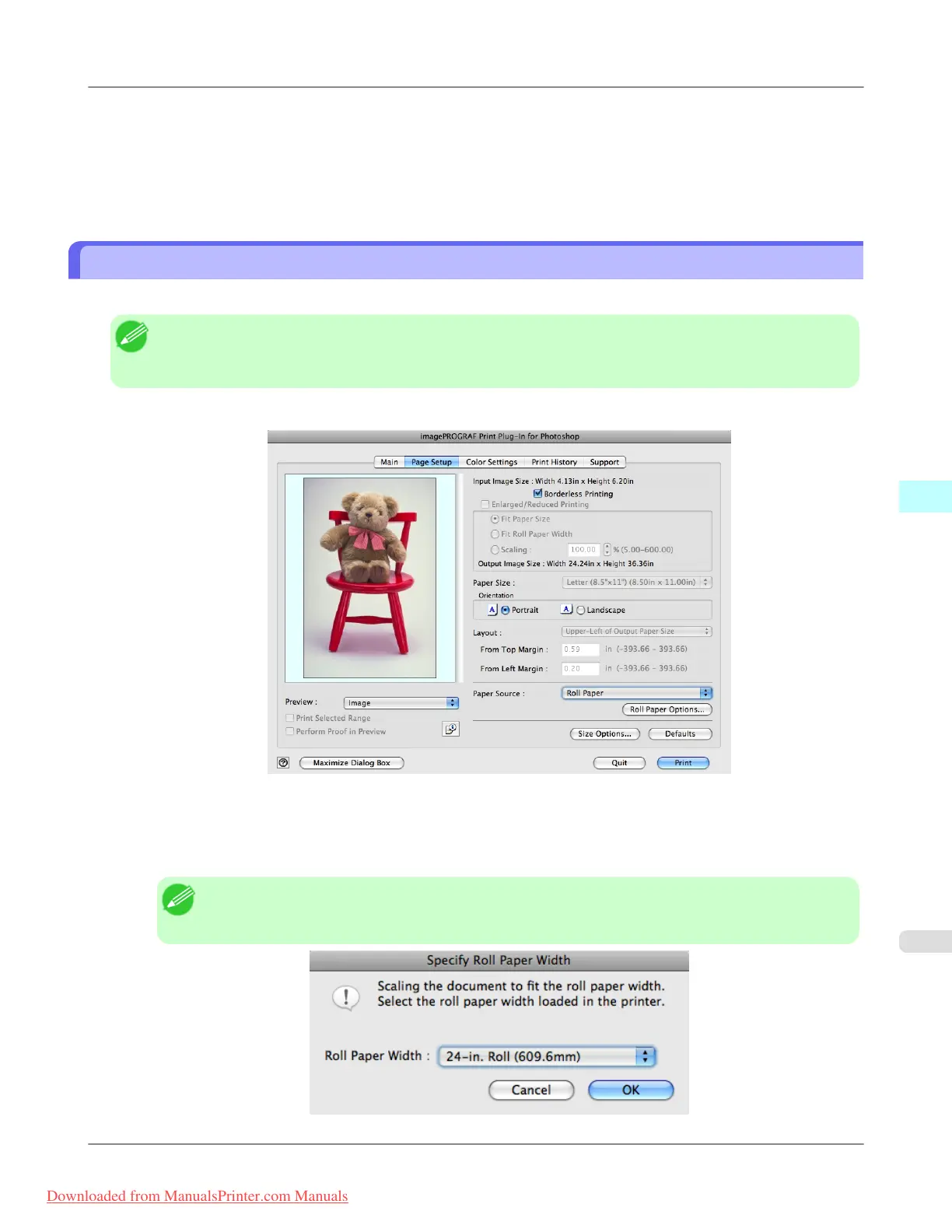
2. Select Roll Paper in Paper Source.
3. Click the Borderless Printing check box on.
Note
• Select the width for roll paper set in the printer in Roll Paper Width in the Specify Roll Paper
Width dialog box, and click OK.
Mac OS X Software
>
Print Plug-In for Photoshop/Digital Photo Professional
>
iPF8300 Print with No Borders
5
653
Downloaded from ManualsPrinter.com Manuals














 To Next Page